AI SVG Generator: The Complete Guide to Text-to-Vector Graphics in 2026
By SVGAI Team
ai svg generatorsvg generatortext to svgai vector graphicssvg generationai design tools
Start an SVG project with a clear brief, then inspect and finish the file for its intended use. The AI SVG Generator is the place to create a new concept; this guide helps you choose the next step as the project develops.
Find the next stage of your SVG project
| Where you are | What to do next | Focused resource |
|---|---|---|
| Idea, no first asset | Write one brief and generate a draft | Beginner sequence |
| Choosing text, lettering, or reference input | Separate what can change from what must stay exact | Text-to-SVG input guide |
| First concept for a larger page | Test it in a concrete composition | Applied SVG project |
| Result misses a constraint | Diagnose the mismatch before another attempt | Prompt troubleshooting |
| Concept works, details need correction | Compare original, AI-refined, and manual versions | SVG editing guide |
| Approved asset ready for delivery | Package brief, source, versions, final output, and README | SVG creation workflow |
Return to the AI SVG Generator when the next step requires a new concept. Use a vector or code editor for an exact color, coordinate, or implementation attribute.
The FlowMint original SVG, AI revision, and logo finishing walkthrough show these decisions in practice. The AI revision changed the requested leaf color and some shapes; the walkthrough then shows how to make the color change manually while keeping the original geometry.


What is an AI SVG Generator?
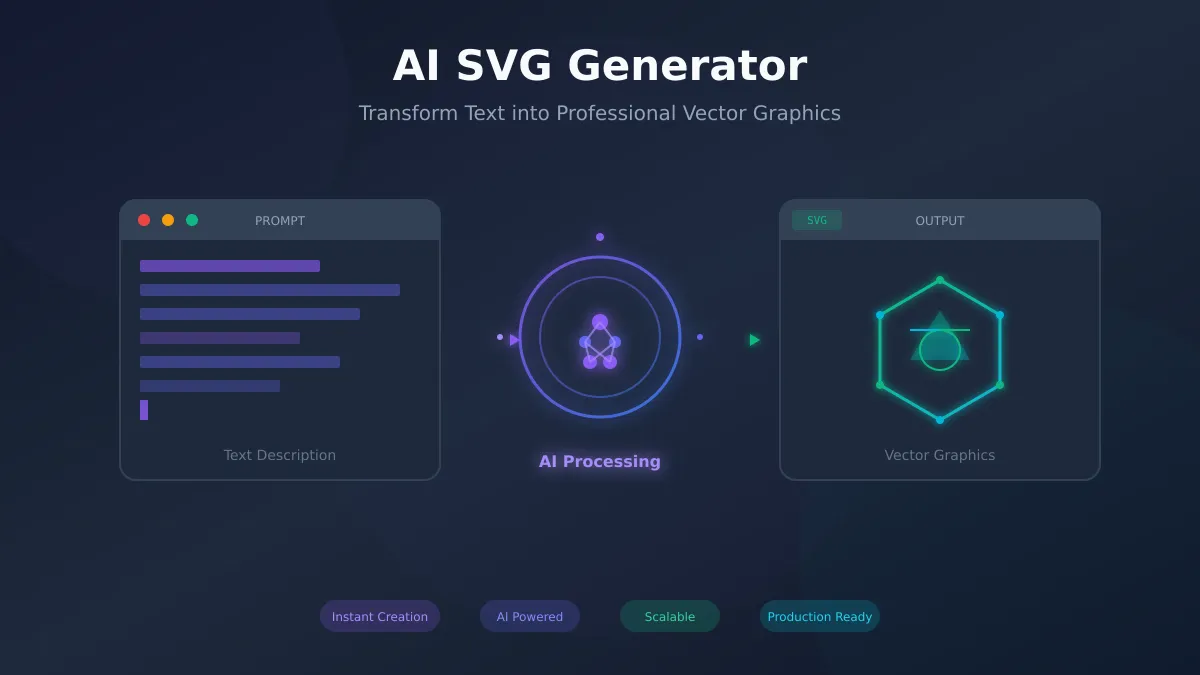
An AI SVG generator is a tool that uses artificial intelligence to convert text descriptions (prompts) into scalable vector graphics (SVG) files. Unlike traditional design software that requires manual drawing skills, an AI SVG Generator uses the description to create a concept and an SVG result. Check the final geometry and file size instead of assuming the file is already optimized.
How AI SVG Generation Works
Think of the workflow as input, generated concept, resulting SVG, then inspection. Some systems write markup directly; others generate an image and vectorize it. Both can yield editable shapes. The final file tells you whether it contains paths, text, embedded images, or a mixture.
A prompt such as Minimalist mountain logo with a sunrise, blue and orange defines the visual direction. Open the result to check the path structure and color values before using it.
AI SVG Generator vs Traditional Design Tools
| Task | Generation helps explore | A vector editor helps control |
|---|---|---|
| First draft | Composition and style | A specific geometric construction |
| Revisions | A visual alternative | Coordinates, spacing, and palette |
| Matching set | Repeated prompts and references | Drawn bounds, weights, and attributes |
| Delivery | A source concept | Target-specific export and packaging |
Use the SVG generator to explore a concept, then edit exact details manually when the brief calls for them.
Key Benefits of AI SVG Generation
1. Speed and Efficiency
Generation can shorten the blank-canvas stage by giving you a draft to evaluate. Allow time to write the prompt, compare results, refine the design, and place the final file in your project.
For your first attempt, check the subject and silhouette at the intended display size. Settle the main shape before spending time on smaller details.
2. Democratized Design
You can start with a written brief. The AI SVG Generator can provide a first draft for:
- Entrepreneurs creating their own brand assets
- Developers generating UI icons without waiting for designers
- Marketers producing campaign graphics on demand
- Content creators building visual libraries
- Small businesses competing with larger design budgets
3. Explore different directions
Sign up to get starter credits and begin with one focused attempt. The composer displays the credit cost for your selected model and number of variations.
A useful variation tests one decision: symbol versus wordmark, filled versus outline, or one composition versus another. Keep the strongest direction and note why rejected options missed the brief.
4. Build a consistent style
Give related assets a shared palette, shape language, and level of detail. Then compare them against the same requirements:
- The concept matches the brief.
- Exact words are spelled correctly.
- Required shapes are independently editable.
- The drawn artwork reads at target size.
- Colors, backgrounds, and file weight fit the placement.
A shared style phrase communicates intent. Compare files together before calling a set consistent.
Understanding SVG Technology
Before mastering AI generation, understanding SVG file format fundamentals helps you work more effectively. For a deeper look at how the standard has evolved, see our SVG 1.1 vs 2.0 comparison and the 2026 browser compatibility guide.
What Makes SVG Special
SVG (Scalable Vector Graphics) uses mathematical descriptions rather than pixels:
<svg viewBox="0 0 100 100" xmlns="http://www.w3.org/2000/svg">
  <circle cx="50" cy="50" r="40" fill="#3B82F6"/>
</svg>
Download this hand-written circle example and change its radius or fill to see how the markup controls the drawing.

Key Advantages:
- Resolution-independent geometry: Shapes scale without pixel enlargement; small-size details still need checking
- Compact simple graphics: Measure the file; complex paths and embedded images can be large
- Editable code: Modify colors, shapes, animations in text editors
- Inspectable text and shapes: Exposure depends on embedding method and document
- Accessible when named appropriately: Distinguish meaningful from decorative content — learn more in our SVG accessibility guide
SVG Use Cases
Projects that can use SVG artwork:
- Logos and Brand Marks: Scalable across all media
- Icons and UI Elements: Crisp at any screen density
- Illustrations: Lightweight web graphics
- Infographics: Data visualization with style
- Animations: CSS and JavaScript can animate paths
- Print Graphics: Resolution-independent for any print size
How to Use an AI SVG Generator
Step 1: Craft Your Prompt
The quality of your output depends heavily on your prompt. Follow this structure for best results:
[STYLE] [OBJECT] for [CONTEXT] with [SPECIFICATIONS]
Basic Example:
"Minimalist app icon for fitness tracking"
Advanced Example:
"Minimalist geometric app icon for fitness tracking app,
single vibrant green color, represents movement and progress,
simple enough to work at 16px, modern tech aesthetic"
Prompt Engineering Principles:
- Be Specific: "Modern" is vague; "Modern geometric with clean lines" is clear
- Add Constraints: "2-3 colors maximum" focuses the AI
- State the Negative: "Avoiding cliché fitness imagery like dumbbells"
- Include Context: "For mobile app icon" sets expectations
Use prompt engineering for SVG creators to diagnose a missed constraint.
Step 2: Generate and Iterate
Review the first result before generating more:
At each stage, make one clear decision:
- Round 1: Broad exploration, evaluate directions
- Round 2: Refine promising concepts
- Round 3: Fine-tune details and style
- Further revisions: Continue only when the next correction is clear and worth the displayed cost
Iteration Prompting Pattern:
Original: "Modern tech startup logo"
Iteration 1: "Modern tech startup logo, geometric, blue palette"
Iteration 2: "Modern geometric tech logo, interconnected nodes, blue gradient"
Iteration 3: "Geometric network logo, 4 connected circles, blue to purple gradient"
Final: "Minimalist network logo, 4 circles connected by lines, gradient from #3B82F6 to #8B5CF6"
Each iteration adds specificity based on what you learned.
Step 3: Evaluate and Refine
Quality Checklist for AI-Generated SVGs:
- Works at target sizes (favicon to full-screen)
- Paths are clean (no excess anchor points)
- Colors match brand/project requirements
- Style aligns with intended aesthetic
- File size is optimized
- Unique enough for purpose
Step 4: Export and Implement
Keep the approved SVG and its source version. SVG downloads require paid access through an eligible subscription or credit purchase.
Use the destination's required format. Make raster or PDF copies in an appropriate editor when needed; do not assume every format is a native generator download. Test the actual file in the website, presentation, printer, or application that will receive it.
AI SVG Generator Use Cases
Use Case 1: App Icons and UI Elements
The Challenge: Mobile apps need dozens of icons at multiple resolutions, updated as features evolve.
Starting point: Describe each icon with the same style and color rules:
Prompt Template:
"Minimalist [action] icon for [app type],
matches existing [style] aesthetic,
single line weight, rounded corners"

Examples:
- "Minimalist settings gear icon for finance app, matches existing blue aesthetic"
- "Minimalist notification bell icon for finance app, matches existing blue aesthetic"
- "Minimalist profile user icon for finance app, matches existing blue aesthetic"
Acceptance: Compare the icons at the same size and in the same theme before calling the set complete.
For creation consistency, follow the matching icon tutorial. For actual-size theming and component code, use the icon implementation guide.
Use Case 2: Logo and Brand Development
The Challenge: A logo needs a recognizable concept, clear lettering, and a shape that works at several sizes.
Starting point: Compare a few different visual directions:
Exploration Prompts:
1. "Abstract geometric logo for tech consulting, conveys trust and innovation"
2. "Wordmark logo for tech consulting, modern sans-serif, subtle tech element"
3. "Mascot logo for tech consulting, friendly robot character, approachable"
4. "Minimalist symbol for tech consulting, represents connection and growth"
Compare exact colors, lettering, and mark-only variants in the logo selection and finishing guide.
Use Case 3: Illustrations and Content Graphics
The Challenge: Blog posts, presentations, and marketing need custom visuals, but stock graphics are generic.
Starting point: Describe the subject, composition, and palette your content needs:
"Isometric illustration of person working on laptop,
surrounded by floating icons representing productivity,
blue and white color scheme, clean modern style"
Place the illustration in its intended layout before approval. Check crop, contrast, and whether detail competes with the adjacent content.
Use Case 4: Data Visualization Elements
The Challenge: Charts and graphs need custom styling to match brand aesthetics.
Starting point: Generate decorative chart symbols and infographic components:
"Pie chart icon in flat design style,
showing 4 segments in brand colors #3B82F6 #10B981 #F59E0B #EF4444,
clean minimal aesthetic for annual report"
This prompt describes an illustration. Build charts that communicate actual data from the source values in charting software or code, so the proportions and labels are accurate.
Use Case 5: Print and Merchandise
The Challenge: Print materials require vector formats at any size.
Draft brief: Describe the intended print design, then check the output against the production requirements:
"T-shirt graphic design, adventure theme,
mountain silhouette with tent and stars,
single color black, works for screen printing"
Vector geometry scales, but fine detail, color conversion, and production tolerances need a target-specific check.
Advanced AI SVG Generation Techniques
Technique 1: Style Consistency Across Assets
The Problem: Need multiple graphics that look cohesive.
The Solution: Create a style template prompt:
Style Template:
"[Object], flat design, geometric shapes,
limited to 3 colors [#primary, #secondary, #accent],
rounded corners 8px radius, minimal detail,
consistent 2px stroke weight where applicable"

Apply to:
- "User icon [template]"
- "Settings icon [template]"
- "Home icon [template]"
Technique 2: Negative Prompting
Avoid common AI defaults:
"Tech startup logo avoiding:
- circuit board patterns
- generic globe symbols
- overused gear icons
- robotic/AI face imagery
Instead: organic, approachable, human-centered"
Technique 3: Reference Existing Styles
"Icon matching our own outline set, consistent stroke weight,
rounded caps, and optical balance at small sizes"
Technique 4: Complexity Control
For Simpler Output:
"Extremely minimal, under 5 shapes,
single color, works at 16px favicon size"
For More Detail:
"Detailed illustration, 20-30 shapes acceptable,
subtle gradients, rich visual interest"
Best Practices for AI SVG Generation
1. Start Broad, Then Focus
Phase 1: Generate one focused draft after checking the displayed credit cost Phase 2: Identify promising directions Phase 3: Refine the selected concept when a concrete change is needed
2. Learn from Failed Generations
When AI misses the mark:
- Identify what went wrong
- Add specificity to counter it
- Use negative prompting to exclude unwanted elements
3. Build a Prompt Library
Save successful prompts as templates:
## Logo Prompts
- Minimalist geometric: "Clean geometric [industry] logo, mathematical precision..."
- Wordmark focused: "Modern wordmark for [company], tracking -20..."
- Abstract symbol: "Abstract symbol representing [concept], flowing organic..."

## Icon Prompts
- App icon: "Rounded square app icon for [purpose], gradient background..."
- UI icon: "System UI icon for [action], consistent 24px grid..."
4. Combine AI with Manual Refinement
Use explicit responsibilities for a mixed workflow:
- Generate base concept with AI
- Export to vector editor (Figma, Illustrator)
- Adjust proportions and details
- Ensure brand alignment
- Optimize for target use
Learn more about this hybrid approach in our AI-assisted SVG creation guide.
The Future of AI SVG Generation
Emerging Capabilities (2026-2028)
When evaluating new tools, look for improvements that solve a concrete part of your workflow. The areas below are questions to ask about a tool's capabilities, rather than assumptions to make from an AI label.
1. Multimodal Input
- Can you combine a sketch, reference image, and written brief?
- Does the tool make it easy to compare the result with its reference?
2. Brand-Aware Generation
- Can you reuse a palette and reference across related assets?
- How closely do the exported colors and shapes follow those rules?
3. Animation Integration
- Are the paths and groups organized well enough to animate?
- Can you control timing and provide a reduced-motion version?
4. Design System Integration
- Can you adapt the output to your existing components and color tokens?
- Can your team keep the source, revisions, and approved asset together?
Preparing for the AI Design Future
Skills That Remain Valuable:
- Creative direction and strategy
- Brand understanding and context
- Quality judgment and refinement
- Client communication and management
Skills to Develop:
- Advanced prompt engineering
- AI workflow optimization
- Hybrid AI + manual techniques
- Understanding AI capabilities and limits
Getting Started Today
Your First 30 Minutes
- Write one brief with subject, use, target size, and constraints.
- Visit the AI SVG Generator, choose settings, review the credit cost, and create one draft.
- Decide whether the draft needs a new visual direction or a precise manual correction.
- Download the SVG when your account has export access, and try it in the intended placement.
If the draft needs more work, save it with a note about the next change and continue in another session.
Your First Week
- Day 1-2: Explore different prompt styles
- Day 3-4: Work on a real project
- Day 5-6: Learn refinement techniques
- Day 7: Review and refine your approach
Building Mastery
- Month 1: Establish personal workflow and prompt library
- Month 2-3: Handle complex multi-asset projects
- Month 4+: Integrate AI into professional design practice
Related Resources
Deepen your AI SVG generation expertise:
Guides & Workflows
- AI SVG Creator Guide: Comprehensive coverage of AI-assisted creative workflows
- Prompt Engineering for SVG Creators: Master the art of communicating with AI
- AI-Assisted SVG Creation: Human + AI collaboration strategies
Business Value
- ROI Cost-Benefit Analysis: Evaluate costs across an SVG workflow
- Time Savings & Workflows: Review where generation and finishing fit into a team's work
- Case Studies: Explore examples of AI SVG workflows
- Scaling Design Operations: From solo creator to enterprise design at scale
- Brand Consistency: Maintain style standards with AI-generated assets
- Enterprise Solutions: Features, security, and scale for large organizations
Tutorials
- iOS App Icons Tutorial: Create App Store-ready icon sets with AI
- Batch Processing SVGs: Automation workflows for bulk generation
Technical Deep Dives
- SVG File Format Deep Dive: Understand the technology behind vector graphics
- SVG 1.1 vs 2.0 Comparison: Feature differences between SVG specifications
- SVG Browser Compatibility 2026: Support matrix and fallback strategies
- SVG Accessibility Guide: WCAG compliance and inclusive design for vector graphics
Conclusion
Start with the project stage you are actually in. Generate a new visual concept, inspect the complete file before approval, and finish exact geometry and implementation details with the appropriate editor.
Use the AI SVG Generator to create the first asset for your SVG project. Keep the brief, source, revisions, and final file together so the next person can understand what changed.