SVG 1.1 vs SVG 2.0: Complete Feature Comparison for Developers
By SVGAI Team
ai svg generatorsvg standardssvg 2.0web developmentsvg generator
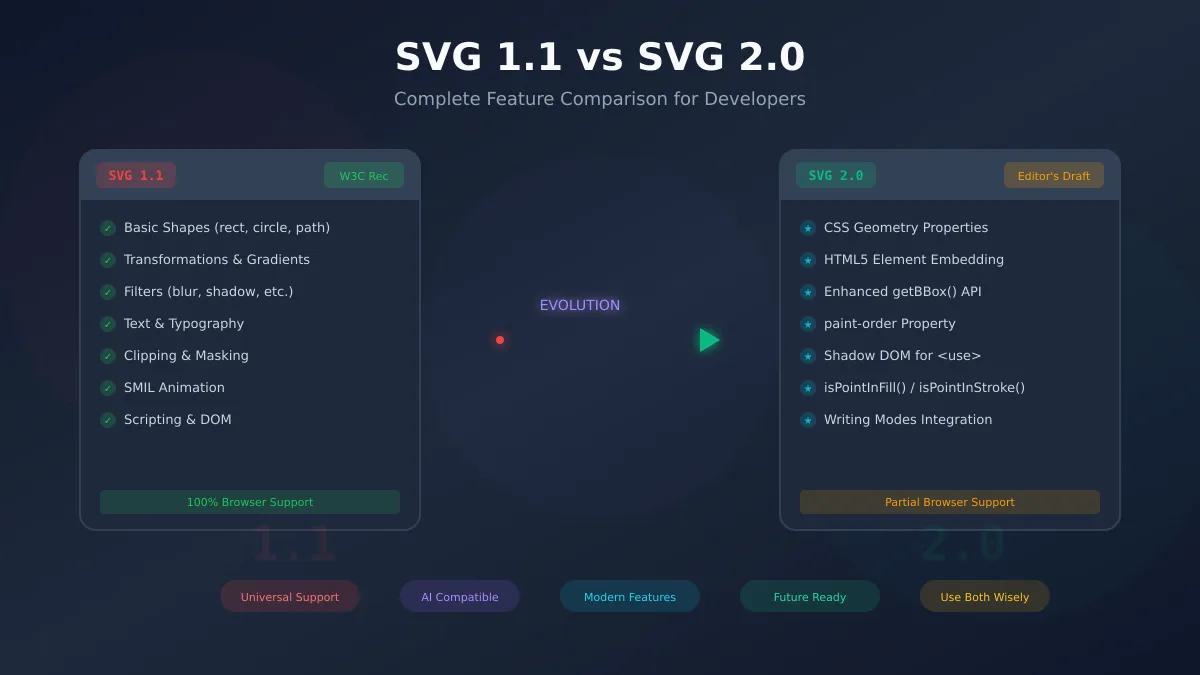
The SVG specification has evolved significantly since its initial release, with SVG 2.0 introducing modern capabilities that better integrate with CSS and HTML5. Understanding the differences between SVG 1.1 and SVG 2.0 is essential for developers who want to leverage the full potential of vector graphics while maintaining broad browser compatibility.
This comprehensive comparison covers everything you need to know about both specifications—from new features and deprecated attributes to practical migration strategies. Whether you're creating graphics with our AI SVG Generator or hand-coding complex visualizations, this guide will help you make informed decisions about which features to use.
SVG 1.1: The Established Foundation
SVG 1.1 became a W3C Recommendation in 2003 (Second Edition in 2011) and remains the most widely supported version across all browsers and tools. Its long history means universal compatibility and predictable behavior.
Core SVG 1.1 Capabilities
Structural Elements:
- Basic shapes:
<rect>,<circle>,<ellipse>,<line>,<polyline>,<polygon> - Path element with full command set (M, L, C, S, Q, T, A, Z)
- Groups (
<g>) with inherited styles and transformations - Symbol definitions and reuse via
<use> - Nested
<svg>elements for complex compositions
Visual Styling:
- Fill and stroke attributes with solid colors
- Linear and radial gradients
- Pattern fills for textures
- Opacity controls (fill-opacity, stroke-opacity, opacity)
- Transformation matrices (translate, rotate, scale, skew, matrix)
Advanced Features:
- Clipping paths and masks
- Filter effects (blur, shadow, color manipulation)
- Text rendering with basic styling
- SMIL animations (animate, animateTransform, animateMotion)
- Scripting via JavaScript DOM manipulation
For a deeper dive into SVG fundamentals, see our SVG file format guide.
Why SVG 1.1 Remains Dominant
The staying power of SVG 1.1 comes from its reliability:
| Advantage | Practical Benefit |
|---|---|
| Universal Support | Works in every modern browser since IE9 |
| Tool Compatibility | All design tools export 1.1-compliant SVG |
| Documentation | Extensive tutorials, Stack Overflow answers, and resources |
| Stability | No breaking changes or deprecation concerns |
| AI Generation | Most AI SVG generators produce 1.1-compliant output |
When using an SVG generator for production work, the output typically adheres to SVG 1.1 specifications for maximum compatibility.
SVG 2.0: What's New
SVG 2.0 modernizes the specification by removing obsolete features, aligning with CSS standards, and adding capabilities that web developers have long requested. However, it's important to note that as of 2026, SVG 2.0 remains an Editor's Draft—not a finalized W3C Recommendation.
CSS Geometry Properties
One of the most significant changes in SVG 2.0 is making geometric attributes accessible via CSS:
/* SVG 2.0: Control geometry with CSS */
rect {
  x: 10px;
  y: 20px;
  width: 100px;
  height: 50px;
  rx: 8px;
  ry: 8px;
}

circle {
  cx: 50px;
  cy: 50px;
  r: 25px;
}
Practical implications:
- Animate positions with CSS transitions and keyframes
- Use CSS variables for dynamic sizing
- Apply media queries to change geometry responsively
- Inherit values through the CSS cascade
Browser support: Chrome, Edge, and Firefox support CSS geometry properties. Safari has partial support.
HTML5 Element Embedding
SVG 2.0 allows direct embedding of HTML5 elements within SVG:
<svg viewBox="0 0 400 300" xmlns="http://www.w3.org/2000/svg">
  <foreignObject x="10" y="10" width="200" height="150">
    <video src="demo.mp4" controls xmlns="http://www.w3.org/1999/xhtml"></video>
  </foreignObject>
</svg>
This enables:
- Embedding
<video>and<audio>elements - Including
<canvas>for dynamic rendering - Using HTML form elements within SVG interfaces
- Mixing SVG graphics with rich HTML content
Note: <foreignObject> existed in SVG 1.1 but SVG 2.0 formalizes HTML5 namespace handling.
Enhanced JavaScript APIs
SVG 2.0 introduces improved methods for geometric calculations:
getBBox() with parameters:
// SVG 2.0: More control over bounding box calculation
const bbox = element.getBBox({
  fill: true,      // Include fill extent
  stroke: true,    // Include stroke extent
  markers: true,   // Include marker extent
  clipped: false   // Don't clip to viewport
});
Hit testing methods:
// Check if a point is inside the fill
const point = svg.createSVGPoint();
point.x = mouseX;
point.y = mouseY;

if (path.isPointInFill(point)) {
  console.log('Clicked inside the shape fill');
}

if (path.isPointInStroke(point)) {
  console.log('Clicked on the shape stroke');
}
These APIs simplify:
- Custom click/hover detection
- Interactive graphics and games
- Data visualization tooltips
- Complex shape interactions
Paint Order Control
The paint-order property lets you control the rendering sequence of fill, stroke, and markers:
/* Stroke appears behind fill (useful for outlined text) */
text {
  paint-order: stroke fill markers;
  fill: white;
  stroke: black;
  stroke-width: 3px;
}
Without paint-order, strokes always render on top of fills. This property enables effects like:
- Outlined text with visible fill
- Strokes that don't obscure content
- Creative layering effects
Browser support: Widely supported in modern browsers.
Shadow DOM for <use> Elements
SVG 2.0 clarifies that <use> elements create shadow DOM instances, enabling:
/* Style shadow content from outside */
use.highlighted::part(icon) {
  fill: var(--highlight-color);
}
This replaces the older SVGElementInstance interface and aligns with standard web components patterns.
Typography Improvements
SVG 2.0 harmonizes text handling with CSS:
Writing modes:
text {
  writing-mode: vertical-rl;  /* CSS writing mode values */
  text-orientation: mixed;
}
text-decoration shorthand:
text {
  text-decoration: underline wavy red;
}
Improved white-space handling:
The deprecated xml:space attribute is replaced by the CSS white-space property.
Feature Comparison Table
| Feature | SVG 1.1 | SVG 2.0 | Browser Support (2026) |
|---|---|---|---|
| Basic shapes & paths | Yes | Yes | Universal |
| Gradients & patterns | Yes | Yes | Universal |
| Filters | Yes | Yes (enhanced) | Universal |
| Transformations | Yes | Yes | Universal |
| SMIL animations | Yes | Yes | All except Chrome (deprecated) |
| CSS geometry (x, y, r, etc.) | No | Yes | Chrome, Firefox, Edge; Safari partial |
paint-order | No | Yes | Universal |
isPointInFill() | No | Yes | Chrome, Firefox, Edge |
isPointInStroke() | No | Yes | Chrome, Firefox, Edge |
| getBBox() with options | No | Yes | Limited |
Shadow DOM for <use> | No | Yes | Partial |
vector-effect | Partial | Yes (expanded) | Good |
CSS white-space | No | Yes (replaces xml:space) | Universal |
version attribute | Required | Removed | N/A |
baseProfile attribute | Required | Removed | N/A |
Deprecated and Removed Features
SVG 2.0 cleans up the specification by removing features that are obsolete, redundant, or rarely used.
Safe to Remove
These attributes can be safely removed from your SVG files with no functional impact:
version attribute:
<!-- Old way (SVG 1.1) -->
<svg version="1.1" xmlns="http://www.w3.org/2000/svg">

<!-- New way (SVG 2.0) - no version needed -->
<svg xmlns="http://www.w3.org/2000/svg">
Browsers have never enforced version checking, so this attribute serves no practical purpose.
baseProfile attribute:
<!-- Can be removed -->
<svg baseProfile="full" ...>
The mobile SVG profiles (Tiny, Basic) are obsolete. Modern mobile browsers support full SVG.
Migrated to CSS
xml:space to white-space:
<!-- Old: SVG 1.1 -->
<text xml:space="preserve">  Multiple   spaces  </text>

<!-- New: Use CSS -->
<style>
  text { white-space: pre; }
</style>
<text>  Multiple   spaces  </text>
Removed DOM Interfaces
The following interfaces are removed in SVG 2.0:
SVGElementInstanceandSVGElementInstanceList(replaced by shadow DOM)suspendRedraw()andunsuspendRedraw()(browser optimization handles this)forceRedraw()(unnecessary with modern rendering)SVGViewSpec(rarely implemented)
XLink Namespace Deprecation
SVG 2.0 deprecates the XLink namespace for href:
<!-- Old: SVG 1.1 with XLink -->
<use xlink:href="#icon" />
<image xlink:href="photo.jpg" />

<!-- New: SVG 2.0 -->
<use href="#icon" />
<image href="photo.jpg" />
Migration note: For backward compatibility, keep both attributes during transition:
<use href="#icon" xlink:href="#icon" />
Browser Support Reality in 2026
Despite SVG 2.0's improvements, browser implementation remains fragmented.
Specification Status
As of January 2026, SVG 2.0 is still an Editor's Draft, not a finalized recommendation. This means:
- Features may still change before finalization
- Browser vendors implement features selectively
- Some features have been implemented for years, others remain unimplemented
Feature Detection Approach
Rather than checking SVG versions, detect specific features:
// Check for CSS geometry property support
function supportsCSSGeometry() {
  const rect = document.createElementNS('http://www.w3.org/2000/svg', 'rect');
  return 'x' in rect.style;
}

// Check for hit testing methods
function supportsHitTesting() {
  const path = document.createElementNS('http://www.w3.org/2000/svg', 'path');
  return typeof path.isPointInFill === 'function';
}

// Check for paint-order
function supportsPaintOrder() {
  const text = document.createElementNS('http://www.w3.org/2000/svg', 'text');
  return CSS.supports('paint-order', 'stroke fill');
}

// Use features conditionally
if (supportsCSSGeometry()) {
  // Use CSS animations for geometry
} else {
  // Fall back to SMIL or JavaScript animations
}
What's Actually Usable Today
Widely supported (use freely):
paint-orderproperty- Simplified
href(without xlink:) - CSS
white-spaceinstead ofxml:space - Removing
versionandbaseProfileattributes
Well supported (test first):
- CSS geometry properties (x, y, r, cx, cy, rx, ry)
isPointInFill()andisPointInStroke()vector-effectvariations
Limited support (use with fallbacks):
- Enhanced
getBBox()with options - Full shadow DOM styling for
<use>
For the most comprehensive guide to AI-powered SVG creation, see our complete AI SVG generator guide.
Migration Guide
Transitioning from SVG 1.1 to SVG 2.0 practices is straightforward because the specifications are fully backward compatible.
Backwards Compatibility
All valid SVG 1.1 files work in SVG 2.0 environments. You can:
- Keep existing SVG 1.1 files unchanged
- Gradually adopt SVG 2.0 features where supported
- Use feature detection for progressive enhancement
Attribute Cleanup Checklist
Remove unnecessary attributes from your SVG files:
<!-- Before: SVG 1.1 verbose -->
<svg version="1.1"
     baseProfile="full"
     xmlns="http://www.w3.org/2000/svg"
     xmlns:xlink="http://www.w3.org/1999/xlink">
  <use xlink:href="#icon" xml:space="preserve"/>
</svg>

<!-- After: SVG 2.0 clean -->
<svg xmlns="http://www.w3.org/2000/svg">
  <use href="#icon"/>
</svg>
CSS Migration Best Practices
Move presentation attributes to CSS where practical:
<!-- Before: Inline attributes -->
<rect x="10" y="20" width="100" height="50"
      fill="#3b82f6" stroke="#1d4ed8" stroke-width="2"/>

<!-- After: CSS-styled -->
<style>
  .card {
    fill: #3b82f6;
    stroke: #1d4ed8;
    stroke-width: 2px;
  }
</style>
<rect class="card" x="10" y="20" width="100" height="50"/>
For CSS geometry (SVG 2.0):
/* Move geometry to CSS where supported */
.card {
  x: 10px;
  y: 20px;
  width: 100px;
  height: 50px;
}
Automated Cleanup Tools
Several tools can help clean up SVG files:
- SVGO: Removes unnecessary attributes automatically
- svgcleaner: Aggressive optimization with configurable rules
- Inkscape (command line): Export with simplified output
Implications for AI SVG Generation
When using an AI SVG Generator for your projects, understanding version differences helps you work more effectively with the output.
Why AI Generators Target SVG 1.1 Core
Most AI-powered SVG tools, including our SVG generator, produce SVG 1.1-compliant output because:
- Maximum compatibility: Works everywhere without modification
- Simpler structure: Core shapes and paths are universally rendered
- Predictable behavior: No browser-specific quirks
- Tool interoperability: Opens correctly in all design applications
Safe SVG 2.0 Features to Use
When editing AI-generated SVGs, you can safely add:
paint-orderfor text effects- CSS styling (moves attributes to stylesheets)
- Simplified
hrefattributes white-spaceCSS property
Future-Proofing Generated SVGs
For the best long-term results:
- Keep files clean: Remove
versionandbaseProfile - Prefer CSS: Use stylesheets over inline attributes
- Test features: Verify SVG 2.0 features in target browsers
- Maintain fallbacks: Keep critical functionality 1.1-compatible
Best Practices Summary
For Maximum Compatibility
Target SVG 1.1 core features when you need:
- Support for older browsers or embedded systems
- Cross-platform design tool compatibility
- Reliable print output
- Email client rendering
For Modern Web Applications
Adopt SVG 2.0 features when:
- You control the runtime environment
- Progressive enhancement is acceptable
- You need CSS-based animations
- Modern browser is guaranteed
Recommended Approach
- Write SVG 1.1-compatible base: Ensure core functionality works everywhere
- Enhance with SVG 2.0: Add modern features with feature detection
- Use CSS over attributes: Easier maintenance and animation
- Clean up obsolete attributes: Remove version, baseProfile, xlink namespace
- Test across browsers: Verify critical features work in your target environments
Related Resources
Conclusion
SVG 1.1 and SVG 2.0 coexist in practice—the older specification provides a stable, universal foundation while the newer one offers modern conveniences for developers who can target recent browsers. The good news is you don't have to choose: use SVG 1.1 features for core functionality and progressively enhance with SVG 2.0 where supported.
For most production work—especially graphics created with an AI SVG Generator—SVG 1.1 compatibility ensures your vectors render correctly everywhere. As you gain familiarity with the landscape, selectively adopt SVG 2.0 features like CSS geometry properties and paint-order to streamline your workflow.
Ready to create SVGs that work everywhere? Try our SVG generator and get production-ready vector graphics in seconds, with clean output compatible across all browsers and tools.