An SVG is an XML document. It can describe vector shapes, text and embedded or linked images. The .svg filename alone does not tell you whether every visible part is an editable vector shape.
This guide reads an actual file from the AI SVG generator, then compares it with a manually constructed raster-wrapper example. The complete files make the difference inspectable.
Start with the actual document
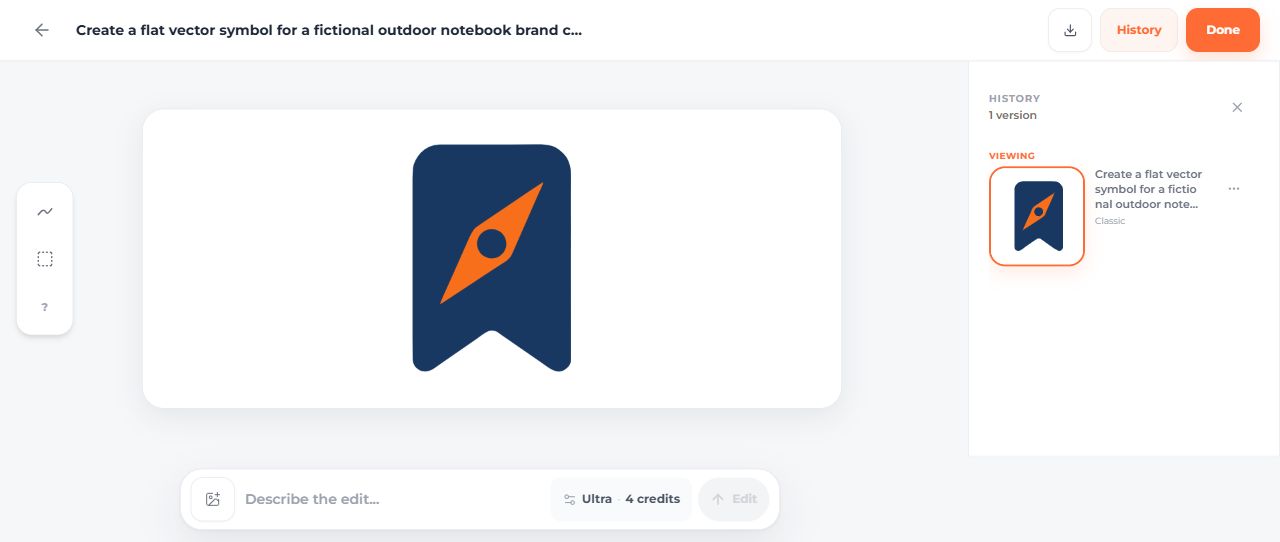
The fictional Fieldnote mark was generated and downloaded in SVG AI on September 14, 2026. It contains a bookmark, a compass needle and a circular center.
Open the complete original SVG. Its root element includes these actual attributes:

<svg version="1.1"
     xmlns="http://www.w3.org/2000/svg"
     viewBox="621.333 0 809.333 1132"
     width="809.333"
     height="1132"
     preserveAspectRatio="none">
This is the opening element only; the linked file supplies all three complete paths and the closing tag.
What the main parts mean
| Part | What to inspect in this file |
|---|---|
svg | The root element of the standalone document |
xmlns | The SVG namespace, http://www.w3.org/2000/svg |
viewBox | The coordinate rectangle used for the artwork |
width and height | The supplied dimensions of this standalone SVG |
path | A shape described by the d attribute's path commands |
fill | The paint applied to these shapes |
preserveAspectRatio | How the coordinate rectangle fits a viewport with a different ratio |
The four viewBox values are the minimum x, minimum y, width and height in user space. They are not four corner coordinates. In the Fieldnote file, the drawing begins in a coordinate system whose viewBox starts at x=621.333. See the MDN viewBox reference.
Vector paths and embedded images are different
The original file is 2,552 bytes. Inspection finds three path elements and zero image elements. That establishes the structure of this file; it does not establish the quality of every SVG produced by the tool.
For comparison, the raster-wrapper control was constructed manually from a PNG of the original. It contains one image element and no paths. The picture can look similar at a small size while having a different internal structure.

The W3C SVG specification describes SVG as supporting vector and mixed vector/raster graphics. Its current SVG 2 technical report is a Candidate Recommendation dated October 4, 2018. A standards document's status and a browser's support for a specific feature are separate questions; test the features you actually use.
Read the colors instead of guessing from the preview
The prompt requested navy #18345F and orange #F97316. The original file contains rgb(24,56,98) and rgb(247,111,27), equivalent to #183862 and #F76F1B. These are close colors, but not exact matches.
The manual brand-color version changes the fills to the requested values and preserves the original path coordinates. It also sets proportional fitting. Those are manual changes, separate from AI generation.

Avoid accidental stretching
In this source, preserveAspectRatio="none" permits non-uniform fitting when the SVG is placed in a differently proportioned viewport. The manual example uses xMidYMid meet to keep the drawing proportional and centered. Open the comparison page to see both files in the same wide box. The MDN preserveAspectRatio reference explains the available behavior.
Do not remove a viewBox or change its coordinates simply because a file looks verbose. Those values affect framing. Compare the result after every structural edit.
Text and accessibility depend on the use
The Fieldnote example has no text element. An SVG can show lettering made from paths, but those paths are not editable text. If changing a name or translating a label matters, inspect how the lettering is represented before choosing the file.
For meaningful images in an HTML page, provide an appropriate text alternative. For decoration beside text that already communicates the meaning, avoid repeating the same announcement. An XML parser cannot decide which role the graphic plays in your interface.
Run a small structural inspection
Download inspect-svg.py and the sample files, then run:
python inspect-svg.py fieldnote-original.svg fieldnote-raster-wrapper-control.svg
The script reports file size, path/image/text counts, fills, viewBox and the aspect-ratio setting. It rejects DTD/entity declarations and limits input size for this example. It does not sanitize arbitrary SVG, validate every SVG feature or certify an accessible design.
Once the structure makes sense, continue with the SVG editing guide or the Windows PNG export walkthrough. Structural inspection is most useful when it supports the next thing you need to do with the file.