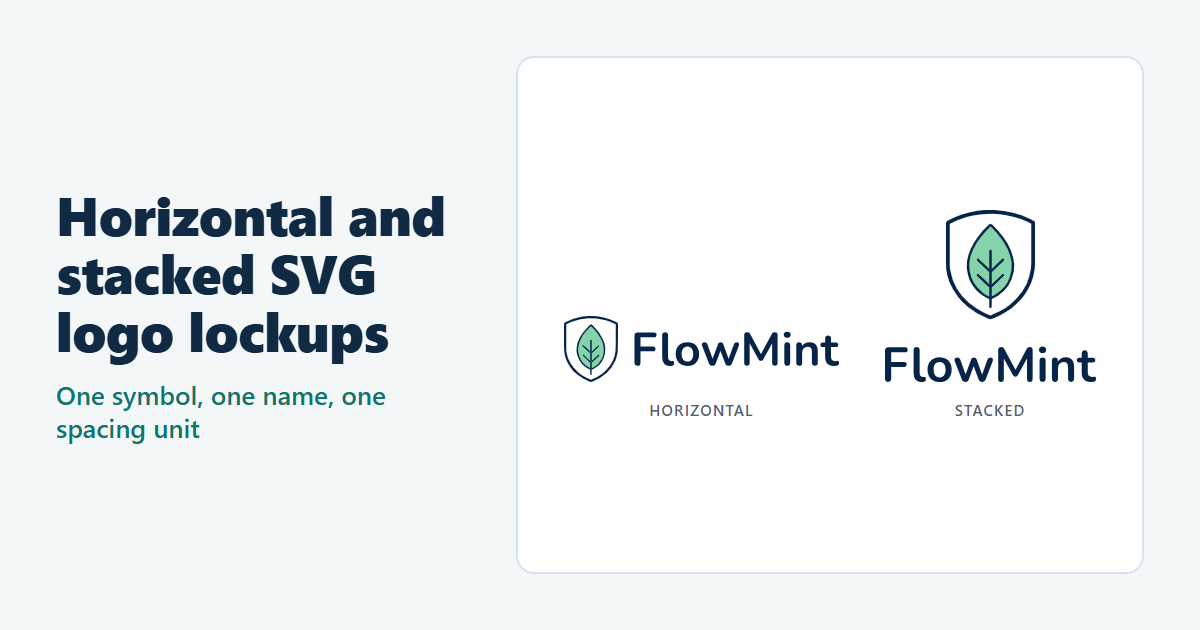
A logo in a website header has to be long and low. The same logo in a sign-in card, an app screen or a square post has about as much height as width to work with. Identity systems usually handle this with two arrangements of the same parts, called lockups: a horizontal one with the name beside the symbol, and a stacked one with the name below it. This guide builds both from one SVG AI symbol and one typeset name, with a single spacing unit so they read as the same logo. Then it places them in a header and a sign-in card, and measures the smallest size at which each one still reads.
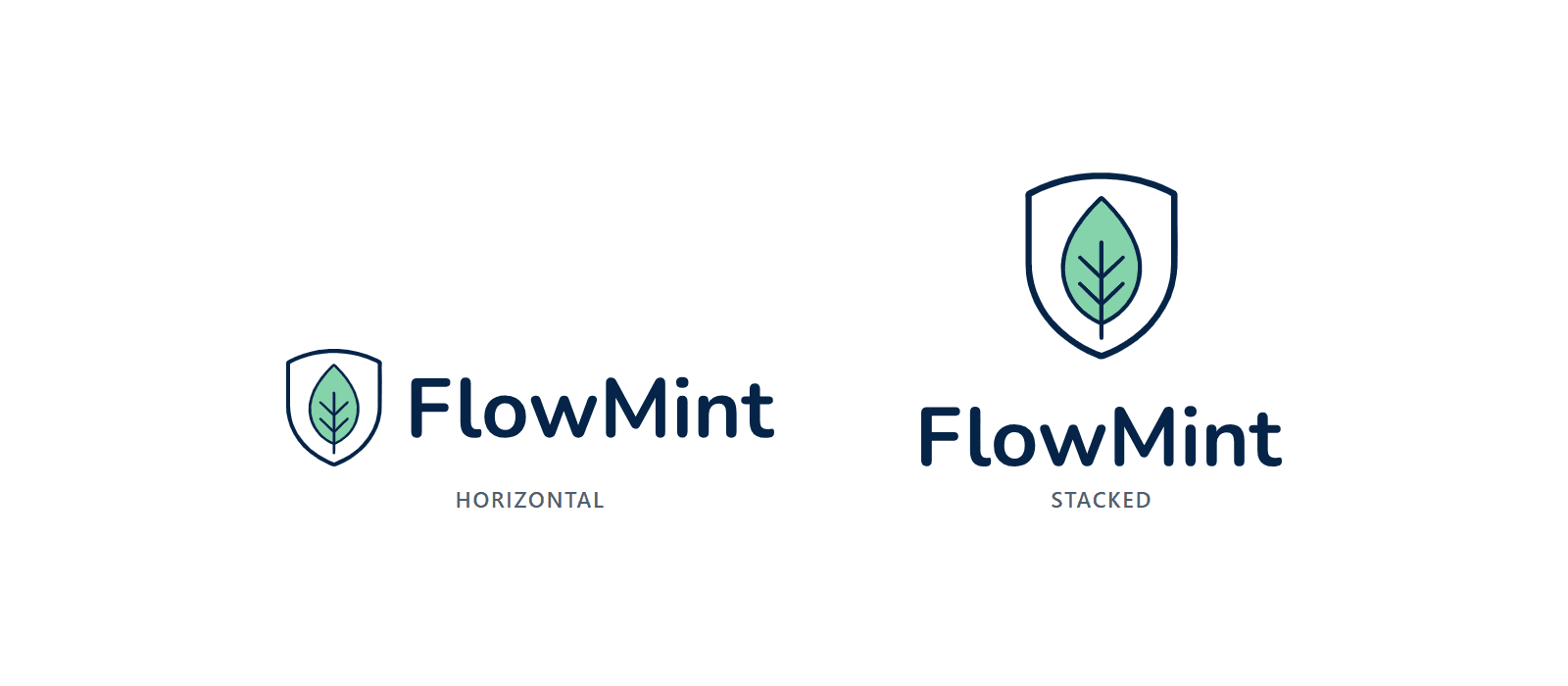
The example is FlowMint, a fictional finance dashboard. Its shield-and-leaf symbol was generated with the AI SVG generator on September 5, 2026 (Classic, one SVG, 1:1 ratio, transparent background) and is documented in the AI-assisted SVG creation walkthrough, which shows its prompt. It is used unchanged, and no new generation was made for this guide. It is not the different FlowMint mark in that walkthrough's May 2026 mockup. The lockups, the example page and the checks were made by an AI coding agent, and AI assistance was used to write this guide and make its figures and video.
Open the example page or download the files: the original symbol, both lockups as editable files and as delivery copies, the example page, a README and the check results.
Watch the tutorial on YouTube. Its narration uses a synthetic ElevenLabs voice.
Start with the symbol and a licensed font
You need two things before you arrange anything: the symbol as an SVG file, and the name set in a font you are allowed to use in a logo.
- The symbol is the untouched SVG AI download: three paths in a 2048 × 2048 viewBox, with
preserveAspectRatio="none"on the root element. The drawing doesn't fill that canvas. Measured withgetBBox()in Chrome, the shield is 1287.47 units wide and 1580.22 units tall, and its top-left corner is at 386.82, 232.83. To measure your own symbol, open its SVG file in Chrome or Edge, press F12 for the console and rundocument.querySelector('svg').getBBox(); it returns x, y, width and height in the file's own units. - The name is "FlowMint" in Nunito Bold (weight 700), a free font from Google Fonts under the SIL Open Font License 1.1, with no Reserved Font Name. The license's FAQ lists logos among the uses it allows and says artwork made with the font isn't subject to the font's license. Check the license of whichever font you choose.
Pick one spacing unit
Every distance in both lockups is a multiple of one unit, u: a quarter of the symbol's height. Because the unit comes from the logo, the spacing grows and shrinks with it. Real identity systems take their unit from their own logos in different ways: GOV.UK builds its lockup and clear space from the dot in its crown and wordmark, and Pulumi sets clear space to half the logo's height. These are choices for those logos, not general rules, and the values below are choices for this one.
- Symbol: 4u tall in both lockups.
- Gap: 1u between the symbol and the name, beside it in the horizontal lockup and below it in the stacked one.
- Name: cap height 2u in the horizontal lockup and 1.25u in the stacked one, measured on the F.
- Clear space: 1u on every side. It stays outside the files: each viewBox is the tight box around the artwork, so a file's height is the logo's height, and the page adds the clear space.
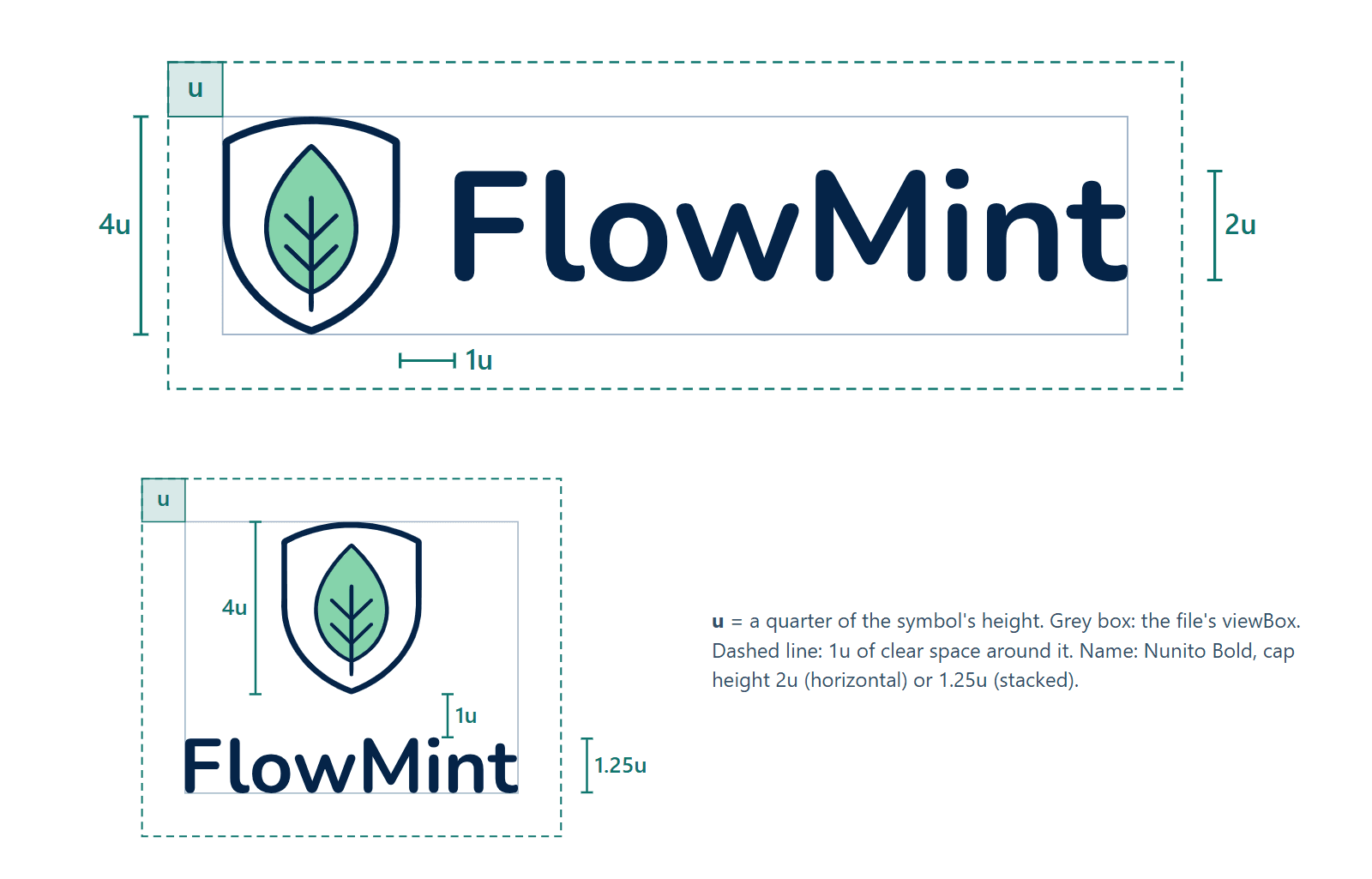
The two name sizes, 2u and 1.25u, were checked side by side against two other pairs (1.75u and 1u, 2.25u and 1.5u). With 2u and 1.25u, the name stayed easy to read without outweighing the shield.
Build the horizontal lockup in SVG AI's SVG Code Editor
SVG AI's SVG Code Editor works without an account, and a lockup is short code: the symbol's three paths inside one group that scales and moves them, and one text element for the name.
- Click Upload and open the symbol file.
- Replace the root tag with one that has the lockup's own viewBox, and leave out
preserveAspectRatio="none". With "none", an image box of a different shape stretches the logo. - After the root tag, add a title and the group that places the symbol. Close the group after the third path.
- Add the name before
</svg>, then click Download SVG. The editor saves the file as edited-svg.svg, so rename it, for example to flowmint-lockup-horizontal-editable.svg.
<svg xmlns="http://www.w3.org/2000/svg" viewBox="0 0 1661.642 400" width="166.164" height="40">
<title>FlowMint</title>
<g transform="translate(-97.916 -58.936) scale(0.253129)">
<path … />  <!-- the three generated paths, unchanged -->
</g>
<text x="404.053" y="300" font-family="Nunito, 'Segoe UI', Arial, sans-serif" font-size="283.688" font-weight="700" fill="rgb(5,36,72)">FlowMint</text>
</svg>
Where the numbers come from, with u = 100 units:
- Scale. The shield should be 4u = 400 units tall, and it is 1580.22 units tall in the original, so the scale is 400 ÷ 1580.22 = 0.253129. The shield is then 325.897 units wide.
- Move. The translate puts the shield's top-left corner at 0, 0: −386.82 × 0.253129 = −97.916, and −232.83 × 0.253129 = −58.936.
- Font size. Nunito's capitals are 0.705 em tall, so a 2u (200-unit) cap height needs a font size of 200 ÷ 0.705 = 283.688.
- Baseline. With the capitals centered on the shield, the baseline is at 200 + 100 = 300.
- Start of the name. The F's stem starts 1u after the shield, at 325.897 + 100 = 425.897. The F has a little space before its stem (77 font units, 21.844 units at this size), so x is 425.897 − 21.844 = 404.053.
- Width. The viewBox ends where the t ends, at 1661.642: a 4.15:1 lockup.
The letter positions came from the font file, read with a script (HarfBuzz and fontTools). Without one, install the font on your computer first, then set x and the viewBox width by eye in the preview until the gap looks like the 1u in the figure above. Without the font installed, the preview draws the name in a fallback font, and values set by eye will be off once the name is outlined from the real font.
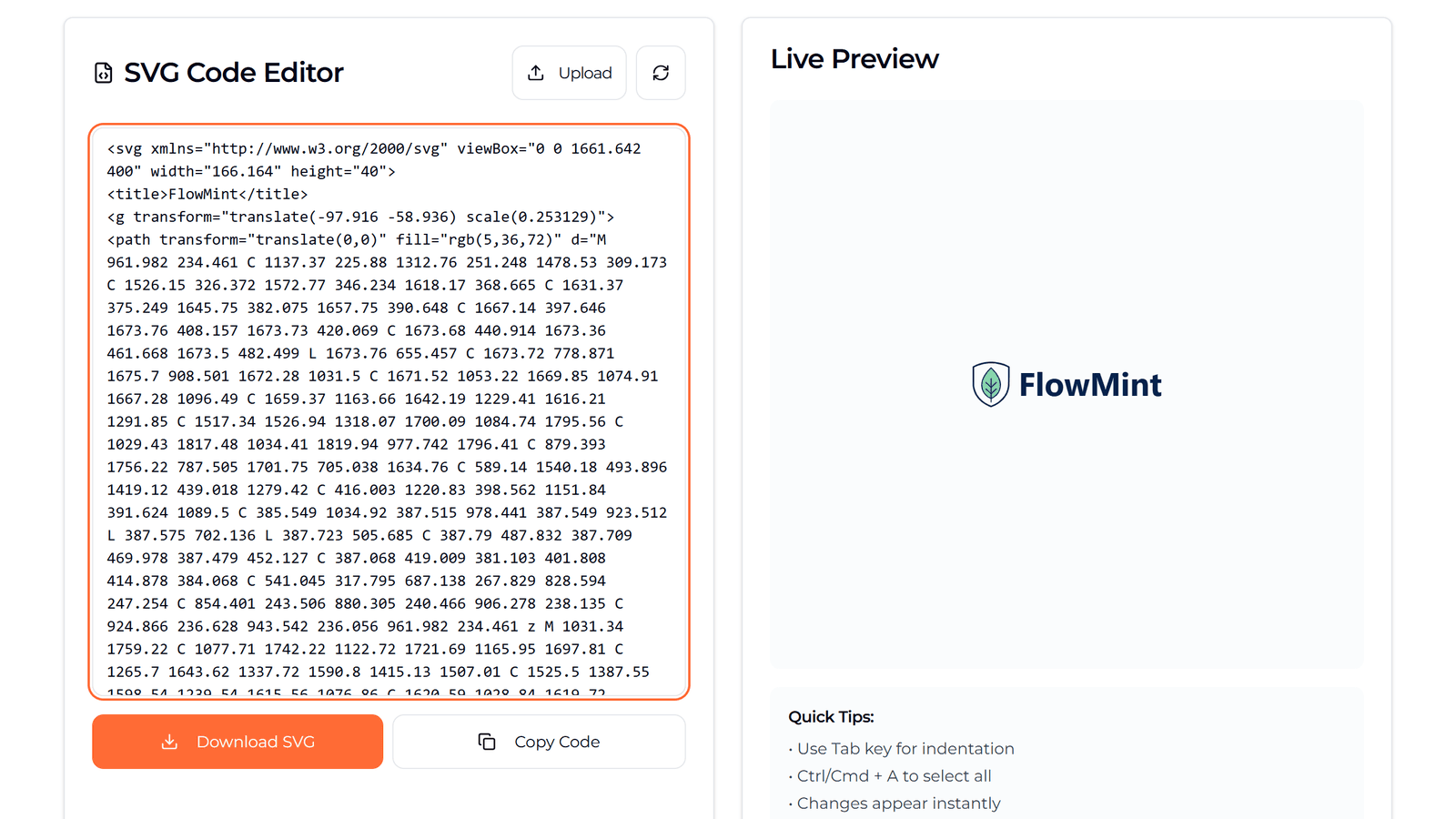
The downloaded file was byte for byte the code typed into the editor. In the preview, the name is drawn in Segoe UI, not Nunito, because Nunito wasn't installed on the computer used here, so the browser used the next font in the list.
Build the stacked lockup
The stacked lockup uses the same unit and the same group, with a smaller name centered under the shield:
<svg xmlns="http://www.w3.org/2000/svg" viewBox="0 0 772.34 629.61" width="77.234" height="62.961">
<title>FlowMint</title>
<g transform="translate(125.306 -58.936) scale(0.253129)">
<path … />  <!-- the same three paths -->
</g>
<text x="-13.652" y="627.837" font-family="Nunito, 'Segoe UI', Arial, sans-serif" font-size="177.305" font-weight="700" fill="rgb(5,36,72)">FlowMint</text>
</svg>
- The name's cap height is 1.25u, so its font size is 125 ÷ 0.705 = 177.305. Its letters start 1u below the shield, at 500.
- The name is 772.34 units wide, wider than the shield, so it sets the viewBox width and the shield is centered above it. The negative x puts the F's stem on the viewBox's left edge.
- The lockup is 772.34 × 629.61, or 1.23:1.
Make copies with the name as outlines
The two files above keep the name as live text, so its wording and size can still be edited. They are the editable masters, but they aren't the files to put on a page with <img>. An SVG shown as an image can't load external resources (MDN), and it doesn't use the page's fonts either. Shown with <img> in Chrome and Edge, the editable horizontal lockup drew its name in Segoe UI:
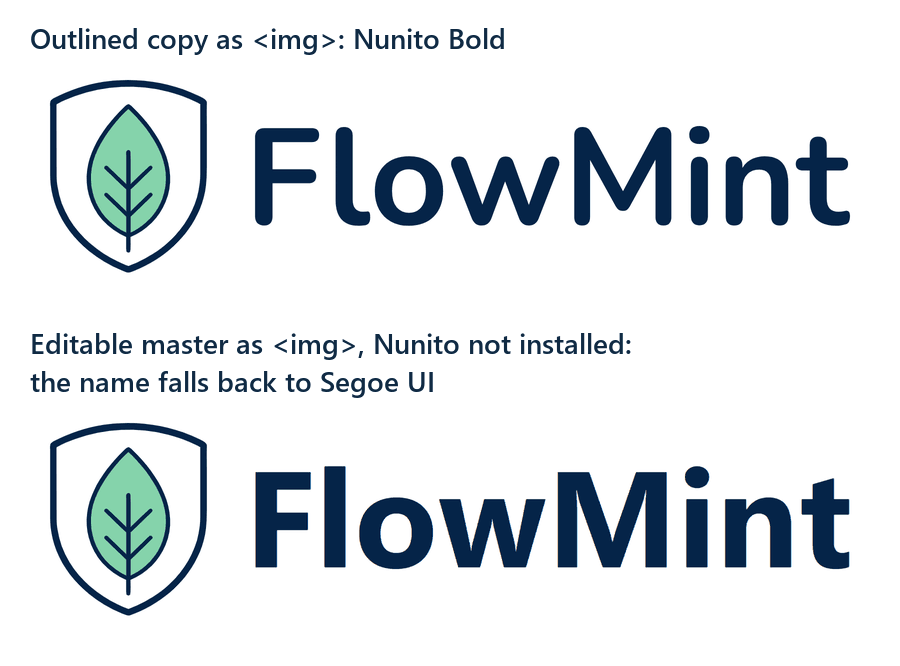
A font installed on your own computer does reach an <img>, so the problem can stay hidden until someone without the font opens the page. The delivery copies have the name converted to outlines: the letters are paths, and no font is needed. SVG AI's SVG Code Editor has no outline command, so here the outlines were drawn from the Nunito Bold font file by the same script. Compared with the live text drawn in Nunito Bold in Chrome and Edge, 0.7% of the dark pixels in the horizontal lockup and 0.2% in the stacked one differed, nearly all within one pixel of a letter's edge. In a design tool, use Figma's Outline text, as in the café logo guide, or Inkscape's Path > Object to Path. Embedding the font in the file as a data URL also works in an <img>, but it adds the font's size to every logo file.
Put each lockup where it fits
The example page uses the outlined copies in two real placements, plus a footer that switches between them:
- Header: the horizontal lockup, 40 px tall and 166 px wide, as the link to the home page. At that size 1u is 10 px, and the link's padding keeps it clear.
- Sign-in card: the stacked lockup, 80 px tall and 98 px wide, centered above the form with 13 px (1u) of padding.
- Footer: the horizontal lockup on wide screens and the stacked one on screens up to 480 px wide, where the footer becomes one centered column.
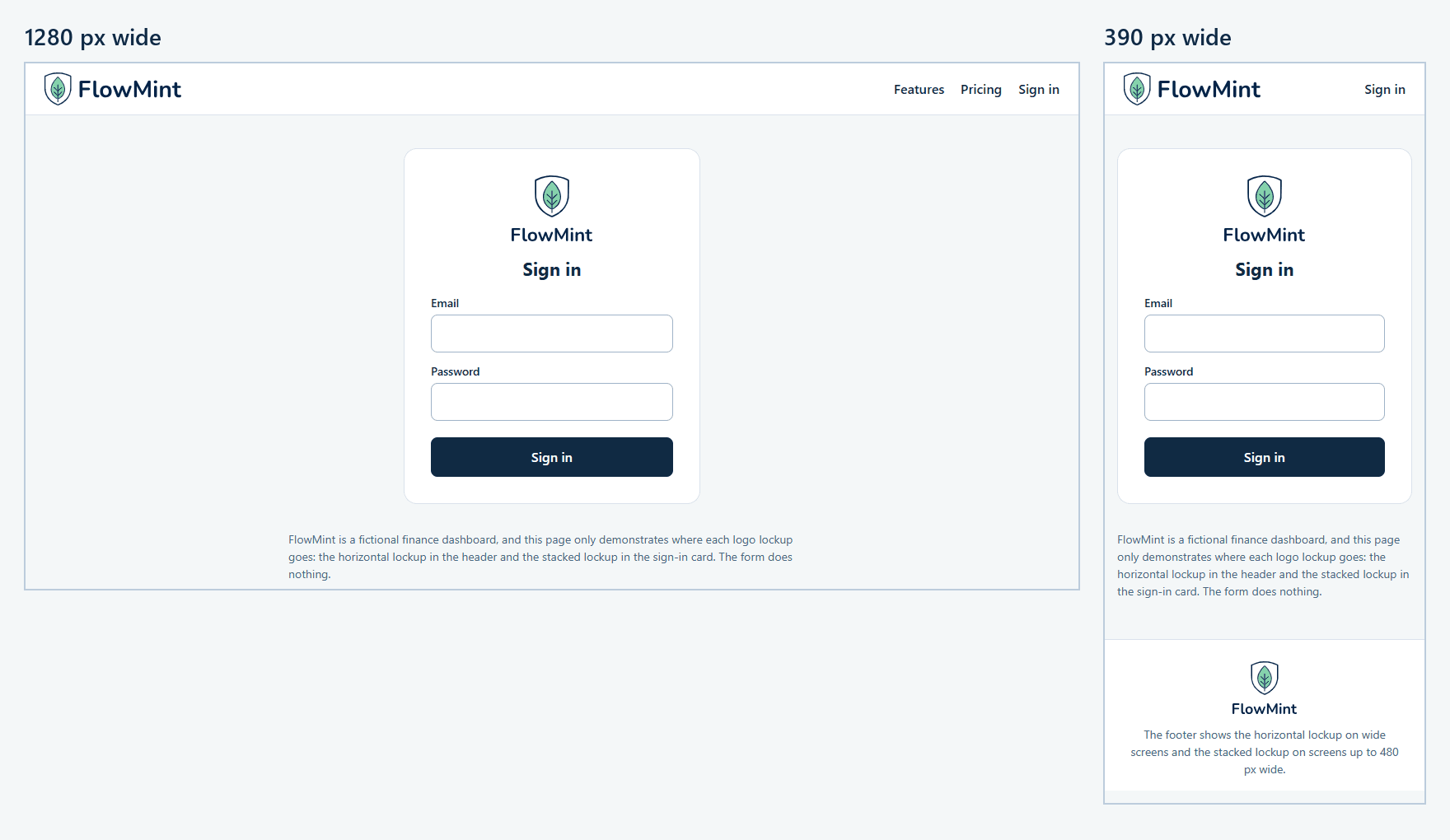
At 390, 375 and 320 px wide, the header still had room for the 40 px horizontal lockup, so the phone layout didn't need the stacked one there. Choose by the shape of the space, not by the size of the screen: the stacked lockup is for spaces about as tall as they are wide.
Both lockups are navy on a transparent background, so they need a light surface behind them. For a dark header, make a light version first, as the guide to light, dark and single-color logos shows.
When one space changes shape at a breakpoint, <picture> switches the file. Give each source its own width and height so the browser reserves the right box, and put the alt text on the <img>, which applies to whichever file is shown:
<picture>
  <source media="(max-width: 480px)" srcset="flowmint-lockup-stacked.svg" width="79" height="64">
  <img src="flowmint-lockup-horizontal.svg" width="133" height="32" alt="FlowMint">
</picture>
The media query tests the width of the window, not the width of the space the logo sits in.
For the alt text, the W3C's tutorial on functional images uses "W3C home" for a logo that is the only content of a link to the home page, so the header logo here is "FlowMint home". The same tutorial gives a logo inside link text that already names the site an empty alt. In the card and the footer, the logo isn't a link, so its alt text is the name, "FlowMint".
Find each lockup's minimum size
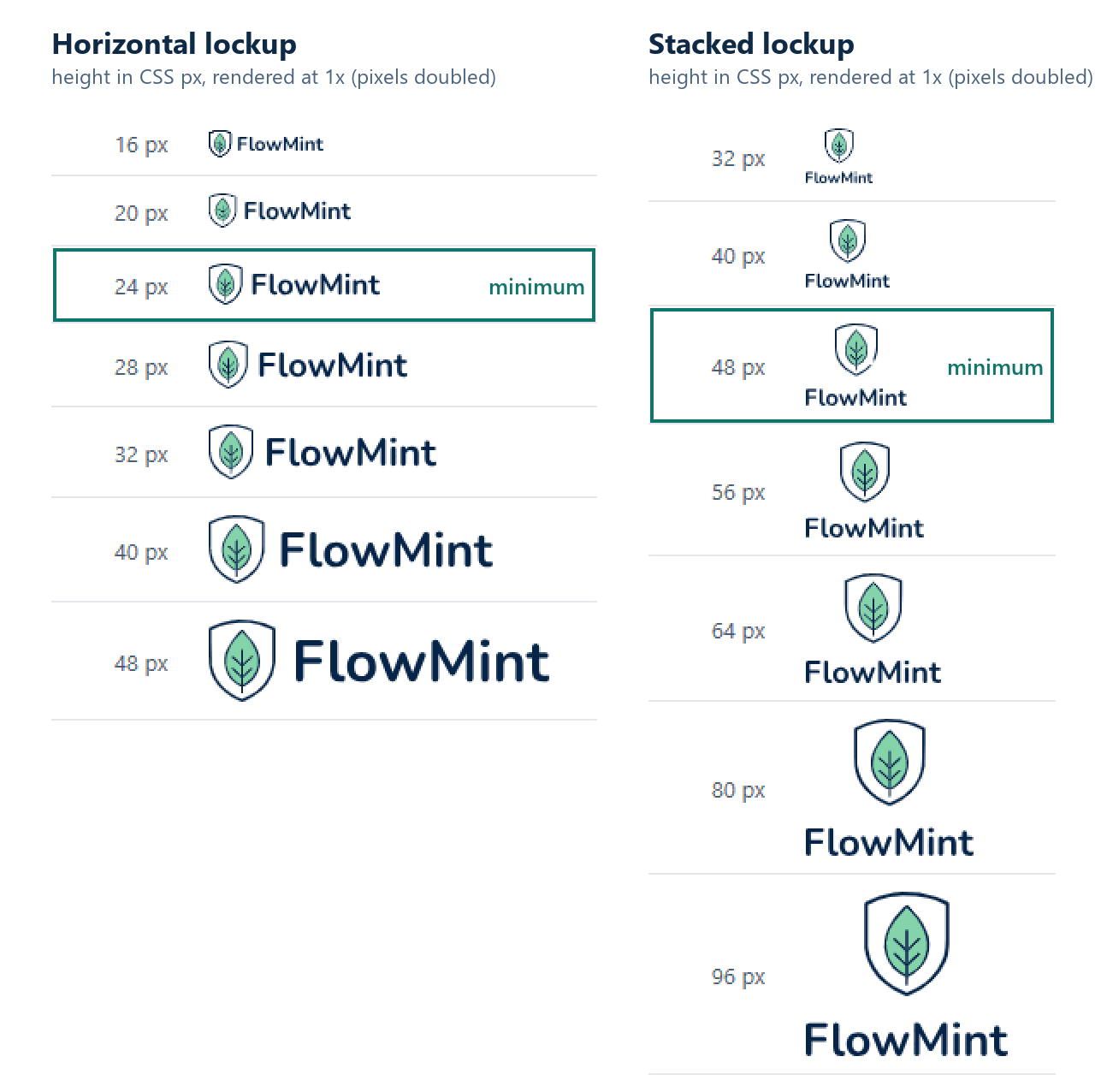
Each lockup was rendered as an image at a ladder of heights, at 1x and 2x:
- Horizontal: 24 px tall (100 px wide). The name's font size is 17 px and the shield is 24 px tall. At 16 px, the leaf's veins blurred into the leaf at 1x.
- Stacked: 48 px tall (59 px wide). The name's font size is 13.5 px and the shield is 30 px tall. At 40 px, the name's font size drops to 11.3 px.
On a 2x screen, both lockups still read one step smaller (20 px and 40 px), but 1x screens set the floor. At the same height, the horizontal lockup shows the name larger, so the stacked lockup needs about twice the height. Pulumi's guideline shows the same pattern for its own logo, with minimums of 16 px tall for the horizontal lockup and 50 px for the stacked one.
These minimums are judgments for this symbol and this font, made by looking at the ladder. Below them, use the symbol on its own, as in the favicon and app symbol guide or the profile avatar guide.
The files
flowmint-symbol-original.svg: the SVG AI download, unchanged.flowmint-lockup-horizontal-editable.svgandflowmint-lockup-stacked-editable.svg: the masters, with the name as text. They need Nunito Bold installed or loaded to look right.flowmint-lockup-horizontal.svgandflowmint-lockup-stacked.svg: the delivery copies, with the name as outlines, for<img>and anywhere the font may be missing.index.html: the example page,README.txt(the unit, sizes and minimums) andcheck-results.json.
The font itself isn't in the download. Get Nunito from Google Fonts.
What was tested
The checks ran in Chrome 155 and Edge 155 on Windows, with the files served from a local web server:
- the outlined copies compared with the live text drawn in Nunito Bold, and the editable files shown as
<img>without Nunito installed; - the example page at widths from 320 to 1440 px: which file each logo showed, its size, the space around it, horizontal scrolling and layout shift;
- the accessible names of the three logos in Chrome's DevTools accessibility tree;
- both lockups at heights from 16 to 96 px, at 1x and 2x.
Both lockups were composed in SVG AI's SVG Code Editor in Chrome. Not tested: Safari, Firefox, real phones, screen readers, printing, and other editors opening the files.