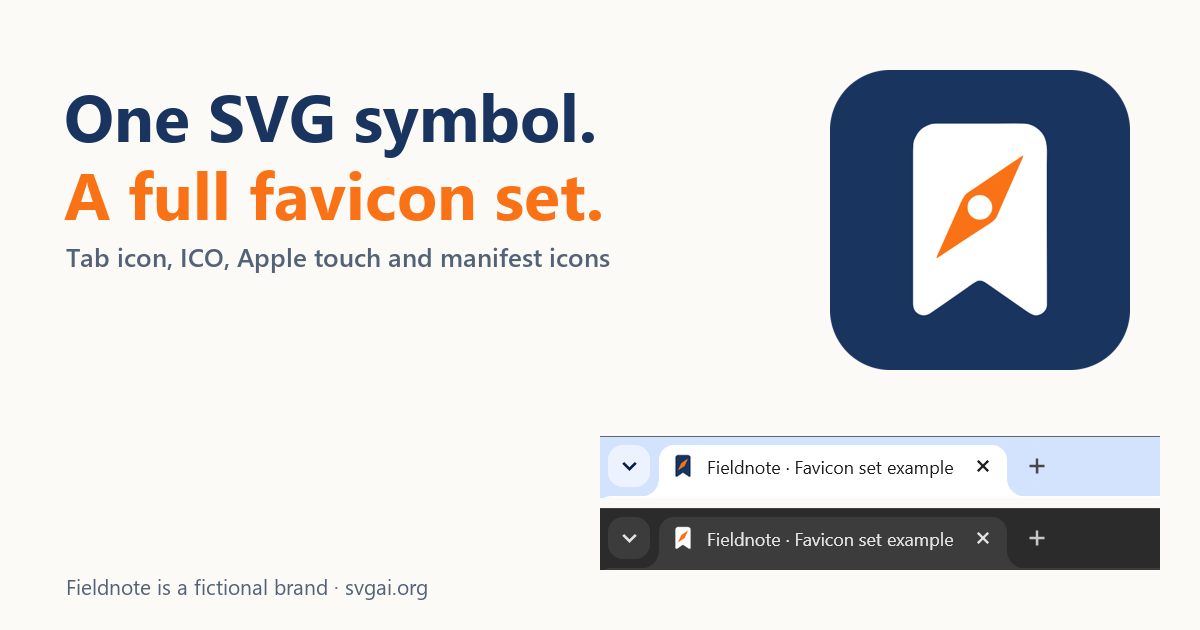
A favicon set is several files, not one small image. Browser tabs, iPhone home screens and Android launchers each look for their own icon, and a dark tab strip can hide a mark that looks fine on white.
This example turns one SVG symbol into the files a small website needs, adds the four head tags that load them, and checks the result in real Chrome and Edge tabs.
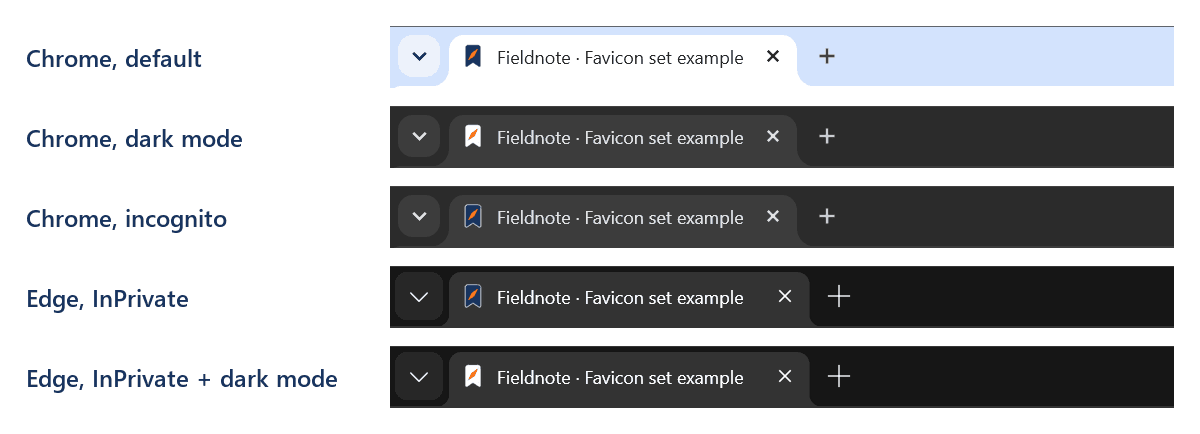
The finished set in five browser modes. The bookmark is navy on light tabs and white when the browser is in dark mode. In private windows without dark mode it stays navy, and the thin white edge outlines it.
The symbol is the Fieldnote bookmark and compass, a fictional outdoor notebook brand. It was generated with the AI SVG generator on September 14, 2026 for the SVG logo walkthrough, which includes the exact prompt and the untouched download. Everything else here was prepared separately by an AI coding agent: the square framing, dark-mode rule, backgrounds, head tags and browser checks. The PNG files were exported with the site's SVG to PNG converter, and the ICO was packed with Pillow.
Open the example page or download the complete set.
Watch the tutorial on YouTube. Its narration uses a synthetic ElevenLabs voice.
The files a small website needs
| File | Pixels | Used for |
|---|---|---|
icon.svg | scalable | Tabs in SVG-capable browsers |
favicon.ico | 32 × 32 | Fallback for other software |
apple-touch-icon.png | 180 × 180 | iPhone and iPad home screens |
icon-192.png | 192 × 192 | Web app manifest |
icon-512.png | 512 × 512 | Web app manifest |
icon-maskable-512.png | 512 × 512 | Manifest, maskable |
manifest.webmanifest | Lists the manifest icons |
This is the small set described in Evil Martians' favicon guide. A browser chooses among rel="icon" links by type and size, and iPhones and iPads use apple-touch-icon for home-screen shortcuts, as MDN's link types reference explains.
Start from a symbol that still reads at 16 pixels
The Fieldnote mark has three parts: a navy bookmark, an orange compass needle and a small navy dot at the needle's center. A browser tab draws its icon at about 16 CSS pixels.
The logo simplification exercise already compared this mark at small sizes: at 16 pixels the center dot becomes a dark spot in the needle. So icon.svg and favicon.ico use the published version without the dot, while the 180, 192 and 512 pixel icons keep the full mark.
The bookmark is taller than it is wide. Its viewBox, 621.333 0 809.333 1132, describes that portrait shape. A square viewBox centered on the same artwork, 426 -34 1200 1200, adds 34 units (about 3%) above and below the original viewBox without moving any path.
Make the tab icon readable on light and dark tabs
On a dark tab strip, the navy bookmark nearly disappears. An SVG icon can carry its own CSS, so icon.svg includes a rule that turns the bookmark white when the browser prefers a dark color scheme, the approach in web.dev's adaptive favicon article:
.bookmark {
  fill: #18345F;
  stroke: #FFFFFF;
  stroke-width: 64;
  stroke-linejoin: round;
  paint-order: stroke;
}
@media (prefers-color-scheme: dark) {
  .bookmark { fill: #FFFFFF; stroke: none; }
}
The rule must live inside the SVG file. A favicon is loaded as a separate image, so it does not inherit your page's CSS; the currentColor icon guide shows the same difference between inline SVG and an image.
Private windows add a catch. Chrome incognito and Edge InPrivate draw dark tab strips even when the browser is in light mode, but in these tests the icon kept its light-scheme navy there. Three designs were compared in the same windows:
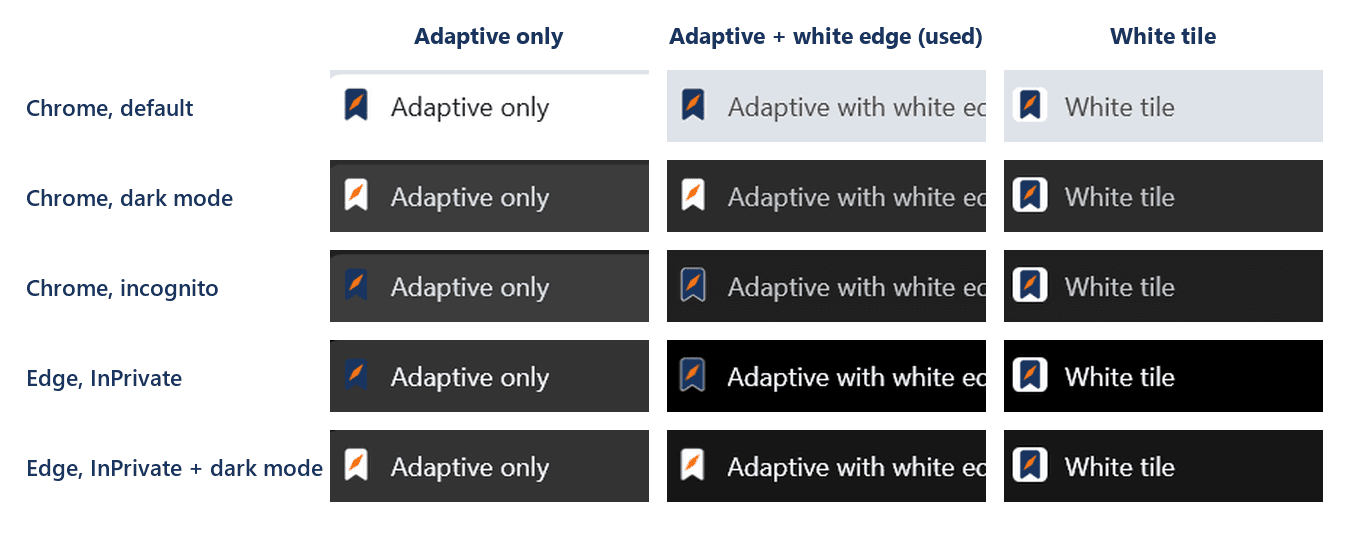
Without dark mode, the adaptive-only bookmark almost vanishes in both private windows. The white tile is visible everywhere but adds a white square on every tab. The design used in this set keeps the adaptive rule and adds a thin white edge in the light scheme. The paint-order: stroke declaration draws that edge behind the navy fill, so only its outer half shows. On a light tab it is barely noticeable; on a dark private-window tab it outlines the bookmark.
The same rule applies wherever the SVG is shown, not only in the tab. The first version of the example page used icon.svg as a header image on a page that stayed light. In Chrome's dark mode, that image turned white and the bookmark disappeared:
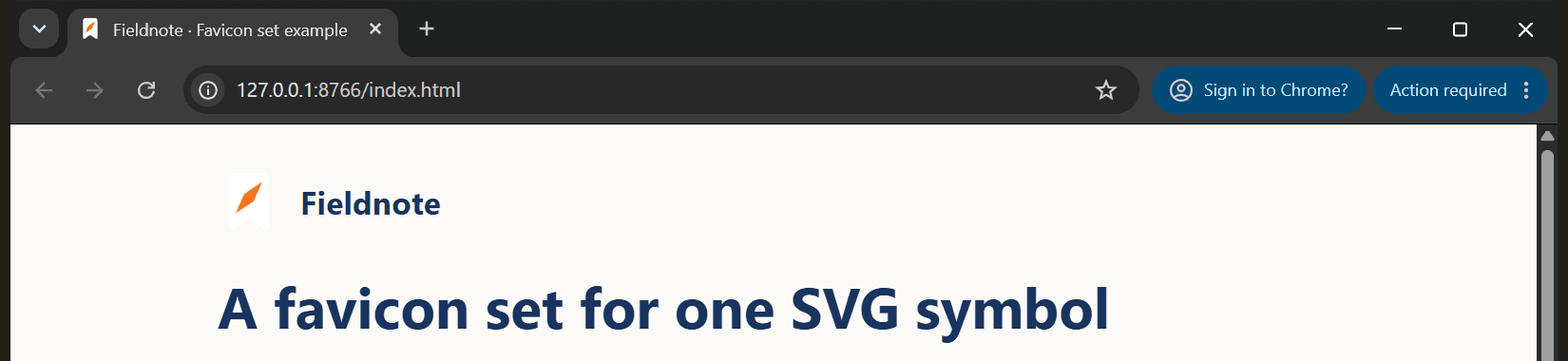
The example page now switches to dark colors in the same situation. If your page stays light, use a fixed-color logo file for images on the page and keep the adaptive file for the tab.
Export the PNG icons at their final sizes
Each PNG starts from a small SVG source in the download: the full Fieldnote mark with its navy fills set to white, as in the published light logo variant, on a navy background. The PNGs were exported with the SVG to PNG converter, entering both the width and the height for each file.
apple-touch-icon.png: 180 × 180 pixels and fully opaque, with the navy reaching all four edges. Apple's web application guide lists 180 × 180 for Retina iPhones.icon-192.pngandicon-512.png: rounded navy tiles with transparent corners, the two sizes in Chrome's install criteria.icon-maskable-512.png: an opaque square that another system may crop to a circle or rounded shape. Keep important content inside a centered circle whose radius is 40% of the icon width, as described in web.dev's maskable icon article. Here the bookmark is drawn smaller than in the other icons; its farthest pixel is 33% of the width from the center.
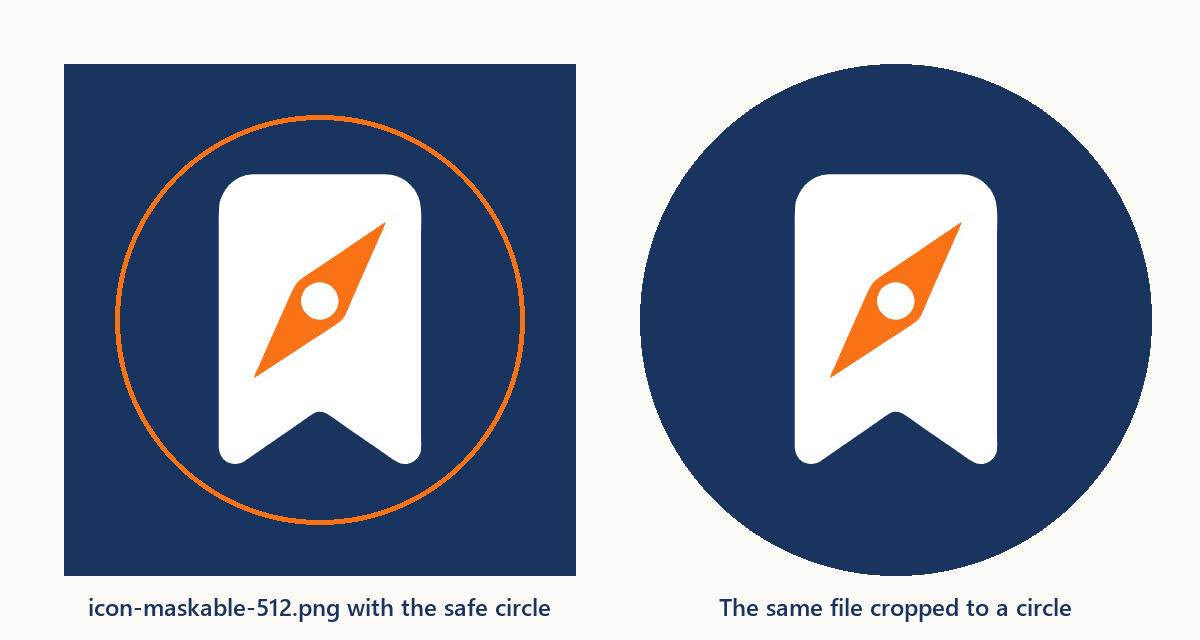
Keep the maskable file separate from the regular 512-pixel icon instead of marking one file for both purposes. The regular icon can then use its full area.
Pack a small favicon.ico
Browsers that use icon.svg do not need the ICO file, but other software may still look for one. Google Search's favicon guidelines list ICO and PNG among the supported formats, but not SVG. They recommend an icon larger than 48 × 48 pixels and accept apple-touch-icon links as well as icon links, so this set also offers a 180-pixel PNG. The guidelines do not say which icon Google picks when a page lists several.
For this icon, the site's SVG to ICO converter produced seven images, from 16 to 256 pixels, in 109,665 bytes. This set only needs a 32-pixel fallback. So icon.svg was exported at 32 × 32 with the SVG to PNG converter, and favicon.ico was packed from that PNG with Pillow 11.3.0. The result holds one image in 929 bytes.
Export that PNG while your browser is in light mode. The converter draws the SVG with the browser's color scheme, so in dark mode it bakes the white bookmark into the PNG, and the ICO nearly disappears on light backgrounds.
The script is in the download. Run it from the set's folder:
pip install Pillow
python sources/make_ico.py favicon.ico sources/favicon-32.png
Add the head tags and the manifest
Put the files in your site's root folder and add four tags to the head of every page:
<link rel="icon" href="/favicon.ico" sizes="32x32">
<link rel="icon" href="/icon.svg" type="image/svg+xml">
<link rel="apple-touch-icon" href="/apple-touch-icon.png">
<link rel="manifest" href="/manifest.webmanifest">
The sizes="32x32" value describes the ICO as a 32-pixel bitmap, so a browser that supports SVG can choose the scalable icon instead. Evil Martians' guide treats the manifest as necessary only for sites that can be installed as web apps. If yours can, list the three PNG icons in it. Chrome's install criteria also ask for a name, a start URL and a display mode such as standalone. For a manifest in the site root, that looks like this:
{
  "name": "Fieldnote",
  "short_name": "Fieldnote",
  "start_url": "./",
  "display": "standalone",
  "icons": [
    { "src": "icon-192.png", "sizes": "192x192", "type": "image/png" },
    { "src": "icon-512.png", "sizes": "512x512", "type": "image/png" },
    { "src": "icon-maskable-512.png", "sizes": "512x512", "type": "image/png", "purpose": "maskable" }
  ]
}
The hosted example lives in a subfolder of this blog, so its own manifest uses "start_url": "index.html" instead. That way an installed copy opens the example page itself.
Browsers may also request /favicon.ico from the site root when a page has no icon tag, and Apple's guide says Safari on iOS searches the root for apple-touch-icon files when a page has no touch icon tag. Keeping both files at the root covers those cases.
Check the set in real browser tabs
The checks ran on Windows 11 in Chrome 154.0.8037.99 and Edge 155.0.4283.45 on October 13, 2026, each in a new browser profile. On a test page containing only the four tags, both browsers requested icon.svg, manifest.webmanifest and icon-192.png in the first three seconds, but not favicon.ico, apple-touch-icon.png or the 512-pixel icons. Through the DevTools Protocol, both reported no manifest errors and no installability errors. In DevTools, the Application panel's Manifest section shows the same information.
Then look at the tab in three situations: a normal window, the browser in dark mode and a private window. These checks did not cover Safari, Firefox or actual home screens on iPhone, iPad and Android. Apple's guide and the manifest specification describe how those platforms use the files; test them on your own devices before relying on a particular appearance.
The download contains the example page, all icon files, the manifest, the three comparison pages, the browser screenshots, and the sources: the untouched SVG AI generation, the two published Fieldnote variants used here, the SVG source for each PNG and the ICO script. Its README lists how each file was made.