AI SVG for Healthcare: Medical Illustrations and Patient Education Graphics
By SVG AI Team
ai svg generatormedical illustrationshealthcare designpatient educationsvg generator
The Visual Communication Gap in Healthcare
Healthcare organizations face a persistent challenge: communicating complex medical information clearly. Whether it is a hospital explaining a surgical procedure to a patient, a pharmaceutical company documenting drug interactions, or a telemedicine platform building its interface, the need for precise, professional medical graphics is constant. Yet traditional medical illustration is expensive, slow, and requires specialized expertise that most healthcare teams lack.
AI-powered SVG generation changes this equation fundamentally. Instead of commissioning custom illustrations at hundreds of dollars each, healthcare professionals can now describe what they need in plain language and receive scalable, production-ready vector graphics in seconds. The result is faster patient communication, more consistent documentation, and dramatically lower design costs across the entire healthcare value chain.
Try our AI SVG Generator to create professional medical illustrations instantly — describe the anatomical diagram, clinical icon, or patient education graphic you need and get production-ready vector output in seconds.
Why SVG Is the Ideal Format for Healthcare Graphics
Before exploring what you can create, it is worth understanding why SVG specifically matters for healthcare applications. The demands of medical visual communication map perfectly to SVG's technical strengths.
Resolution Independence for Print and Screen
Medical graphics must work across wildly different contexts: a 4K monitor in a radiologist's office, a printed patient handout, a mobile telemedicine app, and a projected slide in a grand rounds presentation. Raster images degrade when scaled. SVG graphics render perfectly at any size because they are defined mathematically rather than pixel-by-pixel.
A single anatomical diagram created as SVG can serve as a thumbnail in an EHR sidebar, a full-page print in a patient packet, and a zoomable reference in a surgical planning tool — all without creating multiple versions or worrying about resolution.
Precision for Anatomical Detail
Medical illustration demands accuracy. An incorrectly positioned label on an anatomical diagram is not just a design issue; it is a clinical liability. SVG's coordinate system allows exact positioning of every element, and because SVG is XML-based, elements can be individually selected, edited, and verified for accuracy after generation.
This editability matters enormously in healthcare. If a generated illustration places a label slightly off-target, a clinician or medical illustrator can open the SVG file and adjust the exact coordinates rather than regenerating the entire image.
Accessibility and Compliance
Healthcare organizations operate under strict accessibility requirements. WCAG compliance, ADA regulations, and Section 508 standards all apply to digital health content. SVG supports accessibility natively through <title> and <desc> elements, ARIA attributes, and semantic structure that screen readers can parse. For a comprehensive guide to these techniques, see our SVG Accessibility and Inclusive Design guide.
This is particularly important for patient-facing materials. A blind patient using a screen reader should be able to understand the content of a medical diagram through its text alternatives — something that is trivial with properly structured SVG and nearly impossible with raster images.
SVG vs Raster: Healthcare Graphics Comparison
| Factor | SVG | PNG/JPEG |
|---|---|---|
| Scalability | Infinite — sharp at any zoom | Degrades when enlarged |
| File Size (icons) | 2-15 KB typical | 20-100 KB at equivalent quality |
| Editability | Every element independently editable | Requires re-export from source |
| Accessibility | Native screen reader support | Alt text only |
| Print Quality | Resolution-independent | Requires 300+ DPI source |
| Animation | CSS/JS animation built-in | Requires GIF or video format |
| HIPAA Metadata | No embedded patient data by default | May contain EXIF/camera data |
Medical Illustration Types You Can Create with AI SVG
The range of healthcare graphics that AI SVG generators can produce spans clinical documentation, patient communication, educational materials, and digital health interfaces. Here are the major categories with practical prompt templates.
Anatomical Diagrams
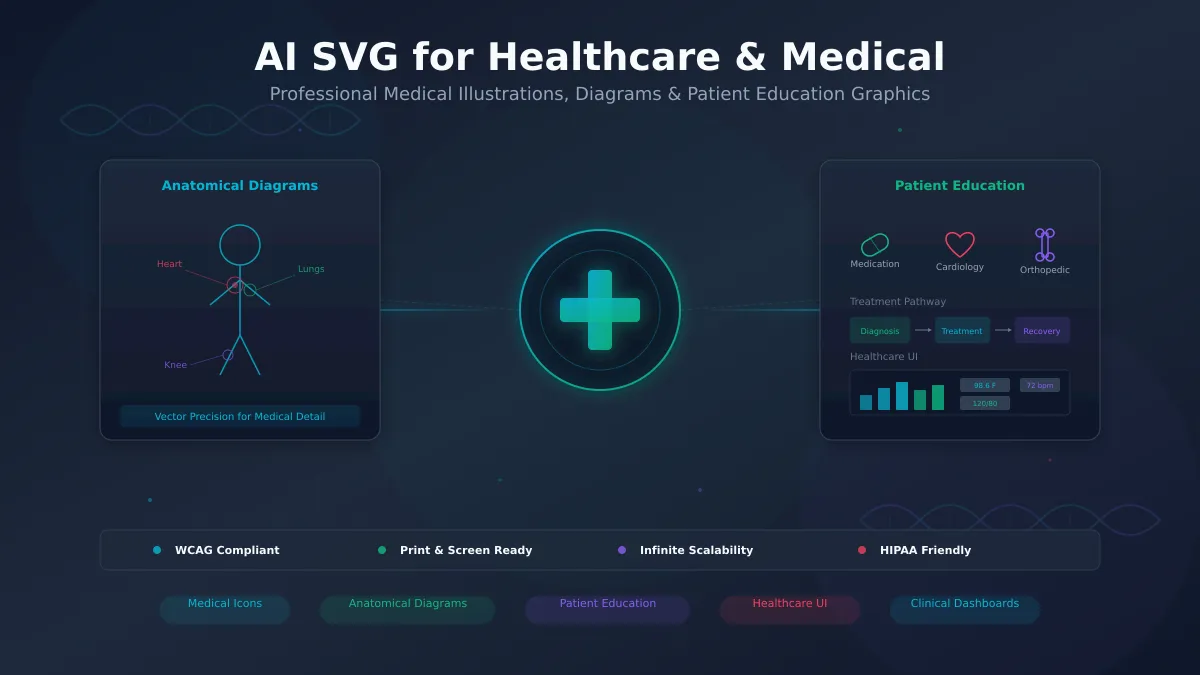
Anatomical illustrations are the cornerstone of medical visual communication. AI SVG generators can produce simplified anatomical views suitable for patient education, clinical documentation, and training materials.
Prompt template for anatomical diagrams:
"Create a clean, labeled anatomical diagram of the [body system/organ]. Use a medical illustration style with clear outlines, minimal color palette (blues and grays), labeled parts with leader lines, and a white or transparent background. Include labels for [specific structures]."
Example prompt:
"Create a labeled diagram of the human heart showing four chambers, major valves, aorta, pulmonary arteries, and blood flow direction arrows. Use blue for deoxygenated and red for oxygenated blood flow paths. Clean medical illustration style."
These generated SVGs serve as starting points. Clinicians can review the anatomical accuracy and make adjustments using any SVG editor before deploying to patient-facing materials.
Surgical Procedure Illustrations
Step-by-step surgical illustrations help both patients understand what to expect and trainees learn procedural sequences. AI-generated SVG procedure graphics can show simplified views of surgical steps, instrument placement, and incision patterns.
Prompt template for procedure illustrations:
"Create a simplified surgical illustration showing [procedure step]. Medical diagram style with clean lines, numbered steps, and anatomical context. Use [color] for instruments and [color] for tissue. Include directional arrows for technique guidance."
Medical Device and Equipment Documentation
Healthcare technology companies need consistent iconography for device interfaces, user manuals, and regulatory submissions. AI SVG generation creates device illustrations that are both technically accurate and visually consistent across documentation sets.
Prompt template for device documentation:
"Create a technical illustration of a [medical device] showing [key components]. Engineering drawing style with labeled callouts, clean lines, and a neutral color palette. Include numbered reference points for documentation."
Pharmaceutical and Medication Graphics
Drug information materials, packaging inserts, and pharmacy interfaces all require medication-related graphics. From pill shapes to dosage schedules to drug interaction diagrams, AI SVG covers the pharmaceutical visual communication spectrum.
Prompt template for pharmaceutical graphics:
"Create a medication schedule infographic showing [drug name] dosing. Include clock icons for timing, pill/capsule shapes with colors matching [description], and clear dosage amounts. Patient-friendly design with large text."
Patient Education Materials
Patient education is where healthcare graphics have the most direct impact on outcomes. Clear visual communication improves treatment adherence, reduces anxiety, and enables informed consent. AI SVG generators make it practical to create custom materials for specific conditions and procedures.
Condition Explainers
Every diagnosis benefits from a clear visual explanation. AI-generated condition explainers can show what is happening in the body, why symptoms occur, and how treatment works — all in language and imagery appropriate for patients without medical training.
Example prompt for a condition explainer:
"Create a patient education infographic explaining Type 2 diabetes. Show how insulin resistance works using simple body/cell diagrams. Include sections for: what happens in the body, common symptoms with icons, lifestyle factors, and treatment approaches. Use warm, reassuring colors. Non-technical language."
Healthcare teams that previously relied on generic stock illustrations or expensive custom commissions can now generate condition-specific materials tailored to their patient population. A pediatric practice can request child-friendly styling. A geriatric clinic can specify larger text and simpler layouts.
Treatment Pathway Diagrams
Patients navigating complex treatment plans — cancer protocols, surgical recovery sequences, chronic disease management — benefit enormously from visual pathway diagrams. These show what happens when, what decisions lie ahead, and what outcomes to expect.
Prompt template for pathway diagrams:
"Create a treatment pathway flowchart for [condition/procedure]. Show the sequence from diagnosis through recovery with decision points, timeline indicators, and outcome branches. Use green for positive outcomes, yellow for monitoring points, and clear directional arrows. Patient-appropriate language."
Recovery Timeline Graphics
Post-procedure recovery expectations are one of the most common sources of patient anxiety. Visual timelines showing week-by-week recovery milestones reduce uncertainty and improve adherence to post-operative instructions.
Prompt template for recovery timelines:
"Create a recovery timeline for [procedure] showing week-by-week milestones over [duration]. Include activity restriction icons, pain level indicators, and key checkpoints. Encouraging, positive design with progress indicators."
Multilingual and Accessible Formats
SVG's text-based nature offers a unique advantage for multilingual healthcare environments. Because text elements in SVG are actual text (not rasterized pixels), they can be translated by editing the SVG source directly. A patient education graphic created in English can be adapted to Spanish, Mandarin, Arabic, or any other language without recreating the visual elements.
Combined with SVG's native accessibility features, this means healthcare organizations can create a single graphic template and deploy it across languages and accessibility contexts with minimal effort.
Healthcare UI and Dashboard Elements
Beyond printed materials and patient handouts, healthcare operates increasingly through digital interfaces. Electronic health records, telemedicine platforms, clinical dashboards, and patient portals all need consistent, professional iconography and interface elements.
EHR Interface Icons
Electronic health record systems require hundreds of icons for navigation, alerts, status indicators, and clinical categories. AI SVG generation can produce entire icon sets with consistent styling that matches a healthcare organization's design system.
Prompt template for EHR icons:
"Create a set of 12 medical interface icons in a consistent line-art style: patient record, vital signs, medication, lab results, imaging, notes, alerts, scheduling, messaging, referral, billing, settings. 24x24 grid, 2px stroke weight, single color [specify]. Rounded corners, medical-appropriate style."
Using our AI SVG Generator to build custom icon sets means healthcare IT teams no longer need to compromise between generic icon libraries that lack medical specificity and expensive custom design work.
Clinical Dashboard Components
Data visualization in clinical settings has unique requirements: information must be parsed quickly, color coding must account for color vision deficiency, and critical values must be immediately distinguishable from normal ranges. AI-generated SVG dashboard elements can be designed with these constraints built in.
For detailed guidance on creating data visualization SVGs, see our companion article on AI SVG for Data Visualization, which covers chart types, interaction patterns, and performance optimization.
Telemedicine UI Elements
Telemedicine platforms need interface elements that convey trust, professionalism, and clarity — especially since patients may be interacting with them during stressful health situations. AI SVG can generate custom illustrations for onboarding flows, appointment interfaces, and care instructions within telehealth apps.
Real-World Healthcare SVG Use Cases
Healthcare organizations of various sizes are finding practical applications for AI-generated SVG graphics. Here are representative examples based on common patterns in the industry.
Hospital Patient Education Program
A mid-sized hospital system needed to create visual materials for their top 50 most common diagnoses and procedures. Traditional medical illustration would have cost $200-500 per graphic, totaling $10,000-25,000. Using AI SVG generation, their health literacy team produced initial drafts in two weeks. Clinicians reviewed each graphic for medical accuracy, made targeted edits to the SVG files, and deployed the materials across print handouts, patient portal pages, and bedside tablets.
The SVG format was critical because the same graphics needed to appear in printed packets (high resolution), on desktop screens (medium resolution), and on mobile devices (responsive). A single SVG file served all three contexts without quality degradation.
Telemedicine Startup Interface Design
A telemedicine startup building their patient-facing app needed 200+ custom interface elements: condition category icons, body part selectors, symptom visualizers, and treatment illustrations. Their three-person design team used AI SVG generation to produce the initial set, then refined styling for consistency.
The vector format enabled them to implement interactive features — patients could tap body parts on an SVG body map to indicate symptom locations, with each region being a separate SVG element that responded to touch events.
Pharmaceutical Training Materials
A pharmaceutical company creating training materials for their sales team needed anatomical diagrams showing mechanism of action for six different drug categories. Each diagram required multiple views, labeled structures, and drug interaction pathways. AI SVG generation produced the base illustrations, which were then reviewed by their medical affairs team and annotated with specific pharmacological details.
Medical Device Startup Documentation
A medical device startup preparing FDA submission documents needed consistent technical illustrations of their device from multiple angles, with labeled components matching their engineering specifications. AI SVG generation created the illustration templates, and their engineering team verified dimensional accuracy and added regulatory-required callouts.
Getting Started: 5-Step Healthcare SVG Workflow
Here is a practical workflow for healthcare teams beginning to use AI SVG generation.
Step 1: Define the Clinical Context
Before generating any graphic, establish the clinical context: Who is the audience (patients, clinicians, administrators)? What is the communication goal (explain a condition, guide a procedure, display data)? What accuracy level is required (conceptual illustration vs. anatomically precise)?
Step 2: Write a Medical-Specific Prompt
Healthcare prompts should include clinical terminology alongside design specifications. Be specific about anatomical structures, color coding conventions (red for arterial, blue for venous), and labeling requirements. Include the intended audience in the prompt so the AI calibrates complexity appropriately.
Step 3: Generate and Review with Clinical Eyes
Generate the SVG using our AI SVG Generator, then have a clinician or medical subject matter expert review the output. Check anatomical positioning, label accuracy, and appropriate representation of medical concepts. SVG's editability means small corrections are trivial.
Step 4: Adapt for Context
Adjust the SVG for its deployment context. For print, verify that text sizes are legible at the target print size. For web, add accessibility attributes (<title>, <desc>, ARIA labels). For mobile, test touch targets if the graphic is interactive. For multilingual deployment, translate text elements.
Step 5: Establish a Medical SVG Library
As your collection grows, organize graphics by clinical category, audience type, and use case. SVG files are small and text-searchable, making them easy to catalog and retrieve. Consistent naming conventions (e.g., cardiology-heart-anatomy-patient.svg) and metadata help teams find and reuse graphics efficiently.
For organizations looking to implement AI SVG generation at enterprise scale, our guide to Enterprise AI SVG Solutions covers governance, security, and team workflow considerations.
Best Practices for Healthcare SVG Graphics
Clinical Accuracy Over Aesthetic Appeal
In healthcare, accuracy always takes precedence over visual style. A beautiful but anatomically misleading illustration is worse than a plain but correct one. Always have clinical subject matter experts review generated graphics before deployment to patient-facing materials.
Consistent Medical Color Coding
Establish and follow color conventions: red for arterial blood flow, blue for venous; green for positive/normal, red for critical/abnormal; consistent color mapping for organ systems. Document these conventions so all team members generating graphics follow the same standards.
Accessibility as a Requirement, Not an Afterthought
Healthcare graphics are frequently accessed by people with disabilities. Always add meaningful <title> and <desc> elements to SVGs. Use sufficient color contrast. Avoid relying on color alone to convey information — use patterns, labels, or shapes as secondary indicators.
Version Control for Regulated Environments
In regulated healthcare settings, graphics used in clinical materials, device documentation, or regulatory submissions may need version tracking. SVG files work naturally with version control systems like Git because they are text-based. Changes between versions can be diffed and reviewed, creating an audit trail that satisfies regulatory documentation requirements.
Patient Privacy in Generated Graphics
AI-generated SVGs do not contain patient data by default, but healthcare teams should establish policies ensuring that patient-specific information is never embedded in SVG files used for general education materials. SVG files are human-readable XML, so any embedded text is visible to anyone who opens the file.
Related Resources
- AI SVG Generator Complete Guide — comprehensive overview of AI SVG generation capabilities
- AI SVG for Data Visualization — creating charts, dashboards, and interactive data graphics
- SVG Accessibility and Inclusive Design — WCAG compliance and screen reader optimization
- Enterprise AI SVG Solutions — governance, security, and team workflows at scale
- AI SVG Case Studies — real-world results from teams using AI SVG generation
- SVG Creator for Web Developers — technical integration patterns for web applications
Conclusion
Healthcare's visual communication challenges — from patient education to clinical documentation to digital interfaces — align precisely with what AI SVG generation delivers: scalable, precise, accessible, and editable vector graphics produced in seconds rather than weeks.
The combination of SVG's technical strengths (resolution independence, accessibility support, editability) with AI's ability to generate contextually appropriate medical graphics means healthcare organizations can finally close the gap between the visual communication they need and what they can practically produce.
Whether you are building patient handouts for a primary care practice, designing a telemedicine interface, creating pharmaceutical training materials, or documenting medical devices for regulatory submission, AI-generated SVG graphics offer a faster, more cost-effective, and more flexible path to professional healthcare visuals.
Ready to create your first medical illustration? Try our AI SVG Generator today and see how quickly you can produce healthcare graphics that inform, educate, and empower your patients and clinical teams.