AI SVG for Data Visualization: Creating Dynamic Charts and Dashboards
By SVG AI Team
ai svg generatordata visualizationsvg chartsdashboard designsvg generator
Data teams face a persistent dilemma: the default charts from analytics libraries look generic, but commissioning custom-designed visualizations from a designer eats time and budget. Stakeholders expect polished, brand-consistent dashboards and reports, yet most chart libraries ship with the same handful of styles that every competitor also uses. The result is a sea of indistinguishable bar charts and pie graphs that fail to communicate the story behind the numbers.
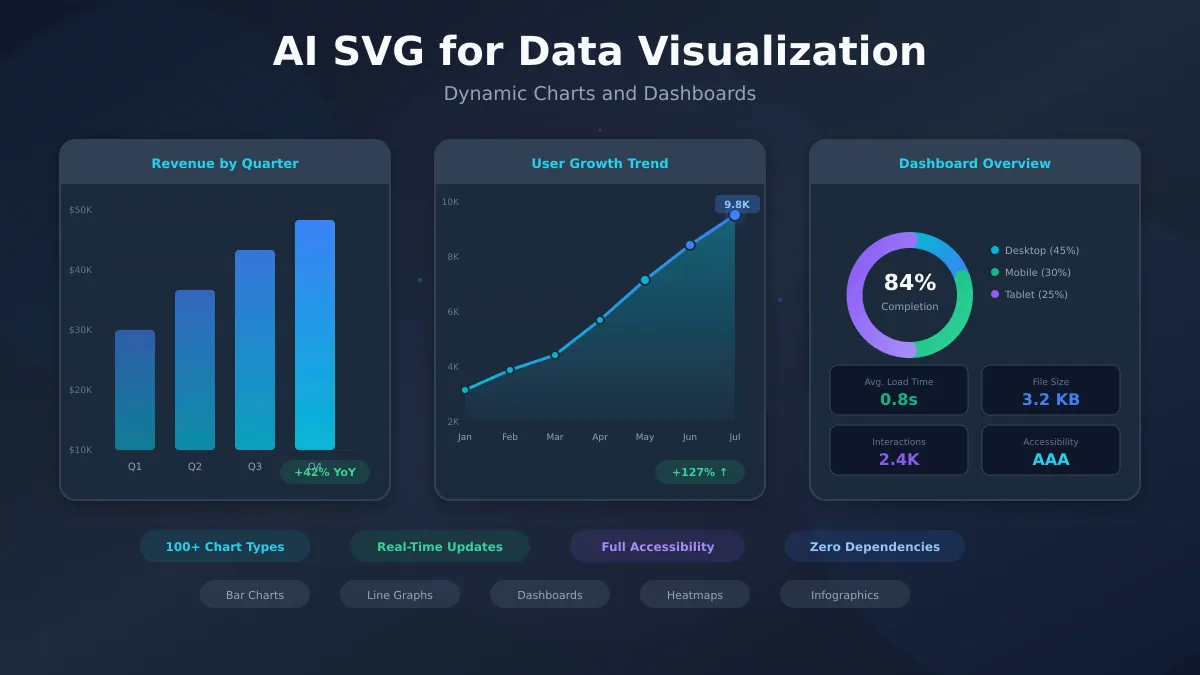
AI SVG generation changes this calculus entirely. By describing the chart you need in natural language, you can produce bespoke visualization elements—custom icons for data categories, branded chart frames, stylized legends, and illustrative infographic components—in seconds. Combined with code-driven charting libraries, AI-generated SVG assets let data teams build visualizations that are both analytically rigorous and visually distinctive.
Whether you're building executive dashboards, investor reports, or public-facing data stories, our AI SVG Generator can produce the custom visual elements that elevate your data from spreadsheet output to compelling narrative.
Why SVG Is the Gold Standard for Data Visualization
Before exploring AI-powered workflows, it's worth understanding why SVG dominates professional data visualization. The format's technical properties align perfectly with the requirements of dynamic, interactive charts.
Infinite Scalability for Any Screen
SVG graphics are resolution-independent by definition. A chart rendered as SVG looks equally sharp on a 4K desktop monitor, a mobile phone screen, or a printed PDF report. This eliminates the need to generate multiple raster versions of the same visualization for different contexts—a single SVG file works everywhere.
For data dashboards viewed across devices (a common scenario in enterprise environments), this scalability is non-negotiable. A bar chart that looks crisp at 1200 pixels wide must also render cleanly at 320 pixels on a phone.
Interactivity and Animation Built In
SVG elements are part of the DOM, which means every bar, line, and data point is individually addressable via CSS and JavaScript. This enables hover tooltips, click-to-drill-down interactions, animated transitions between data states, and smooth zoom behaviors—all without canvas rendering or WebGL complexity.
Consider a sales dashboard where clicking a bar chart segment filters a connected line chart. With SVG, each bar is a discrete element that can listen for click events and trigger data updates elsewhere on the page. This composability is why libraries like D3.js chose SVG as their primary rendering target.
Lightweight Performance at Scale
A well-structured SVG chart with 500 data points typically weighs 15-50 KB—lighter than a single screenshot of the same chart saved as PNG. For dashboards loading dozens of chart panels, this size advantage compounds into meaningful performance improvements.
SVG also compresses exceptionally well with gzip, often achieving 70-80% reduction ratios because the underlying XML text contains highly repetitive patterns (coordinates, style declarations, element tags).
Full Styling Control
Every visual property of an SVG chart—colors, fonts, stroke widths, opacity, gradients, and shadows—is controlled through CSS or inline attributes. This means charts can inherit styles from a design system, respond to theme changes (light/dark mode), and adapt to brand guidelines without regenerating the underlying data visualization.
SVG vs Canvas vs Image-Based Charts
| Feature | SVG | Canvas | Image (PNG/JPG) |
|---|---|---|---|
| Scalability | Infinite (vector) | Fixed resolution | Fixed resolution |
| Interactivity | DOM-based events per element | Pixel-level hit detection | None |
| Accessibility | Native (text, ARIA) | Limited (single element) | Alt text only |
| File Size (500 points) | 15-50 KB | N/A (rendered) | 100-300 KB |
| Animation | CSS + SMIL + JS | JS (requestAnimationFrame) | GIF only |
| SEO | Text is indexable | Not indexable | Not indexable |
| Print Quality | Perfect at any DPI | DPI-dependent | DPI-dependent |
| Theming | CSS variables | Requires redraw | Requires regeneration |
For most data visualization use cases—especially those requiring interactivity, accessibility, and multi-device support—SVG is the clear winner.
Common Data Visualization Types with AI SVG
AI SVG generation excels at creating the custom visual elements that surround and enhance data-driven charts. Here are the most common chart types and how AI can improve each.
Bar and Column Charts
Bar charts remain the workhorse of data visualization for good reason: they excel at comparing discrete categories. AI SVG generation adds value by creating custom bar styling, category icons, and branded chart frames.
When to use: Comparing values across categories—revenue by product, headcount by department, satisfaction scores by feature.
AI prompt template:
Create a minimal SVG icon representing [category] in a flat
line-art style, 24x24, single color, 2px stroke weight.
Use for chart category labels.
Line and Area Charts
Line charts shine for time-series data where trends matter more than individual values. AI-generated SVG elements can provide custom data point markers, trend annotations, and contextual illustrations embedded within the chart.
When to use: Showing change over time—monthly revenue, user growth, temperature readings, stock performance.
AI prompt template:
Design a small SVG annotation marker for a line chart peak
point. Include an upward arrow and a subtle glow effect.
24x24, transparent background.
Pie and Donut Charts
Despite criticism from data visualization purists, pie and donut charts remain popular for showing proportional breakdowns. AI SVG generation can create custom center elements for donut charts, decorative segment separators, and illustrative legends.
When to use: Showing parts of a whole—market share distribution, budget allocation, traffic source breakdown.
Scatter Plots and Bubble Charts
Scatter plots reveal correlations between two variables, while bubble charts add a third dimension through point size. These chart types benefit from AI-generated custom markers that encode additional categorical information.
When to use: Exploring relationships—price vs quality ratings, effort vs impact, ad spend vs conversion rate.
Heatmaps and Choropleth Maps
Heatmaps use color intensity to represent data density across a grid, while choropleth maps apply this concept to geographic regions. AI SVG generation can produce custom color scales, region shapes, and legend designs.
When to use: Showing density or intensity—website click heatmaps, geographic sales distribution, correlation matrices.
Infographic Elements
Infographics combine data with narrative, using custom illustrations to contextualize numbers. This is where AI SVG generation delivers the most dramatic productivity gain—creating dozens of contextual illustrations that would otherwise require hours of designer time.
When to use: Annual reports, marketing data stories, executive summaries, educational materials.
Building Interactive Dashboards with AI-Generated SVGs
Dashboards aggregate multiple visualizations into a unified interface. AI-generated SVG assets serve as the connective tissue—custom icons, metric cards, status indicators, and decorative elements that transform a grid of charts into a cohesive experience.
Dashboard Layout Patterns
The three dominant dashboard layouts each benefit from different AI-generated elements:
Grid Layout: Equal-weight panels arranged in rows and columns. AI SVG elements work well as panel header icons, divider decorations, and empty-state illustrations.
Card Layout: Variable-height cards with distinct visual hierarchies. AI can generate custom card backgrounds, metric icons, and status badges.
Sidebar + Main: Navigation sidebar with a primary content area. AI SVG assets serve as navigation icons, section dividers, and context illustrations.
KPI Cards and Metric Displays
KPI cards are the dashboard equivalent of headlines—they communicate the most important numbers at a glance. AI-generated SVG elements can provide:
- Metric icons that visually represent what's being measured (a user silhouette for MAU, a currency symbol for revenue, a clock for response time)
- Trend indicators beyond simple up/down arrows (sparkline backgrounds, gauge meters, progress rings)
- Status badges with contextual styling (green checkmarks for on-track, amber warnings, red alerts)
Our AI SVG Generator makes creating these micro-elements trivially fast—describe the metric concept and get a production-ready icon in seconds.
Real-Time Data Binding Strategies
SVG's DOM-based nature makes it ideal for real-time dashboards. Each SVG element can be updated independently without re-rendering the entire visualization:
// Update a specific bar height based on live data
const bar = document.querySelector('#revenue-bar-q4');
bar.setAttribute('height', newValue);
bar.setAttribute('y', chartHeight - newValue);
AI-generated SVG templates provide the static structure—chart frames, axis labels, legends—while JavaScript handles dynamic data binding. This separation of concerns keeps real-time updates performant.
Responsive Dashboard Design
SVG's viewBox attribute enables fluid responsive behavior without media queries for the chart content itself. A dashboard chart defined with viewBox="0 0 400 300" will scale proportionally to any container width.
For dashboard layouts, combine CSS Grid or Flexbox for panel arrangement with SVG viewBox for chart scaling. AI-generated SVG elements should use relative units and avoid fixed pixel positions to maintain this flexibility.
Integrating AI SVGs with Data Visualization Libraries
AI SVG generation doesn't replace charting libraries—it enhances them. Here's how to combine both approaches for maximum impact.
D3.js + AI SVG Workflows
D3.js generates SVG programmatically from data, but the resulting charts often need custom visual elements that are tedious to create in code. AI-generated SVGs serve as templates and components within D3 visualizations:
- Custom markers: Generate unique data point shapes with AI, then use D3's symbol generator to place them
- Annotation graphics: Create callout boxes, trend arrows, and contextual icons
- Chart decorations: Produce branded frames, background patterns, and watermarks
- Legend icons: Design category symbols that communicate meaning beyond color alone
Recharts and React-Based Charts
React charting libraries like Recharts accept custom SVG components as renderers. AI-generated SVG elements slot directly into these component APIs:
// Use an AI-generated SVG as a custom tooltip
const CustomTooltip = ({ payload }) => (
  <svg viewBox="0 0 200 80" className="chart-tooltip">
    {/* AI-generated tooltip frame */}
    <rect rx="8" fill="#1e293b" stroke="#334155" />
    <text fill="#f8fafc">{payload[0]?.value}</text>
  </svg>
);
This approach is explored further in our guide on SVG Creator for Web Developers, which covers framework integration patterns in depth.
Vega-Lite for Declarative Visualization
Vega-Lite's declarative JSON specification pairs naturally with AI workflows. You describe the visualization intent, and the library generates the SVG output. AI-generated custom marks and symbols can be embedded as image references within Vega-Lite specs.
When to Use AI Generation vs Code-Based Charts
| Scenario | Best Approach |
|---|---|
| Standard chart with live data | Code-based (D3, Recharts) |
| Custom icons for chart categories | AI SVG generation |
| Interactive drill-down dashboard | Code-based with AI decorations |
| Static infographic for report | AI SVG generation |
| Branded chart frame/template | AI SVG generation |
| Real-time streaming data | Code-based (Canvas for 10K+ points) |
| Presentation slide charts | AI SVG generation |
| Animated data transitions | Code-based with AI keyframes |
The sweet spot is usually a combination: code-based libraries handle data binding and interactivity, while AI-generated SVG assets handle branding, custom iconography, and decorative elements.
Styling and Branding Your Data Visualizations
Generic charts undermine brand credibility. Custom-styled visualizations signal professionalism and attention to detail—qualities that matter especially in B2B contexts where dashboards are shared with clients and stakeholders.
Color Scales and Palettes for Data
Effective data visualization palettes differ from general brand palettes. They must:
- Maintain perceptual uniformity (equal visual weight across hues)
- Provide sufficient contrast between adjacent categories
- Work in both light and dark themes
- Remain distinguishable for colorblind users
AI SVG generation can produce color palette visualizations themselves—swatch cards, gradient bars, and comparison samples that help teams evaluate palette options before committing. For advanced color manipulation techniques, see our guide on SVG Color Filters.
Typography in Charts
Chart typography serves a functional purpose: axis labels must be legible at small sizes, titles must establish hierarchy, and annotations must not compete with data. AI-generated SVG text elements can explore different typographic treatments:
Generate an SVG chart title treatment reading "Q4 Revenue"
in a modern sans-serif style. Include a subtle gradient fill
from cyan to blue. 300x40 viewBox.
Consistent Brand Application Across Charts
The most professional dashboards maintain strict visual consistency across every chart panel. AI SVG generation makes this achievable at scale by producing chart frame templates, standardized legend components, and consistent icon sets that can be reused across all visualizations.
Accessibility in Data Visualization
Accessible data visualization isn't optional—it's both a legal requirement and an ethical obligation. SVG's native text and semantic capabilities make it the most accessible chart format available.
Screen Reader Support for Charts
Every SVG chart should include a <title> element for a brief description and a <desc> element for a detailed data summary. AI-generated SVGs can include these semantic elements as part of the generation prompt:
<svg role="img" aria-labelledby="chart-title chart-desc">
  <title id="chart-title">Q4 Revenue by Region</title>
  <desc id="chart-desc">Bar chart showing North America at $4.2M,
  Europe at $2.8M, Asia Pacific at $1.9M, and Latin America
  at $0.7M for Q4 2025.</desc>
  <!-- Chart content -->
</svg>
Color Contrast and Colorblind-Safe Palettes
Approximately 8% of men and 0.5% of women have some form of color vision deficiency. Charts that rely solely on color to distinguish data categories exclude these users. AI-generated SVG elements can incorporate pattern fills, different stroke styles, and shape variations as redundant encodings.
Alternative Text Descriptions for Complex Data
Complex visualizations—multi-series line charts, scatter plots with thousands of points, heatmaps—require structured alternative text that goes beyond simple descriptions. Consider providing a data table alongside the visualization for screen reader users.
For a comprehensive treatment of SVG accessibility patterns, including ARIA roles and keyboard navigation, see our full SVG accessibility guide.
Keyboard Navigation for Interactive Charts
Interactive SVG charts must support keyboard navigation. Each interactive element should be focusable (via tabindex) and respond to Enter/Space for activation and arrow keys for sequential navigation.
Performance Optimization for Data-Heavy SVGs
Visualization performance degrades predictably with element count. A bar chart with 20 bars renders instantly; a scatter plot with 10,000 points may cause jank during scrolling and interaction.
Reducing Path Complexity
AI-generated SVG elements sometimes contain more path points than necessary. Run generated assets through an SVG optimizer (like SVGO) to simplify paths while maintaining visual fidelity:
- Remove redundant coordinates
- Merge overlapping paths
- Simplify curves within acceptable tolerance
- Strip metadata and editor artifacts
Lazy Loading Chart Components
Dashboards with many chart panels should defer rendering for off-screen charts. Use Intersection Observer to initialize charts only when they scroll into view:
const observer = new IntersectionObserver((entries) => {
  entries.forEach(entry => {
    if (entry.isIntersecting) {
      initializeChart(entry.target);
      observer.unobserve(entry.target);
    }
  });
});
Virtual Rendering for Large Datasets
For datasets exceeding 5,000-10,000 points, consider hybrid approaches: use Canvas for the dense data layer and SVG overlays for interactive elements (tooltips, selection highlights, annotations). This combines Canvas's raw rendering speed with SVG's interactivity.
Real-World Use Cases
Data visualization spans every industry. Here are high-impact applications where AI-generated SVG elements deliver the most value.
Financial Dashboards
Financial dashboards demand precision, trust, and clarity. AI SVG generation produces:
- Custom candlestick and OHLC chart elements
- Portfolio allocation donut charts with branded styling
- Risk indicator gauges with gradient fills
- Currency and market icons for international data
A SaaS founder designing financial analytics for their product can generate an entire icon system for transaction categories, account types, and status indicators using our AI SVG Generator—ensuring visual consistency across hundreds of data points.
Healthcare Analytics
Healthcare data visualization requires careful attention to clarity and accessibility, given the critical nature of the information. AI SVG elements support:
- Patient flow diagrams with custom node shapes
- Clinical trial timeline visualizations
- Anatomical region selectors for body-map data
- Status indicators for medical device dashboards
SaaS Metrics Dashboards
SaaS companies live and die by their metrics. Common dashboard components include:
- MRR/ARR growth charts with milestone markers
- Churn cohort heatmaps
- Feature adoption funnels
- Customer health score gauges
AI-generated SVG elements for these dashboards—metric icons, status badges, trend sparklines—create a polished, professional experience that builds confidence with investors and customers alike. For e-commerce specific analytics patterns, see SVG Creator for E-commerce.
Marketing Campaign Reporting
Marketing dashboards aggregate data from multiple channels into unified views. AI SVG generation produces:
- Channel-specific icons (social platforms, email, search)
- Campaign funnel visualizations
- ROI comparison charts with custom styling
- Audience segment illustrations
Getting Started with AI SVG Data Visualization
Ready to elevate your data visualizations? Here's a practical workflow for integrating AI-generated SVG elements into your charts and dashboards.
Step 1: Audit Your Current Visualizations Identify charts and dashboards that use default styling. Look for generic icons, plain legends, and unbranded chart frames—these are prime candidates for AI enhancement.
Step 2: Define Your Visual Language Establish the styling parameters for your data visualizations: color palette, icon style (line, filled, duotone), corner radius, stroke weights. Use these as consistent prompt modifiers.
Step 3: Generate Base Elements Use our AI SVG Generator to create your foundational visualization assets:
Create a flat-style SVG icon representing "revenue growth"
for a data dashboard. Use a single color (#06b6d4), 24x24,
2px stroke, no fill, minimal detail. Transparent background.
Step 4: Integrate with Your Charting Library Import AI-generated SVG elements as components in your React/Vue/Angular application, or inline them within D3.js visualization code.
Step 5: Test Across Contexts Verify that your AI-enhanced visualizations render correctly across:
- Desktop and mobile viewports
- Light and dark themes
- Screen readers and keyboard navigation
- Print and PDF export
Conclusion
SVG data visualization, enhanced by AI-generated custom elements, represents the highest standard for professional charts and dashboards. The combination of code-driven charting libraries for data binding and AI SVG generation for custom visual assets delivers results that are analytically sound, visually distinctive, and accessible to all users.
The key insight is that AI SVG generation doesn't replace your charting library—it fills the gap between generic default styling and custom designer-crafted elements. Category icons, branded chart frames, metric badges, and infographic illustrations that would take hours to design manually can be produced in minutes.
Start building more compelling data stories today with our AI SVG Generator—describe the visualization elements you need and get production-ready SVG assets instantly.
Related Resources
- AI SVG Generator Complete Guide — comprehensive overview of AI SVG capabilities
- SVG Creator for Web Developers — framework integration and developer workflows
- SVG Accessibility Guide — WCAG compliance and inclusive design patterns
- SVG Color Filters — advanced color manipulation techniques for visualizations
- SVG Animation Guide — adding motion to charts and dashboards
- Enterprise AI SVG Solutions — scaling AI SVG workflows for large organizations