Text to Vector: How to Turn Quotes into Sticker Designs
By SVGAI Team
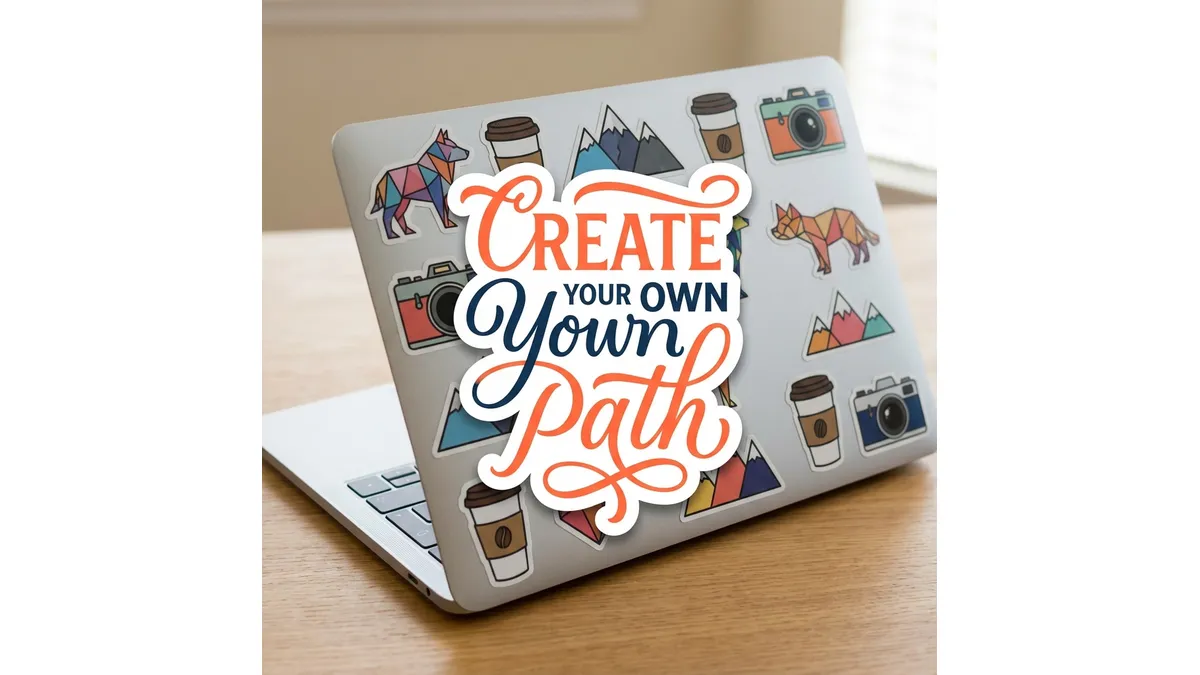
sticker designtext to vectorsvg text generatorprint on demandside hustlevinyl stickersetsy stickers
Introduction
The sticker market is booming—and shows no signs of slowing down. According to Grand View Research, the global sticker market reached $5.8 billion in 2024 and is projected to grow at 4.5% annually through 2030. From college laptops to Hydro Flask water bottles, everyone wants to express themselves with adhesive art.
One of the most profitable and accessible categories for new creators? Typography Quotes. Simple phrases that resonate: "Good Vibes Only." "Coffee First." "Code like a Girl." "Not Today, Satan."
These aren't complex illustrations requiring years of art training. They're words—transformed into visual products that sell for $3-8 each on Etsy, Redbubble, and local craft fairs.
The barrier to entry has never been lower. By using AI-powered svg text generator tools, you can create unlimited inventory in minutes—without touching complex design software or learning typography from scratch.
This comprehensive guide will take you from complete beginner to producing professional, print-ready sticker files that sell.
What is SVG AI?
SVG AI is the world's most powerful AI SVG Generator, purpose-built for creators who want professional results without the learning curve:
- Text to SVG Generator: Describe your sticker design, get a finished SVG in 10 seconds.
- Image to SVG AI Generator: Upload sketches for AI reconstruction into clean vector paths.
- Hybrid Mode: Combine image + text for precise control over complex designs.
- AI SVG Maker & Editor: Refine with prompts like "add white border" or "make letters thicker."
Proof: 60,000+ SVGs generated. Commercial usage rights included on all plans—meaning you can sell what you create.
Why Typography Stickers Are the Perfect Entry Point
Before we dive into the "how," let's understand why text-based stickers are ideal for new creators:
Low Design Barrier
Unlike illustration-based stickers that require drawing skills, typography stickers require curation skills. You need to:
- Find quotes that resonate
- Choose styles that match the vibe
- Ensure technical quality for production
You don't need to draw—you need to direct.
High Demand Categories
According to Etsy's 2024 seller trends report, the top-selling sticker categories include:
| Category | Example Phrases | Target Audience |
|---|---|---|
| Motivation | "You Got This," "Breathe" | Wellness, students |
| Humor | "I Need Coffee," "Adult-ish" | Millennials, Gen Z |
| Identity | "Plant Mom," "Dog Dad" | Hobby communities |
| Profession | "Nurse Life," "Teacher Powered by Coffee" | Career groups |
| Fandom | Series references, memes | Pop culture fans |
Scalable Production
Once you understand the workflow, you can produce 10-20 unique designs in an hour. At $4 average price with $0.50 production cost, that's significant profit potential.
The Anatomy of a Best-Selling Typography Sticker
Understanding what makes a sticker sell is as important as knowing how to create one.
1. Legibility is King
A sticker is typically 2-4 inches wide and often viewed from a distance (across a coffee shop, on a laptop at a meeting). Your text must be readable at a glance.
Technical Requirements:
- Minimum stroke width: 1.5mm for reliable cutting
- Letter spacing (kerning): Slightly wider than default
- Word count: 1-5 words work best; longer phrases need larger stickers
2. The Die-Cut Border (The "Contour")
Physical stickers need a "cut line" around the design. This border:
- Creates visual separation from the surface
- Provides structural integrity for peeling
- Adds professional polish
The AI Way: Prompt "Sticker style with white border" or "Die-cut ready with offset stroke" and the AI builds this directly into the design.
3. The Vibe Match
The typography style must match the emotional tone of the quote:
| Quote Vibe | Typography Style | Example Prompt Modifiers |
|---|---|---|
| Motivational | Bold, clean, powerful | "Bold sans-serif, thick strokes" |
| Whimsical | Script, hand-drawn | "Playful hand-lettering, bouncy baseline" |
| Edgy | Graffiti, distressed | "Street art style, rough edges" |
| Professional | Minimal, geometric | "Clean modern typography, thin lines" |
| Vintage | Retro, decorative | "1970s aesthetic, warm colors, retro font" |
4. Color Psychology
Colors dramatically impact perceived value and target audience:
- Black + White: Universal, classic, matches everything
- Pastels: Feminine, gentle, wellness/lifestyle
- Neons: Youth, energy, party/festival
- Earth Tones: Natural, sustainable, outdoor/nature
- Brand Colors: For profession-specific stickers
How to Automate Typography Sticker Design with AI
Here's the complete workflow from idea to production file:
Step 1: Curate Your Quotes
Before touching any tools, build a list of quotes. Sources:
- Pinterest boards (search "[niche] quotes")
- Reddit communities (r/quotes, niche subreddits)
- TikTok trends (trending audio phrases)
- Your own creative ideas
Pro Tip: Check Etsy for existing sticker quotes. If something is selling, there's demand—but put your own spin on it.
Step 2: Define Your Style System
Consistency builds a brand. Decide on:
- 2-3 typography styles you'll use
- A color palette (5-7 colors)
- A consistent border treatment (white offset, no border, colored outline)
Step 3: Construct Your Prompt
Use this formula:
"[Quote Text] in [Typography Style], [Color Scheme], [Border Treatment], sticker design"
Example Prompts:
- "The word HUSTLE in bold graffiti style, black and gold, white die-cut border, sticker design"
- "Coffee First in playful hand-lettering, warm brown tones, coffee cup integrated into letter O, white offset border"
- "Plant Mom in boho script typography, sage green and terracotta, botanical leaf decorations, transparent background ready for die-cut"
Step 4: Generate with AI
Using SVG AI's Text to SVG Generator:
- Enter your prompt
- Wait approximately 10 seconds
- Preview the result
The AI doesn't just type out text—it illustrates with text. It might:
- Build letters out of decorative elements
- Add flourishes that match the vibe
- Create depth and dimension
- Integrate icons naturally
Step 5: Refine with the AI SVG Editor
The first generation is your starting point. Use the AI SVG Maker & Editor to perfect it:
| Goal | Prompt |
|---|---|
| Add sticker border | "Add thick white offset border for die-cut" |
| Make text bolder | "Thicken all text strokes by 50%" |
| Simplify for cutting | "Simplify paths, reduce complexity for vinyl cutting" |
| Change style | "Convert to outline only, remove fill" |
| Adjust proportions | "Make the design more square for 3-inch sticker" |
| Add decorative elements | "Add small stars around the text" |
Step 6: Export Production Files
Download your Production Ready code. The SVG file includes:
- Clean, closed paths ready for cutting
- Optimized node count (no cutting machine crashes)
- Proper layer structure
- Full commercial usage rights
Technical Specifications for Different Sticker Types
Not all stickers are created equal. Here are production specs for major categories:
1. Kiss-Cut Stickers (Sheet Stickers)
What: Multiple designs on one backing sheet File Requirements:
- RGB color mode (will be converted by printer)
- 300 DPI equivalent (SVGs are resolution-independent)
- Bleed area: None needed for vector
- Clear separation between designs
AI Prompt Addition: "Clean edges, solid colors, no transparency effects"
2. Die-Cut Stickers (Individual Contour Cut)
What: Each sticker cut to exact shape File Requirements:
- Visible contour line (separate layer or color)
- Minimum 2mm between design edge and cut line
- No overlapping elements at edges
AI Prompt Addition: "Thick white border for die-cut contour, at least 3mm offset"
3. Vinyl Decals (Cricut/Silhouette)
What: Self-cut using a home cutting machine File Requirements:
- Single color or layered colors
- Thick strokes (minimum 1.5mm)
- Connected elements (no floating islands)
- Minimal nodes for smooth cutting
AI Prompt Addition: "Bold outlines suitable for vinyl cutting, thick connected strokes, single color"
4. Screen Print Stickers
What: Ink-based printing for mass production File Requirements:
- Spot colors (limited palette)
- Clear color separation
- No gradients (unless halftone simulated)
- High contrast
AI Prompt Addition: "Flat colors only, spot color separation, no gradients, high contrast design"
The Technical Advantage of Vector Stickers
Why does SVG format matter for sticker production?
The 300 DPI Myth
Many new creators export JPEG files at "300 DPI" and assume they're print-ready. But:
- A 3-inch sticker at 300 DPI = 900 pixels wide
- Scale to 6-inch version = 450 DPI equivalent (pixels stretched)
- Scale to banner = Pixelated mess
With Real Vector Paths, the same file works for:
- A 1-inch button
- A 3-inch laptop sticker
- A 12-inch car decal
- A 6-foot banner
Zero quality loss at any size.
Color Separation Flexibility
When you have Production Ready code, you can:
- Click on any letter and change its color
- Easily create color variations for A/B testing
- Match brand colors exactly with hex codes
- Create "same design, different colorway" product lines
Try doing that with a JPEG.
Cutting Machine Compatibility
Cricut, Silhouette, and professional cutting machines read vector paths. They literally follow the path with a blade. If your file is:
- Raster (JPEG/PNG): Needs tracing, loses quality
- Bloated SVG (traced from raster): Too many nodes, crashes or cuts poorly
- Clean AI-generated SVG: Cuts perfectly
Building Your First Quote Sticker Collection
Let's walk through creating a cohesive 10-sticker collection from scratch:
Collection Theme: "Coffee Culture"
Target Audience: Millennials, office workers, coffee enthusiasts Style Direction: Modern, slightly whimsical, warm color palette Color Palette: Coffee brown (#6F4E37), cream (#FFF8DC), espresso black (#1C1C1C), orange accent (#E07020)
The 10 Designs
| # | Quote | Style Prompt |
|---|---|---|
| 1 | "But First, Coffee" | "Elegant script font, coffee cup replacing comma, warm brown tones, white die-cut border" |
| 2 | "Espresso Yourself" | "Bold retro 70s typography, espresso machine integrated, orange and brown, cream background" |
| 3 | "Coffee Loading..." | "Tech/digital font style, loading bar made of coffee beans, minimal black and white" |
| 4 | "Powered by Caffeine" | "Technical blueprint style, battery icon integrated, geometric typography" |
| 5 | "Decaf? No Thanks" | "Graffiti/street art style, crossed out decaf label, edgy black and red" |
| 6 | "Coffee O'Clock" | "Clock hands made of coffee beans, elegant serif font, vintage gold and brown" |
| 7 | "Running on Coffee" | "Athletic/sporty typography, running shoe made of coffee elements, dynamic angles" |
| 8 | "Coffee Snob" | "Sophisticated serif, monocle and top hat icon, elegant script, gold accent" |
| 9 | "Iced Coffee Season" | "Fun summer typography, melting ice cube effect, cool blue and brown" |
| 10 | "Coffee > People" | "Bold statement typography, minimalist comparison design, strong black and white" |
Production Workflow
- Generate all 10 using the prompts above (~15 minutes)
- Refine 2-3 that need border adjustments (~10 minutes)
- Export collection as individual SVG files (~5 minutes)
- Upload to print service (Sticker Mule, Printful, etc.)
Total time: Under 30 minutes for 10 production-ready designs.
Case Study: From Zero to Shop
Let's follow a real example of launching a sticker side business:
The Niche: "Programmer Humor"
Target Audience: Software developers, tech workers, CS students Why this niche: High disposable income, strong identity, love of inside jokes
The Workflow
-
Research Phase (30 min):
- Browsed r/ProgrammerHumor for trending jokes
- Checked existing Etsy listings for gaps
- Listed 15 quote candidates
-
Generation Phase (45 min):
- Created style guide: "Retro computer terminal aesthetic, green on black base, monospace vibes"
- Generated all 15 designs with consistent style modifiers
- Refined 5 designs that needed adjustment
-
Production Phase (30 min):
- Exported all SVG files
- Created product listings on Etsy
- Uploaded to Printful for print-on-demand fulfillment
-
Launch:
- Posted to r/ProgrammerHumor (with disclosure)
- Shared on dev Twitter/X accounts
- First sales within 24 hours
Results After 30 Days:
- 47 orders totaling $187 in revenue
- Best sellers: "It Works on My Machine" and "I Have No Idea What I'm Doing"
- Average order value: $12.40 (customers buy multiple)
- Time invested: ~10 hours total
- Effective hourly rate: $18.70/hour (side income)
Key Insight: The collection approach (matching style, related themes) encourages multi-sticker purchases.
Advanced Typography Techniques
Once you've mastered the basics, try these advanced approaches:
1. Typography Illustration
The text itself becomes the illustration:
- "WAVE" with letters made of ocean waves
- "FIRE" with letters made of flames
- "BLOOM" with letters made of flowers
Prompt Pattern: "The word [WORD] with letters made entirely of [ELEMENT], [style], sticker design"
2. Negative Space Typography
Creating meaning through what's not there:
- "THINK" with a lightbulb formed in negative space
- "HOME" with a house silhouette in the O
- "LOVE" with a heart cut out of the O
Prompt Pattern: "[WORD] with [OBJECT] formed in negative space of letter [LETTER], minimal design"
3. Deconstructed Typography
Breaking apart letters for visual interest:
- "BREAK" with letters shattering
- "FLOW" with letters melting together
- "CHAOS" with letters in disarray
Prompt Pattern: "[WORD] in deconstructed typography, letters [ACTION], dynamic composition"
4. Layered Typography
Multiple visual layers creating depth:
- Quote with shadow version offset
- Outline layer over filled layer
- Text appearing to emerge from surface
Prompt Pattern: "[QUOTE] with layered 3D effect, [X] layers visible, depth and dimension"
Pricing and Profit Optimization
Understanding the economics ensures sustainable success:
Cost Structure
| Cost Type | Print on Demand | Self-Production |
|---|---|---|
| Sticker cost | $1.50-2.50/each | $0.15-0.40/each |
| Shipping | $0.50-1.00 | $0.50-1.00 |
| Platform fees | 10-15% | 5-10% |
| Total per sticker | $2.50-4.00 | $0.70-1.50 |
Pricing Strategy
| Price Point | Margin (PoD) | Margin (Self) | Notes |
|---|---|---|---|
| $3.00 | $0-0.50 | $1.50-2.30 | Budget buyers |
| $4.50 | $1.00-2.00 | $3.00-3.80 | Sweet spot |
| $6.00 | $2.50-3.50 | $4.50-5.30 | Premium designs |
| $8.00+ | $4.00-5.00 | $6.50+ | Complex/large |
Volume Strategy
Stickers are impulse purchases. Optimize for multi-buy:
- "Buy 3, Get 1 Free"
- Themed packs (5 stickers for $15)
- Subscription boxes (monthly sticker pack)
Common Mistakes and How to Avoid Them
Mistake 1: Overcomplicated Designs
Problem: Too many elements competing for attention Fix: If you can't describe it in one sentence, simplify
Mistake 2: Wrong Style for Platform
Problem: Fine-detail designs for Etsy (viewers see tiny thumbnails) Fix: Design for thumbnail recognition—bold, high contrast
Mistake 3: Ignoring Production Requirements
Problem: Beautiful on screen, fails in production Fix: Always test with your print method before scaling
Mistake 4: Generic Quotes
Problem: Same quotes everyone uses Fix: Put your spin on it, target specific niches
Mistake 5: Inconsistent Branding
Problem: Random styles, no recognizable shop identity Fix: Create 2-3 signature styles and maintain consistency
Troubleshooting Production Issues
Issue: Text Too Thin for Cutting
Symptom: Vinyl cutting blade tears through thin strokes Solution: Use the AI SVG Editor to prompt "thicken all strokes by 50%" or "bold weight typography"
Issue: Too Many Nodes
Symptom: Cutting machine slows/freezes Solution: Prompt "simplify paths, geometric shapes, minimal nodes"
Issue: Open Paths
Symptom: Cutting blade doesn't complete circuit Solution: Prompt "closed paths, solid shapes, no open strokes"
Issue: Color Bleed
Symptom: Colors mix at printing Solution: Prompt "clear color separation, no gradients, solid fills"
Frequently Asked Questions
Do I need design experience?
No. The AI handles the technical design work. You need curation skills (what quotes resonate) and direction skills (what style matches the vibe).
Can I really sell AI-generated designs?
Yes. All SVG AI plans include commercial usage rights. You own the output and can sell it as products.
How do I handle copyright for quotes?
- Original phrases you create: Full rights
- Common phrases ("Good Vibes"): Generally not copyrightable
- Song lyrics, movie quotes, trademarked phrases: Avoid or get license
What's the minimum investment to start?
- SVG AI credits: ~$5-10 for initial designs
- Print on Demand: $0 upfront (pay when orders come)
- Total minimum: Under $15
How many designs do I need to launch?
We recommend launching with 8-12 designs. Enough variety to show style range, not so many that production overwhelms.
Conclusion
The barrier to entry for the sticker business has never been lower. You don't need to be a lettering artist; you just need to be a curator of good quotes and a director of AI tools.
The technology handles the bezier curves, node optimization, and technical production requirements. Your job is to understand your audience, find phrases that resonate, and guide the AI toward the right aesthetic.
Every minute you spend fighting with design software is a minute you're not spending on marketing, customer service, or creating your next bestseller.
Stop fighting with bezier curves. Let the text to svg generator handle the geometry while you handle the business.
Related Reading: