AI SVG Icons or Font Awesome? Compare the Actual Files
By Ashesh Dhakal, Founder, SVG AI
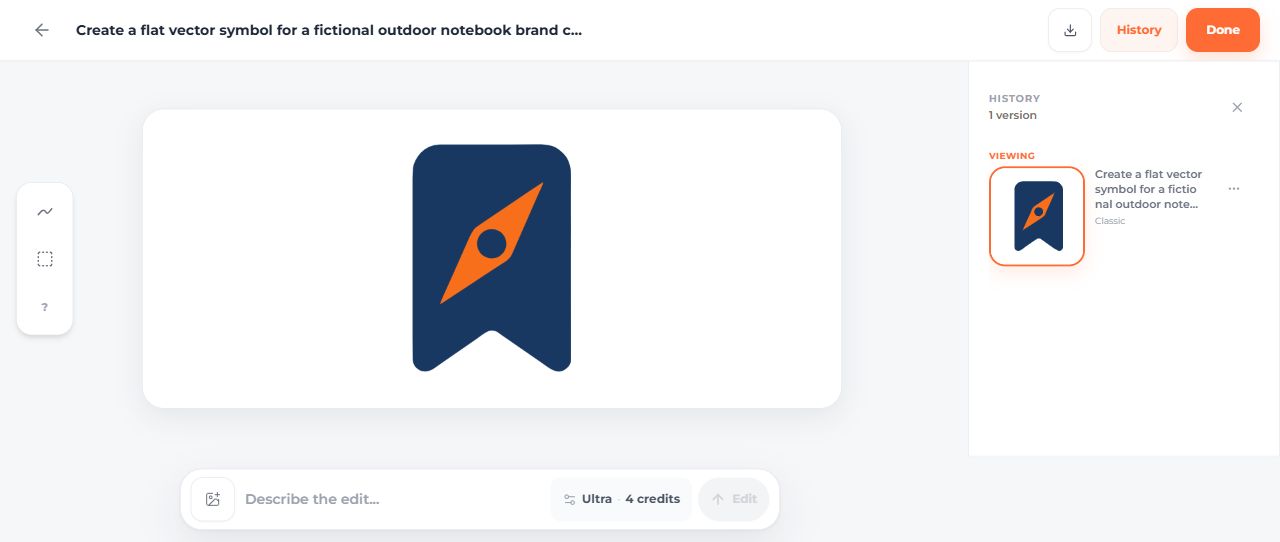
ai svg icon generatorcustom svg iconsfont awesomesvg icon generator
A familiar save action and a distinctive brand mark do not have to use the same kind of icon. A library bookmark can communicate a standard action immediately. A generated bookmark-and-compass mark can give a fictional outdoor project a more specific visual direction.
This comparison starts with a Font Awesome Free bookmark and a Fieldnote mark from the AI SVG icon generator, then places three stock and three custom icons in the same card layout. The measurements describe those files and their use. SVG AI publishes this guide.
The two source files
- Font Awesome bookmark SVG, using
faBookmarkfrom Font Awesome Free 7.3.1. - Fieldnote original SVG, generated in the SVG AI dashboard on September 14, 2026.


The Font Awesome file uses its published icon path, with a navy fill and source/license attribution in the SVG metadata. Font Awesome Free's icons use CC BY 4.0; the included license and official license page provide the terms and attribution details.
The Fieldnote prompt requested a rounded navy bookmark with an orange compass needle, no lettering and a transparent background. The dashboard showed Classic, one SVG and two credits for that generation.
What the measured file sizes show
| Linked standalone file | Bytes | Gzip bytes | Paths |
|---|---|---|---|
| Font Awesome bookmark | 414 | 309 | 1 |
| Fieldnote original | 2,552 | 1,258 | 3 |
| Fieldnote manual brand-color variant | 2,541 | 1,265 | 3 |
These measurements include each linked file's actual wrapper and metadata. They are not a comparison of complete JavaScript bundles, page-load times or equal-complexity artwork. The generated mark has an extra compass feature and more path data. In this small comparison the stock file is smaller; generation does not automatically produce the smallest file.
The measurement JSON records the files. Gzip sizes also differ from raw sizes: a small raw reduction is not a guarantee of a smaller compressed result.
Compare three icons in the same interface
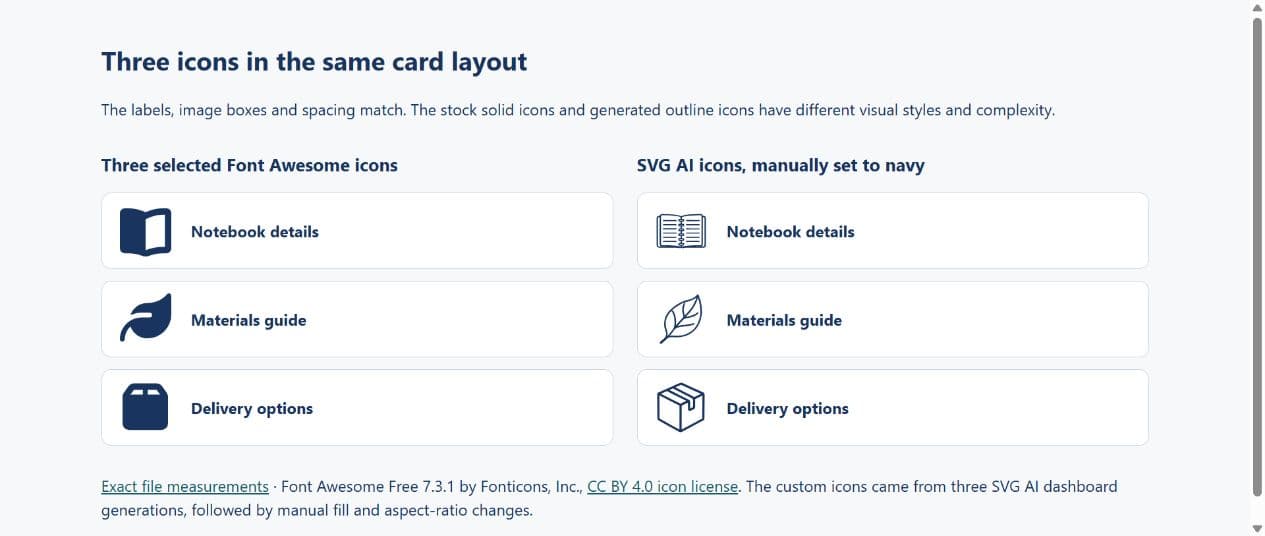
The working comparison page uses the same labels, 52-pixel image boxes and spacing for both sets. It includes only the three selected Font Awesome SVGs, with no library JavaScript loaded. The custom files came from three separate Classic dashboard generations, followed by manual navy-fill and proportional-fitting changes.
| Three-file set | Total raw bytes | Sum of separately gzipped files |
|---|---|---|
| Font Awesome subset | 1,881 | 1,259 |
| Original SVG AI downloads | 31,829 | 13,361 |
| Manually prepared SVG AI files | 31,689 | 13,319 |
The stock subset is smaller here. The designs also differ: these Font Awesome icons are solid, while the generated examples are outlines with more detail. Equal layout conditions do not make their artwork equally complex. These are asset-byte measurements, not page-load or rendering-time measurements.
| Subject | Font Awesome SVG | SVG AI original | Manual navy version |
|---|---|---|---|
| Notebook | Book icon | Original | Manual |
| Leaf | Leaf icon | Original | Manual |
| Parcel | Box icon | Original | Manual |









The complete measurement file records each asset. The ecommerce walkthrough supplies the exact prompts, dashboard screenshots and preparation steps for the custom set. Compare the visual style your interface needs before deciding whether extra detail is useful.
A library does not require loading every icon
Font Awesome documents tree-shaking and individual icon imports. Evaluate the actual import method in your application instead of comparing an entire library with one carefully selected SVG and calling the difference a universal saving.
For a common action, use the library's consistent visual language if it fits the interface. Match the icon's visual size to adjacent controls, provide a useful accessible name on the button, and check what your build actually sends to the browser.
Custom generation gives you a different starting point
The Fieldnote mark combines a bookmark and compass for a fictional outdoor notebook. That makes it suitable for exploring the project's identity, but it does not prove that people understand it better than a standard bookmark button.
The generated source contains paths rather than an embedded image. It still needs review. Its two fills differ from the exact brand colors requested, and a later AI teal revision changes path data and framing as well as color. Compare the original, AI revision and manual files.
The manual brand version sets exact colors and proportional fitting while preserving the original paths. A controlled manual edit is a useful option when a requirement is precise. A prompt-based revision is useful when you want to explore a visual change. Neither method removes the need to inspect the output.
Decide by the task in your interface
| Task | A practical starting point |
|---|---|
| Standard save/bookmark action | A familiar library icon, tested beside its label |
| Fictional brand mark combining two ideas | A generated concept followed by visual and file review |
| Exact brand-color replacement | A targeted fill change on an inspected source |
| A coherent multi-icon interface | A consistent library or a custom set reviewed together at actual size |
A generated result is not automatically unique in a legal sense, a library icon is not automatically unsuitable for a brand, and a platform's usage permission is not a trademark clearance. Choose a design and check the relevant terms for your intended use.
To develop a custom set, follow the SVG icon implementation guide. To preserve an existing icon while changing it, use the editing guide. Keep the original files so the choice remains reversible.