Your app icon is often the very first impression a potential user has of your application. It sits on their home screen, appears in search results, and lives in the app store. A great icon is memorable, communicates your app's essence, and invites clicks. A bad one can get lost in the crowd or even deter downloads.
Traditionally, crafting that perfect pixel-perfect icon required significant design effort. But now, an AI app icon generator can help you create stunning, professional-looking icons quickly and easily, even if you're not a designer.
In This Tutorial:
- Why AI is revolutionizing app icon design
- Essential technical requirements for app icons
- Step-by-step icon creation process
- Prompt writing techniques for better results
- Best practices for professional icons
- Tool recommendations and workflow tips
Why Use an AI App Icon Generator?
Speed & Efficiency
Generate numerous icon concepts in minutes instead of hours or days. Perfect for A/B testing different designs and rapid iteration.
Style Exploration
Easily explore diverse styles—from flat and minimalist to 3D or cartoonish—without manual redesigns.
Accessibility
Create professional icons without specialized design skills. Empowers developers, marketers, and solo founders.
Cost-Effectiveness
Save on design costs with affordable plans or free tools like SVGAI.org that offer professional-grade output.
Before You Start: Understanding App Icon Requirements
Technical Essentials
Platform Guidelines
Both Apple (iOS/macOS) and Google (Android) have specific design guidelines regarding shape, style, and transparency. iOS icons typically use a "squircle" mask.
Multiple Sizes
You'll need your icon exported in various dimensions for different contexts (App Store, Settings, Notifications, Spotlight Search). This is where vector formats (SVG) become invaluable.
Format Considerations
While PNG is commonly used for final submission, having an SVG source file gives you maximum flexibility for creating all necessary PNG sizes without quality loss.
Step-by-Step Guide: Creating Your App Icon with AI
Let's walk through the process using SVGAI.org or another quality AI icon generator:
Define Your Concept & Keywords
• What does your app do? (e.g., "Task management," "Photo editing")
• What's the core feeling or benefit? (e.g., "Productivity," "Creativity")
• What objects or symbols represent it? (e.g., Checklist, paintbrush)
• What are your brand colors? (Have HEX codes ready if possible)
Write an Effective Prompt
This is where you instruct the AI. Be as descriptive as possible!
Basic Prompt:
"Simple checklist icon for productivity app"
Better Prompt:
"Minimalist blue checkmark icon inside a subtle grey circle, flat design style, productivity app icon"
Detailed Prompt:
"A modern flat design app icon featuring a stylized green checkmark inside a slightly rounded white square with a soft blue gradient background (#A0D2DB to #7FADC5), minimalist and clean"
Choose Your Style (If Applicable)
Many AI tools offer style selections. Common app icon styles include:
Generate & Iterate
• Not quite right? Tweak your prompt (add detail, change style words, specify colors).
• Like the concept, but not the execution? Generate again – AI often provides variations.
• Need multiple options? Run the prompt multiple times with slight modifications.
Refine & Customize (Leverage SVG!)
If your chosen AI tool provides SVG output (like SVGAI.org), you can:
- Open the SVG in vector editing software (Figma, Illustrator, Inkscape)
- Fine-tune colors precisely to match your brand guide
- Adjust minor details or shapes
- Prepare all required PNG sizes without quality degradation
Export in Required Formats and Sizes
Using your source SVG (or highest resolution PNG), export your final icon in all dimensions required by App Store Connect (iOS) and Google Play Console (Android).
Best Practices for AI-Generated App Icons
Keep it Simple
Icons are viewed at small sizes. Avoid excessive detail that becomes illegible at smaller dimensions.
Focus on Recognition
Choose a symbol that clearly relates to your app's function or brand for instant recognition.
Test Scalability
Ensure the icon looks good at both large (App Store) and small (Notification) sizes. SVG helps immensely with this.
Test on Different Backgrounds
Check how your icon looks on light and dark wallpapers to ensure visibility in all contexts.
Tools Spotlight: Your AI App Icon Generator Options
Several tools can help create app icons with AI:
IconifyAI
Specifically focused on app icons with various styles.
Recraft
Good for generating consistent icon sets with vector support.
SVGAI.org (Recommended)
Free, high-quality, easy-to-use solution with essential SVG output. No signup, unlimited use.
General Image Generators
Tools like Midjourney can create icons but require more prompt expertise.
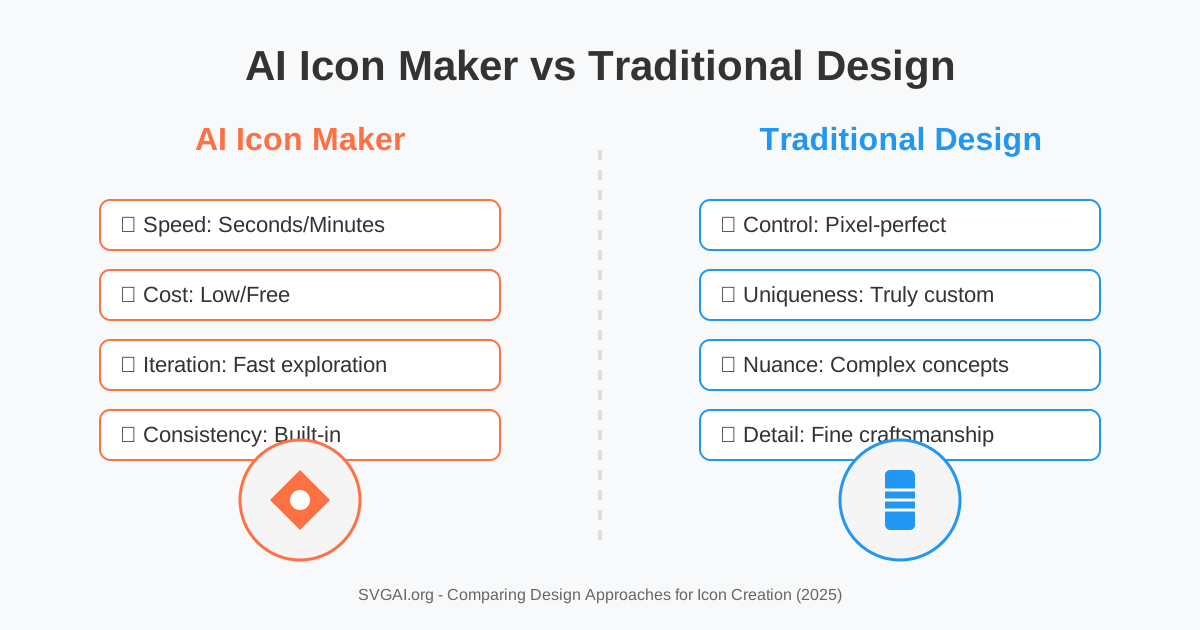
Debating AI versus traditional methods? Our AI vs. Traditional Design breakdown can help clarify the trade-offs.
Conclusion: Launch Your App with a Stunning AI Icon
Creating a compelling app icon is more accessible than ever thanks to AI app icon generators. By following these steps, understanding platform requirements, and leveraging the power of descriptive prompts and tools that offer flexible output like SVG, you can design an icon that truly represents your app and captures user attention.
Don't let icon design be a bottleneck in your app launch. Harness the speed and creativity of AI to create professional app icons that stand out in crowded app stores.