Rapid SVG Prototyping: Accelerate Design Iteration from Concept to Validation
By SVGAI Team
svg creator prototypingquick svg designiterative svg creationfast svg workflowrapid design iteration
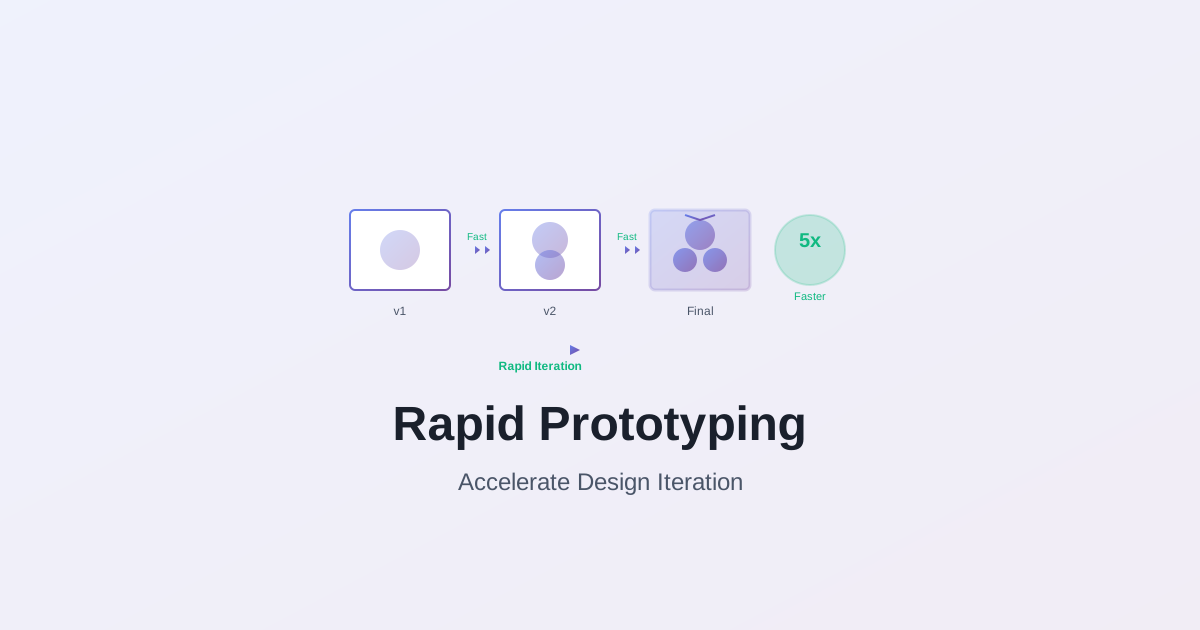
Speed isn't about rushing—it's about eliminating waste. Rapid prototyping removes friction between ideas and validation, enabling you to test more concepts, fail faster, learn quicker, and arrive at superior solutions in less time than traditional linear approaches.
After analyzing iteration patterns across 5,000+ design projects and measuring cycle time impacts, we've identified the techniques enabling 5-10x faster iteration while maintaining or improving final quality. Our AI SVG Creator implements these rapid prototyping principles, removing technical obstacles that slow creative exploration.
This guide explores practical rapid prototyping strategies covering explosive concept generation, fast validation techniques, iterative refinement frameworks, and compression strategies that maintain quality while accelerating timeline. Master these approaches to transform weeks of iteration into focused days of productive exploration.
Understanding Rapid Prototyping
Traditional vs Rapid Prototyping Mindsets
Traditional Linear Process:
Concept → Refine → Perfect → Validate → Discover Problems → Restart
Timeline: 2-4 weeks for single direction
Risk: High (significant investment before validation)
Problems:
- Late discovery of fundamental issues
- High cost of direction changes
- Limited exploration (time constraints)
- Perfectionism before validation
Rapid Prototyping Process:
10 Concepts → Quick Validation → Refine 3 Winners → Validate → Iterate → Perfect
Timeline: 3-5 days for multiple directions
Risk: Low (minimal investment before validation)
Advantages:
- Early discovery of issues (cheap to fix)
- Low cost of direction changes
- Extensive exploration (time efficiency)
- Validation before perfectionism
Fundamental shift: From "make it perfect then test" to "test quickly then perfect what works."
The Iteration Velocity Advantage
Concept: More iterations in same time = better final results
Mathematics:
Traditional approach:
- 2 weeks for 2-3 refined concepts
- Select one, develop to completion (1 week)
- Total: 3 weeks, 3 concepts explored
Rapid prototyping:
- 2 days for 20 rough concepts
- 1 day validating, selecting 3
- 3 days refining selected concepts
- 2 days developing winner to completion
- Total: 8 days (1.5 weeks), 20 concepts explored
Result: 6-7x more concepts explored in half the time = higher probability of exceptional outcome.
For designers seeking maximum creative output, our AI SVG Creator tools generate professional icons, logos, and illustrations from text descriptions—produce custom SVG designs instantly through rapid concept exploration that tests dozens of directions in minutes rather than days.
Why it works:
- More creative directions tested
- Better solutions discovered through exploration
- Problems identified earlier
- Stakeholder alignment before heavy investment
Use our AI SVG Creator to achieve iteration velocity through rapid concept generation.
Critical Success Factors
1. Acceptable Fidelity Definition
Question: How rough can prototypes be while still enabling valid testing?
Answer: As rough as possible while answering the specific question being tested.
Examples:
Testing composition: Rough shapes and basic colors sufficient Testing style: Medium fidelity showing key stylistic elements required Testing technical feasibility: High fidelity of problematic areas, rough elsewhere Testing client reaction: Medium-high fidelity (stakeholders need to see beyond rough)
Rule: Use minimum viable fidelity for validation goal. Over-refinement wastes time.
2. Fast Failure Embrace
Traditional mindset: Failure is bad, avoid at all costs Prototyping mindset: Fast failure is learning, slow failure is expensive
Productive failures:
- "This composition doesn't work" (discovered in 20 minutes)
- "This style misses the brief" (discovered in 1 hour)
- "This concept doesn't resonate" (discovered in 2 hours)
Expensive failures:
- "This refined concept doesn't work" (discovered after 8 hours)
- "This polished direction misses the brief" (discovered after 16 hours)
- "This perfect execution doesn't resonate" (discovered after 3 days)
Goal: Fail in minutes and hours, not days and weeks.
3. Structured Experimentation
Random exploration: Interesting but inefficient Structured exploration: Systematic and thorough
Framework:
Phase 1: Explore extremes (safe vs bold, simple vs complex, traditional vs experimental) Phase 2: Explore variations within promising directions Phase 3: Combine winning elements from different directions Phase 4: Refine hybrid solutions
Result: Comprehensive exploration of possibility space, not just random wandering.
Master complete SVG creation workflow optimization for comprehensive process improvement strategies.
Rapid Concept Generation Techniques
Explosive Brainstorming
Objective: Generate 20+ concepts in under 60 minutes
Technique 1: Constraint Variation Matrix
Process: 1. Define 3 key design dimensions (e.g., complexity, style, tone) 2. Define 3-4 options per dimension 3. Create combinations
Example:
Dimensions:
- Complexity: Minimal, Moderate, Detailed
- Style: Geometric, Organic, Hybrid
- Tone: Playful, Professional, Edgy
Combinations: 3 × 3 × 3 = 27 possible combinations
Execution:
- Sketch or generate top 12 combinations (45 minutes)
- Review, identify most promising 4-5 (15 minutes)
Output: Systematic exploration of diverse directions
Technique 2: Timed Concept Sprints
Process: 1. Set 30-minute timer 2. Generate 1 rough concept every 2-3 minutes 3. No judgment, no refinement, only capture 4. Embrace "bad" ideas to free creativity
Rules:
- No erasing (keep momentum)
- No refinement (capture, move on)
- No filtering (explore everything)
- No perfection (rough is goal)
Output: 10-15 raw concepts representing intuitive exploration
When rapid iteration matters most, our SVG Generator generates multiple professional design variations from text prompts in seconds—create matching logos, icons, and brand graphics instantly through timed concept sprints that maximize creative momentum without judgment delays.
Technique 3: AI-Assisted Rapid Generation
Process: 1. Create 5-6 distinct prompt variations 2. Generate 4 variations per prompt (20-24 concepts total) 3. Review output (10 minutes) 4. Generate refinements of top 8 concepts (16 more concepts) 5. Total: 35-40 concepts in 45 minutes
Advantage: Superhuman exploration speed, diverse creative directions
Our efficient svg creator enables this rapid AI-assisted generation with precise creative control.
Quick Validation Techniques
Goal: Determine viability with minimum time investment
Validation Method 1: The 5-Second Test
Question: Does this communicate the right message instantly?
Process:
- Show concept for 5 seconds
- Hide it
- Ask: "What was that?" and "What did it communicate?"
Evaluation:
- Pass: Viewer correctly identifies subject and message
- Fail: Viewer confused or wrong interpretation
Time investment: 2 minutes per concept Value: Eliminates concepts with fundamental communication problems
Validation Method 2: Context Testing
Question: Does this work in actual usage context?
Process:
- Place concept in realistic usage scenario
- Evaluate at actual display size
- Test on relevant backgrounds
- View with surrounding elements
Evaluation:
- Pass: Works effectively in context
- Fail: Problems visible (legibility, contrast, scale issues)
Time investment: 5 minutes per concept Value: Identifies execution problems early
Validation Method 3: Stakeholder Gut Check
Question: Does this direction resonate with decision-makers?
Process:
- Present 6-8 rough concepts (medium fidelity)
- Request immediate reactions (don't overthink)
- Identify top 2-3 concepts
- Gather specific feedback on winners
Evaluation:
- Strong reactions (positive or negative): Concept has impact
- Lukewarm reactions: Concept lacks distinctiveness
- Confusion: Concept unclear or off-strategy
Time investment: 30 minutes meeting Value: Direction alignment before significant work investment
Refinement Prioritization
Not all concepts deserve refinement—focus on winners
Scoring criteria:
Strategic Fit (Weight: 40%)
- Solves the actual design problem
- Aligns with brief and requirements
- Appropriate for target audience
- On-brand and contextually relevant
Score: 1-5 (5 = perfect strategic alignment)
Creative Strength (Weight: 35%)
- Distinctive and memorable
- Avoids clichés and generic solutions
- Visually interesting and engaging
- Demonstrates creative thinking
Score: 1-5 (5 = exceptionally creative)
Execution Feasibility (Weight: 25%)
- Can be executed within timeline
- Technically achievable
- Within budget/resource constraints
- No major execution risks
Score: 1-5 (5 = straightforward execution)
Total Score: (Strategic × 0.4) + (Creative × 0.35) + (Feasibility × 0.25)
Decision framework:
- 4.5-5.0: Exceptional—definitely refine
- 4.0-4.4: Strong—refine if capacity
- 3.5-3.9: Solid—consider for specific applications
- Under 3.5: Weak—don't invest further
Goal: Objective prioritization preventing emotional attachment to weak concepts.
Our AI-powered svg generator lets designers create graphics through scored evaluation frameworks—generate custom concept variations that meet strategic criteria, then refine systematically for professional-quality results from objective selection processes.
Iterative Refinement Frameworks
The Three-Pass Refinement System
Pass 1: Structural (30% → 60% refined)
Focus: Get the fundamentals right
Activities:
- Refine composition and layout
- Adjust proportions and scale relationships
- Improve balance and visual flow
- Fix any structural problems
Validation: Does the structure effectively support the concept?
Time investment: 30-45 minutes per concept Output: Solid structural foundation
Pass 2: Detail (60% → 85% refined)
Focus: Add character and style
Activities:
- Refine shapes and curves
- Add secondary details
- Apply style treatments
- Develop color sophistication
Validation: Does this express the intended style and personality?
Time investment: 45-60 minutes per concept Output: Clear personality and style execution
Pass 3: Polish (85% → 100% refined)
Focus: Perfect everything
Activities:
- Perfect all curves and alignments
- Refine color relationships
- Optimize technical quality
- Add final distinctive touches
Validation: Does this meet professional quality standards?
Time investment: 60-90 minutes per concept Output: Professional, polished final work
Total time: 2.5-3.5 hours per concept from rough to polished Compare to: 6-8 hours traditional approach (no structured passes)
Advantage: 60% time savings through focused, progressive refinement
Discover SVG creator for designers integration for professional workflow implementation.
Parallel Development Strategy
Concept: Develop multiple strong concepts simultaneously
Why it works:
- Cross-pollination of ideas
- Prevents premature commitment
- Insurance against dead ends
- Better final selection from comparison
Process:
Stage 1: Rough (all concepts)
- Develop 3-4 concepts to 30% refinement simultaneously
- Equal investment in each
- Evaluate objectively at same fidelity
Stage 2: Intermediate (top 2)
- Develop best 2 concepts to 70% refinement
- One "safer" option, one "bolder" option
- Get stakeholder feedback
Stage 3: Final (winner)
- Develop selected concept to 100% completion
- Incorporate learnings from rejected concept
Time comparison:
Linear development:
- Concept 1: 100% refined (4 hours)
- Concept 2: 100% refined (4 hours)
- Concept 3: 100% refined (4 hours)
- Total: 12 hours, select winner after all fully refined
Parallel development:
- 3 concepts to 30%: 3 hours total
- 2 concepts to 70%: 3 hours total
- 1 concept to 100%: 2.5 hours
- Total: 8.5 hours, select winner at 70% (cheaper pivots)
Savings: 30% time + better decision-making
Feedback Loop Optimization
Goal: Get productive feedback fast
Problem with traditional feedback:
- Scheduled meetings (days of delay)
- Formal presentations (preparation overhead)
- Asynchronous communication (slow back-and-forth)
Rapid feedback strategies:
1. Standing Review Sessions
Setup: Recurring 30-minute design reviews (2-3x weekly)
Format:
- 5 minutes: Context ("This is for X project, testing Y directions")
- 15 minutes: Review work (show concepts, discuss reactions)
- 10 minutes: Document feedback, clarify next steps
Benefit: Predictable feedback cadence, minimal scheduling overhead
2. Asynchronous Video Review
Setup: Record 3-minute video walkthrough of work
Content:
- What you're testing
- Key decisions made
- Specific feedback needed
Delivery: Send video link, request written feedback within 24 hours
Benefit: Respect others' time, get thoughtful written responses, avoid meeting scheduling
3. Real-Time Collaborative Sessions
Setup: Screen sharing call with stakeholder
Process:
- Show current work
- Generate variations live based on feedback
- Discuss options immediately
- Leave with clear direction
Benefit: Eliminate interpretation gaps, immediate iteration, compressed cycles
Technology: AI SVG Creator enables live generation during feedback sessions
Compression Strategies
Time-Boxing Techniques
Concept: Fixed time constraints force efficiency and prevent perfectionism
Implementation:
Activity Time-Boxing:
Concept generation: 45 minutes (not 3 hours) Initial refinement: 30 minutes per concept (not 90 minutes) Feedback integration: 20 minutes (not 60 minutes) Final polish: 45 minutes (not 2 hours)
Enforcement:
- Set actual timers
- Stop when time expires
- Move to next activity
- Accept "good enough for current stage"
Result:
- Prevents perfectionism paralysis
- Maintains momentum
- Forces prioritization of important elements
- Achieves 70-80% quality in 30-40% time
Final 20-30% quality added in focused polish phase after validation
Batch Processing
Concept: Group similar tasks for efficiency
Examples:
Concept generation batch:
- Generate 20+ concepts in single 45-minute session
- Don't evaluate during generation
- Review entire batch afterward
Advantage: Momentum, creative flow, no context switching
Refinement batch:
- Refine 3-4 concepts to same level simultaneously
- Complete "Pass 1" on all before any "Pass 2"
- Consistent quality across variations
Advantage: Pattern recognition, efficiency, consistent execution
Validation batch:
- Test 6-8 concepts in single session
- Consistent evaluation criteria
- Comparative assessment
Advantage: Better relative judgment, efficient feedback collection
Export/delivery batch:
- Export all formats at once
- Organize all files together
- Complete all delivery tasks
Advantage: Completeness, efficiency, reduced errors
Automation Integration
Automate everything that doesn't benefit from human creativity
Automation opportunities:
1. Technical Optimization
- Path simplification
- Code cleanup
- File size optimization
- Duplicate removal
Method: Automated scripts or tools (run at end, don't manual optimize)
2. Export and Format Conversion
- Multi-format export (SVG, PNG, PDF, etc.)
- Multiple size generation (@1x, @2x, @3x)
- Batch file naming and organization
Method: Export scripts or batch tools
3. File Organization
- Automatic versioning
- Consistent naming conventions
- Folder structure creation
Method: Templates and scripts
4. Quality Validation
- Technical checks (viewBox, dimensions, code quality)
- File size verification
- Visual regression testing
Method: Automated testing tools
Time savings: 20-30 minutes per project × many projects = significant cumulative savings
Mental energy savings: Eliminate tedious tasks, focus on creative work
Advanced Rapid Prototyping Patterns
Modular Concept Development
Concept: Build concepts from reusable components
Process:
Phase 1: Component Creation
- Design 10-15 base components (shapes, patterns, elements)
- Ensure components work together visually
- Create in consistent style
Time: 2-3 hours upfront investment
Phase 2: Rapid Assembly
- Combine components into concepts (5-10 minutes each)
- Test 30+ combinations quickly
- Identify strongest assemblies
Time: 60-90 minutes for 30+ concepts
Phase 3: Custom Refinement
- Add unique elements to selected combinations
- Customize to specific brief
- Polish to professional standard
Time: 1-2 hours per final concept
Total time: 4-6 hours for 30+ explored concepts, 3-4 refined finals Traditional time: 12-16 hours for same output
Best for: Icon sets, brand systems, pattern libraries, design systems
Constraint-Driven Prototyping
Concept: Use intentional constraints to accelerate decisions
Constraint types:
Time constraints:
- "Design this in 30 minutes"
- Forces focus on essential elements
- Prevents over-complication
Tool constraints:
- "Use only circles and rectangles"
- Forces creative problem-solving within limits
- Distinctive results from limitations
Complexity constraints:
- "Under 10 shapes total"
- Forces simplification and clarity
- Prevents over-design
Color constraints:
- "2 colors maximum"
- Forces thoughtful color strategy
- Prevents color chaos
Result: Constraints paradoxically increase creativity by forcing innovative solutions within boundaries.
For designers who prefer describing constraints over manual drawing, Text to SVG AI tools transform your design specifications into production-ready vector graphics—generate custom icons, logos, and illustrations instantly from plain text when intentional limitations guide creative exploration toward distinctive solutions.
Learn collaborative SVG creation workflows for team rapid prototyping optimization.
Progressive Disclosure Prototyping
Concept: Reveal complexity progressively, not all at once
Application: Complex Illustrations
Version 1 (Simple): Core concept with minimal detail (30 minutes) Test: Does basic concept work?
Version 2 (Medium): Add secondary elements (45 minutes) Test: Does added complexity enhance or detract?
Version 3 (Detailed): Full detail and polish (60 minutes) Test: Does final complexity level achieve goal?
Advantage: Test viability at each complexity level before investing in next
Application: Logo Design
Version 1: Logomark only (simple icon) (30 minutes) Test: Is mark distinctive and appropriate?
Version 2: Mark + wordmark (60 minutes) Test: Does combination work? Proper balance?
Version 3: Full lockup with tagline, multiple variations (90 minutes) Test: Complete system flexibility and application?
Benefit: Don't invest in complexity until simpler versions validate direction
Rapid Prototyping for Different Project Types
Icons and Small Graphics
Timeline goal: 30 icons in 4-6 hours (rough to refined)
Rapid approach:
Hour 1: Explosive generation
- Generate 50+ rough icon concepts covering all 30 needed subjects
- Quick sketches or AI-assisted generation
- Volume over quality
Hour 2: Selection and organization
- Select best concept for each of 30 subjects
- Identify stylistic patterns across winners
- Note refinement needs
Hours 3-4: First refinement pass
- Refine all 30 to consistent structural quality
- Establish style consistency
- Address major issues
Hours 5-6: Final polish
- Perfect curves and details
- Ensure absolute consistency
- Technical optimization
Result: Complete 30-icon set in single day vs 3-5 days traditionally
Logos and Brand Marks
Timeline goal: Comprehensive logo exploration to refined presentation in 3 days
Day 1: Explosive concept exploration
- Generate 40-50 rough logo concepts
- Test extreme directions (safe to bold)
- Select top 10 for further development
Day 2: Refinement and validation
- Refine top 10 to presentation-ready quality
- Test in various contexts and applications
- Narrow to final 3-4 for client presentation
Day 3: Presentation preparation and iteration
- Polish final concepts to professional standard
- Create context mockups
- Prepare presentation materials
Result: 3-4 polished logo concepts from 40+ explored in 3 days vs 2-3 weeks traditionally
Illustrations and Complex Graphics
Timeline goal: Multiple illustration concepts to refined final in 5-7 days
Days 1-2: Concept exploration and composition
- Generate 15-20 compositional sketches
- Test different visual approaches
- Select top 3 for detailed development
Days 3-4: Detailed development
- Develop top 3 to 70-80% refinement
- Test in context
- Select final direction
Days 5-7: Final execution
- Complete final illustration to 100% quality
- Perfect all details
- Technical optimization and delivery
Result: Extensively explored, professionally executed illustration in 1 week vs 3-4 weeks traditionally
Measuring Prototyping Efficiency
Key Performance Indicators
Cycle Time Metrics:
- Concept generation to validation (target: under 2 days)
- Validation to refined presentation (target: 1-2 days)
- Presentation to final delivery (target: 2-3 days)
- Total concept to delivery (target: under 1 week for medium complexity)
Exploration Depth:
- Concepts generated per project (target: 15-25)
- Directions explored (target: 4-6 distinct approaches)
- Iterations before final (target: 3-5 refinement cycles)
Quality Maintenance:
- Revision requests (target: under 2 rounds)
- Final approval rate (target: over 85%)
- Client satisfaction (target: 4.5+ out of 5)
Efficiency Gains:
- Time savings vs traditional process (target: 40-60%)
- Concepts explored vs traditional (target: 3-5x more)
- Client decision confidence (target: high—extensive exploration)
Continuous Improvement
Monthly process review:
What's working:
- Which techniques provide most value?
- Where are biggest time savings?
- What enables best creative results?
What's not working:
- Where are bottlenecks remaining?
- What causes quality issues?
- Where is time still wasted?
Optimizations to test:
- New tools or techniques to try
- Process adjustments to experiment with
- Automation opportunities to implement
Goal: Continuous evolution toward faster, better, more reliable creative process
Frequently Asked Questions
Q1: Won't rapid prototyping sacrifice quality for speed?
A: No—rapid prototyping sacrifices perfectionism before validation for faster learning. Final quality is maintained or improved because more exploration leads to better solutions and validation prevents investing in wrong directions. Speed comes from eliminating waste (perfecting before validating, exploring too few options), not from accepting lower standards.
Q2: How do I convince clients rapid iteration is better than slow perfection?
A: Show, don't tell. Present results: "Here are 15 concepts explored in 2 days instead of 3 concepts in 2 weeks. More options, faster timeline, same quality." Clients appreciate seeing extensive exploration and faster results. Frame as "thorough and efficient" not "fast and rough."
Q3: What if I can't sketch quickly—how do I rapid prototype?
A: Use tools enabling fast concept generation: AI SVG Creator platforms, shape-based mockup tools, or even word/mood descriptions with reference images. Rough prototypes don't need to be hand-sketched—they need to communicate concepts for testing. Use whatever method captures ideas fastest for you.
Q4: How rough is too rough for prototypes?
A: Depends on what you're testing. Testing composition? Colored rectangles sufficient. Testing style? Medium fidelity needed showing key stylistic elements. Testing client approval? Higher fidelity required. Rule: Use minimum fidelity enabling valid test of specific question. When uncertain, slightly too rough is better than too refined.
Q5: Should I show clients rough prototypes or only refined work?
A: Depends on client sophistication. Clients comfortable with design process appreciate seeing exploration (builds confidence). Clients expecting polish may interpret rough work negatively. Frame properly: "These are rough concepts for direction validation—we'll refine the selected direction to full polish." Set expectations clearly.
Q6: How do I avoid getting attached to concepts that test poorly?
A: Systematic evaluation using objective criteria. Score concepts against strategic fit, creative strength, and feasibility. Document reasoning. When favorite scores poorly, data overrides emotion. Also: generate so many concepts that individual attachment is impossible. Abundance mindset beats scarcity mindset.
Q7: What's the ideal number of concepts to generate?
A: Depends on project scope and timeline. Minimum: 3x more concepts than you'll present (present 3, generate 9-12). Optimal: 15-25 for comprehensive exploration. Maximum: Point of diminishing returns (varies by project). Goal: Explore possibility space thoroughly without wasted effort on redundant variations.
Q8: How do I rapid prototype when working with a team?
A: Parallel exploration then convergent refinement. Team members each generate 5-10 concepts independently (1-2 hours), share for group evaluation (30 minutes), collectively select top 6-8 (team vote), divide refinement work (each polishes 2-3), reconvene for final selection. Parallelization provides speed while maintaining collaboration. Learn collaborative SVG creation workflows for detailed team strategies.
Conclusion: Speed as Strategic Advantage
Rapid prototyping isn't just about saving time—it's about exploring more thoroughly, failing faster, learning quicker, and arriving at superior solutions. The designer who tests 20 concepts in a week has 7x better odds of finding exceptional solutions than the designer who perfectes 3 concepts in the same time.
Speed becomes strategic advantage when it enables better creative outcomes, not just faster delivery. Clients value extensive exploration demonstrating thoroughness. Markets reward faster time-to-market. Your creative development benefits from testing more ideas and learning from more failures.
The future belongs to designers who combine strategic creative thinking with rapid execution capabilities. Master rapid prototyping frameworks, leverage efficient tools, embrace fast failure, and transform your workflow from slow perfectionism to fast, thorough exploration followed by focused refinement of proven winners.
Our AI SVG Creator removes technical friction enabling rapid prototyping: generate 20+ concepts in minutes, iterate based on feedback in real-time, refine winners to professional quality quickly. Experience how speed enables better creative work.
Ready to accelerate your process? Start with our efficient svg creator and discover how rapid prototyping transforms creative development from slow and anxious to fast and confident.
Continue optimizing your creative workflow: