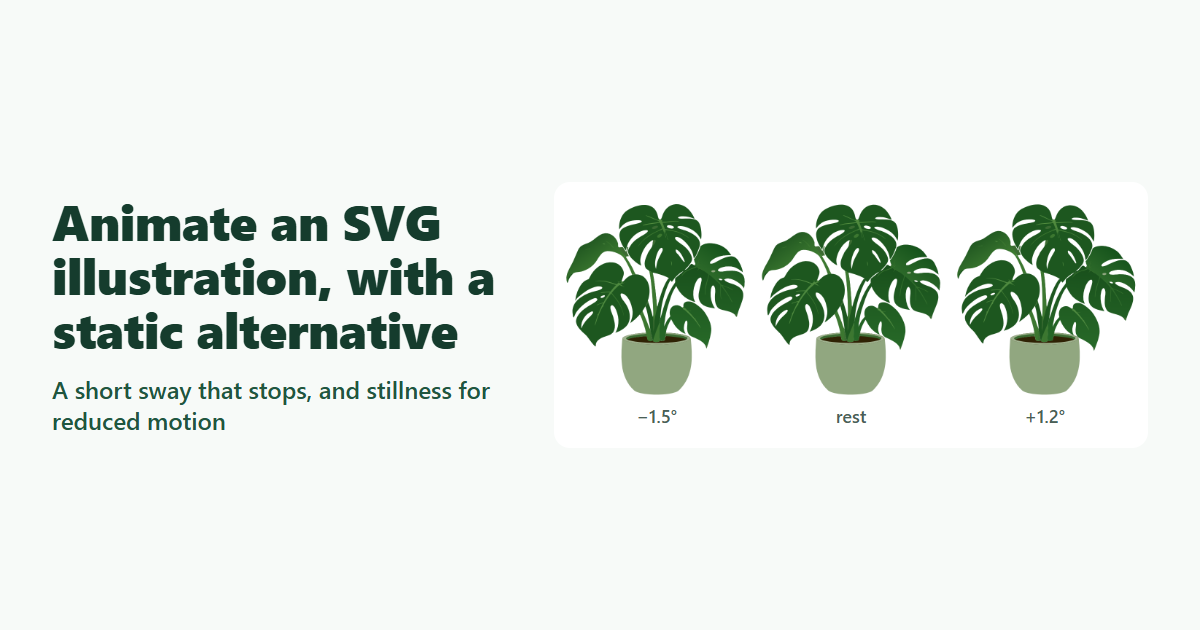
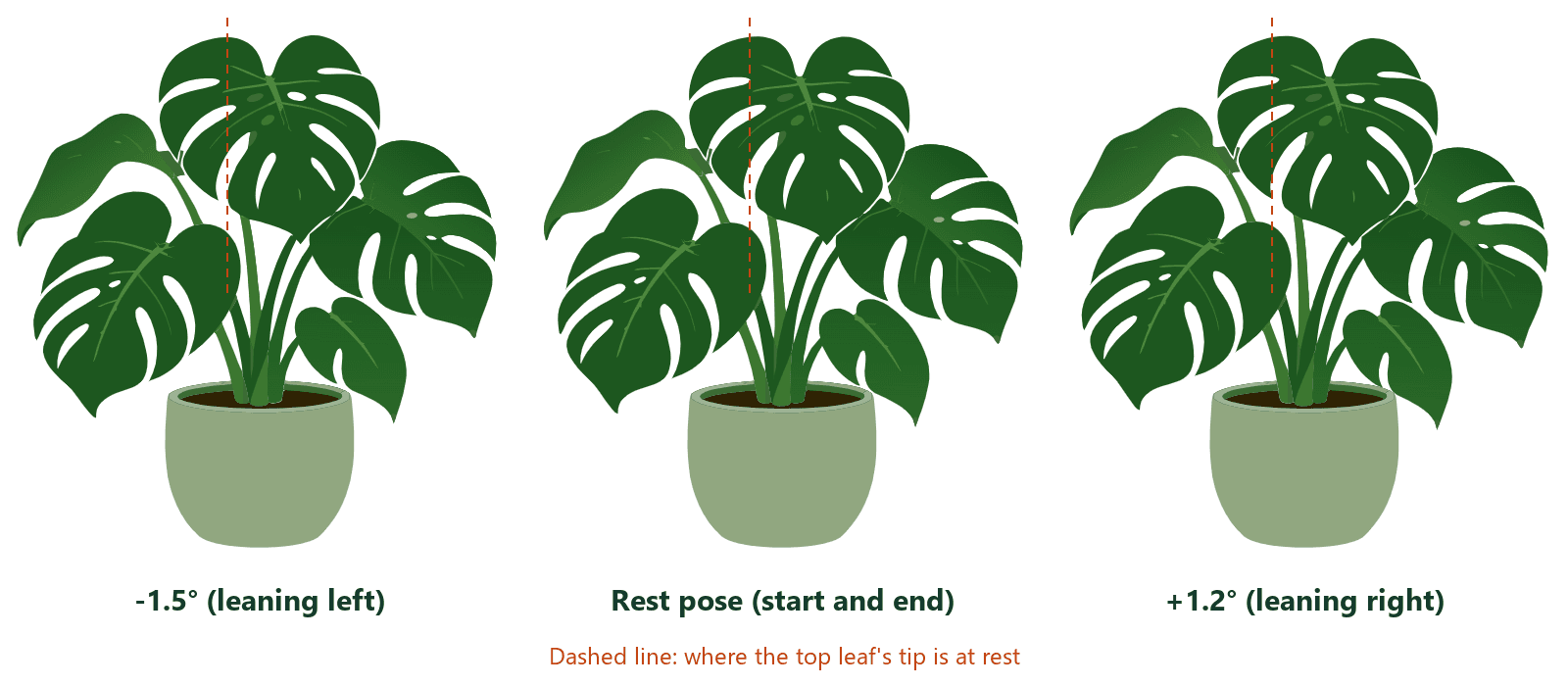
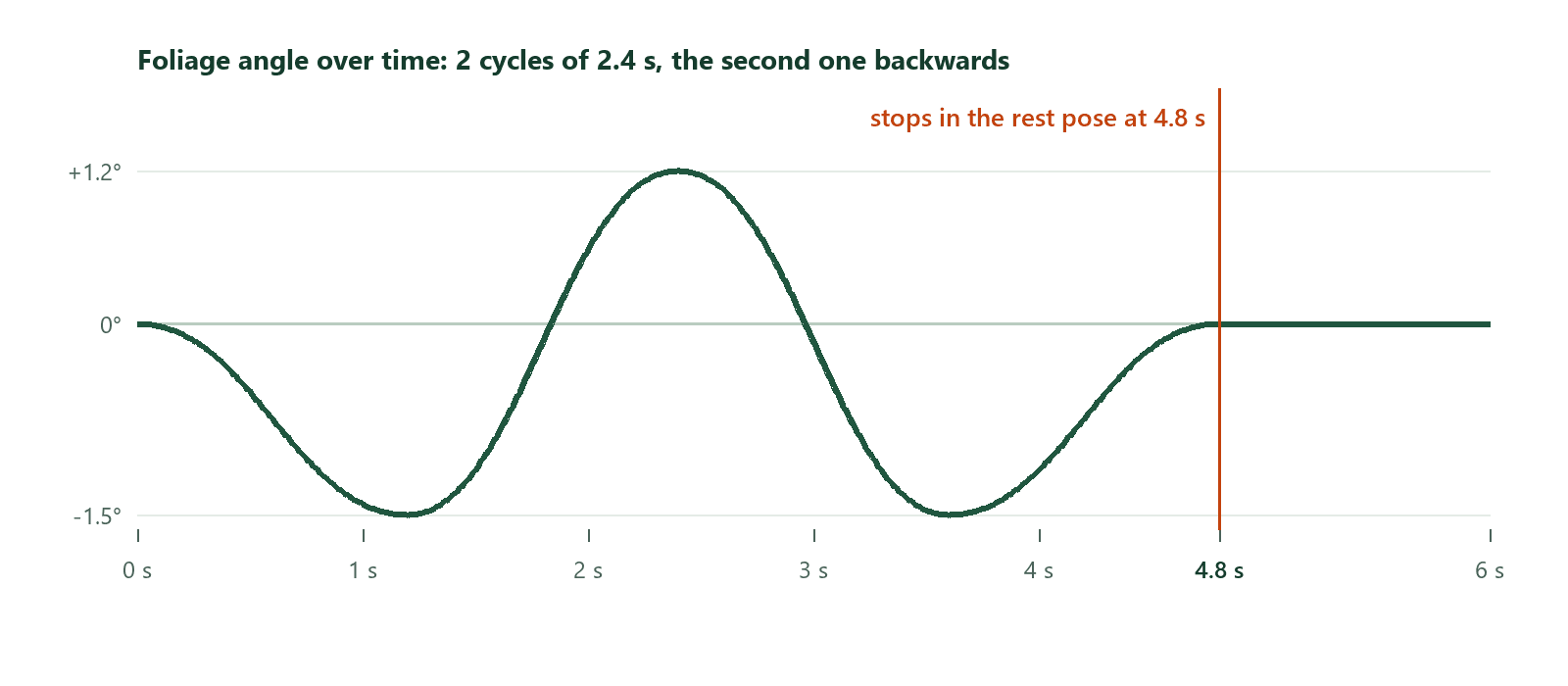
A little motion can make a hero illustration feel alive, but motion also pulls attention away from the words, and some people find moving content uncomfortable. This guide gives the Little Leaf plant from an earlier hero example a short, restrained sway: its leaves lean left, swing right, lean left again and settle back into their original pose after 4.8 seconds, never more than one and a half degrees from rest. Then it makes sure people who ask for less motion see a still plant, wherever the file ends up: inline in the page, as an image, as a CSS background or inside a picture element.
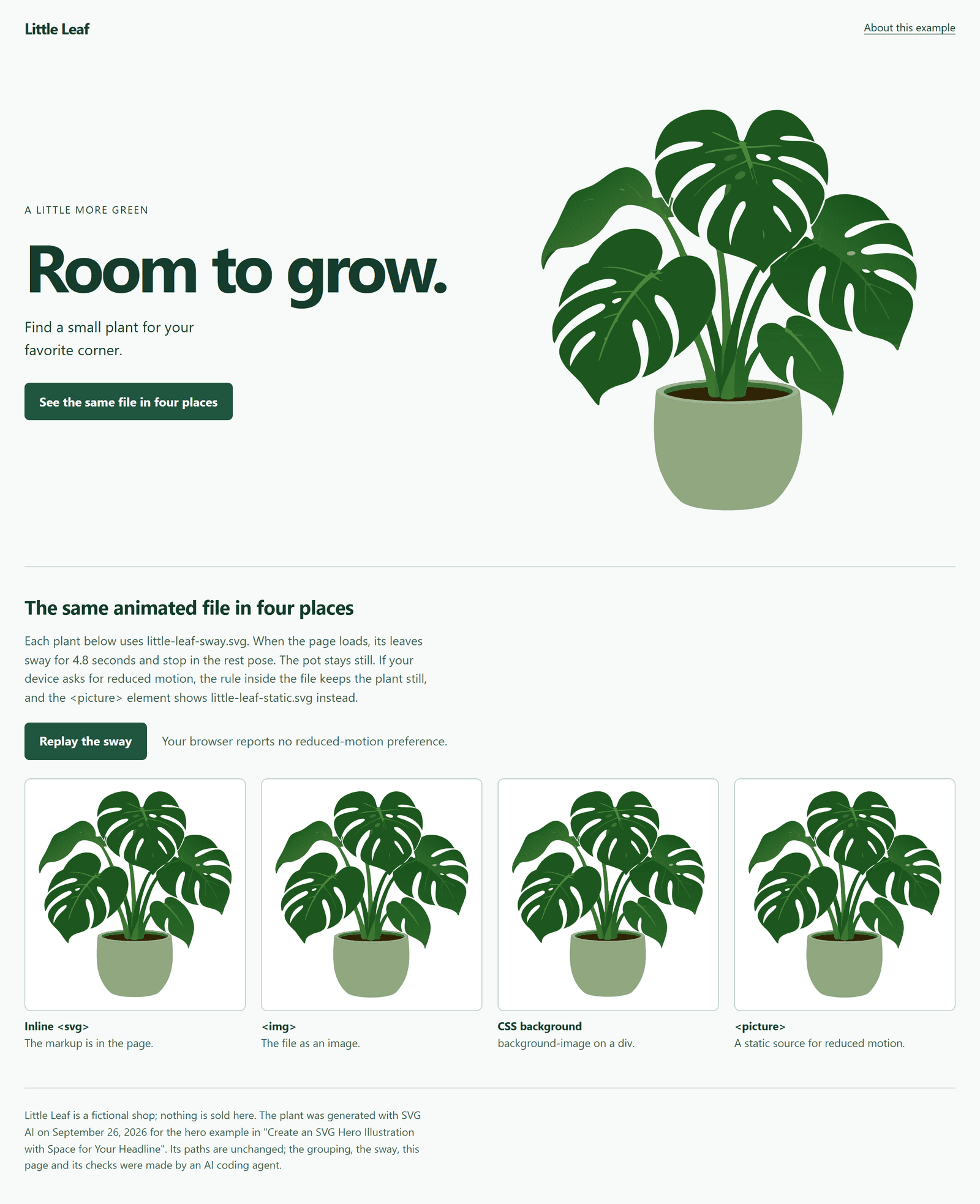
The plant was generated with the AI SVG generator on September 26, 2026 (Ultra, one SVG, transparent background) for Create an SVG Hero Illustration with Space for Your Headline, which shows its prompt and the proportional copy this guide starts from. Little Leaf, the shop on the example page, is fictional; nothing is sold there. No new generation was made for this guide, and the plant's 62 paths are unchanged. Grouping them, the sway, the example page and the checks were made by an AI coding agent, and AI assistance was used to write this guide and make its figures and video.
Open the example page or download the files: the original, the grouped static file, the animated file, the example page, a README and the check results.
Watch the tutorial on YouTube. Its narration uses a synthetic ElevenLabs voice.
Decide how much it should move
The plant is decorative: it sets the mood of the page but adds no information, so it has an empty alt, as in the hero example. Its motion should be decorative too, which sets the limits:
- Small. The leaves lean at most 1.5 degrees. When the plant is shown 512 pixels wide, the top leaf's tip moves at most about 10 pixels from where it rests, and about 17 pixels from its leftmost to its rightmost position.
- Once. The animation runs once, then the plant stays still. A loop keeps pulling the eye back from the headline.
- Short. WCAG 2.2's Pause, Stop, Hide criterion covers moving content that starts automatically, "lasts more than five seconds" and is shown alongside other content: it needs a way to pause, stop or hide it. This sway stops after 4.8 seconds, so it doesn't need one; a sway that loops or runs longer does.
- Optional. People who ask their system or browser for reduced motion get a still plant. The reduced-motion media feature exists for this: it detects "if a user has enabled a setting on their device to minimize the amount of non-essential motion".
Only the leaves move. The pot stays still, which keeps the plant grounded and the motion easy to read as wind, not as the whole picture sliding.
Group the paths by what moves
A generated SVG has no parts to animate yet. This one is 62 <path> elements in a flat list, with no groups. Each path is one filled shape, and the order of the list is the order they're painted in. So before anything can move, the paths that move together need a group.
The file's paint order makes the split possible:
- Back foliage: the first 25 paths, the leaves and stems behind the pot.
- Pot, soil and rim: the next 7 paths.
- Front foliage: the last 30 paths, the leaves drawn over the pot.
Wrapping each run in a group keeps that order, so the file looks exactly the same. In Chrome and Edge, the grouped file rendered pixel-identical to the hero example's copy.
<g id="foliage-back" class="foliage"> <!-- paths 1-25, unchanged --> </g>
<g id="pot"> <!-- paths 26-32, unchanged --> </g>
<g id="foliage-front" class="foliage"> <!-- paths 33-62, unchanged --> </g>
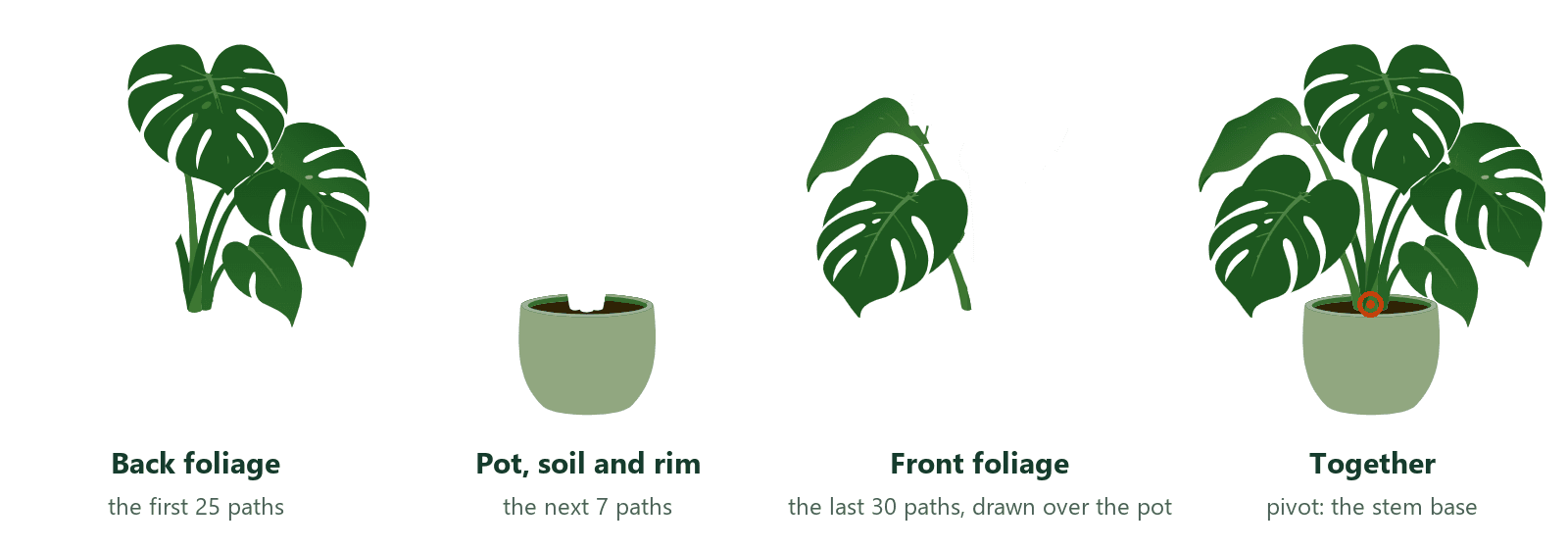
Single leaves can't move on their own in this file, because some paths draw more than one part: the first path is the top leaf together with its stems down to the soil, and another draws two leaves and their shared stem. So the foliage moves as two groups. To check what a path draws in your own file, hide all the other paths and look at it alone.
Write the sway into the file
The animation is CSS inside the SVG's own <style>, so it travels with the file:
.foliage { transform-box: view-box; transform-origin: 1020px 800px; }
@media (prefers-reduced-motion: no-preference) {
  .foliage { animation: sway 2.4s ease-in-out 2 alternate; }
}
@keyframes sway {
  from { transform: rotate(0deg); }
  50% { transform: rotate(-1.5deg); }
  to { transform: rotate(1.2deg); }
}
- The pivot.
transform-box: view-boxmeasurestransform-originin the file's own coordinates, and 1020, 800 is the base of the stems, where they meet the soil. Without atransform-origin, the leaves would rotate around the coordinate origin, 0, 0, which in this file lies off the picture to the left, so the base of the stems would slide about 34 units away from the pot at the widest lean. - The keyframes. The leaves lean 1.5 degrees left, then 1.2 degrees right, over 2.4 seconds with an ease-in-out timing.
- The ending.
2 alternateplays the keyframes twice, the second time backwards, so the leaves end where they started. In both browsers, the inline copy ran twoswayanimations, one for each foliage group, each 2,400 ms long with 2 iterations, and both ended at 4,800 ms. - Reduced motion. The animation sits inside
@media (prefers-reduced-motion: no-preference), so it runs only when the viewer hasn't asked for reduced motion.
The CSS animation guide covers the mechanics of keyframes and timing in more detail.
Choose where the file goes, and test it there
The same animated file can sit in a page in several ways, and for some of them, how you test reduced motion changes what you see. The example page shows the file inline, as an <img>, as a CSS background and in a <picture> with a static source. It was tested with three motion settings in Chrome 155 and Edge 155, which behaved the same:
| Where the file is | No motion preference | Reduced-motion preference on | Reduced motion emulated in DevTools |
|---|---|---|---|
Inline <svg> | sways, then stops | still | still |
<img> | sways, then stops | still | sways, then stops |
| CSS background | sways, then stops | still | sways, then stops |
<picture> with a static source | sways, then stops | still (static file) | still (static file) |
| The file opened directly | sways, then stops | still | still |
"Preference on" means Chrome and Edge were started with the --force-prefers-reduced-motion switch, which makes the browser report a reduced-motion preference to the page and to every image in it, whatever the system says. It stands in for turning off Animation effects in Windows (Settings, Accessibility, Visual effects), which wasn't changed for this test. "Emulated in DevTools" means the same media emulation as the reduced-motion option in the DevTools Rendering panel, applied by the test script through the DevTools Protocol. In every case the last frame was pixel-identical to the static file.
Two things in that table matter when you test your own page:
- An SVG image is its own document. As an
<img>or a CSS background, the file's CSS animation still runs. The SVG Integration draft calls this an animated image document: declarative animation, which includes CSS animations, is allowed, but scripts aren't, and MDN notes that external resources aren't loaded either. The file's media query follows the preference the browser reports, which is why the image stayed still when that preference was on. - DevTools emulation doesn't reach it. With reduced motion emulated, the page itself reported reduced motion and the inline copy stopped, but the
<img>and the background kept moving. If you test only with emulation, an image can look broken when it isn't.
The example's hero uses both safeguards:
<picture>
  <source srcset="assets/little-leaf-static.svg" media="(prefers-reduced-motion: reduce)">
  <img src="assets/little-leaf-sway.svg" width="1092" height="1152" alt="">
</picture>
The rule inside the file keeps the plant still wherever the file is used, even without the <picture>. The <source> swaps in the static file, which also works with emulation, and it switched live in both browsers: when reduced-motion emulation was turned on after the page loaded, the hero changed to the static file, and back again when it was turned off. The width and height attributes reserve the plant's space before it loads. No layout shift was measured at 320, 375 or 1280 pixels wide, or at 200% and 400% zoom.
What was checked, and what wasn't
The example page was checked in Chrome 155.0.8059.80 and Edge 155.0.4283.62 on Windows 11, served from a local web server: each of the five places above with the three motion settings, captured about three times a second for 6 seconds, with the last frame compared against the static file; the animation timing; the <picture> switching live; and the layout at several widths and zoom levels. Not tested: Firefox, Safari, real phones, the Windows setting itself, screen readers, and CPU or battery use.
To make your own plant or scene, describe it with a transparent background in the AI SVG generator, then group its paths by what should move, as above.
Checklist
- Decide whether it should move at all. Decorative motion should be small, run once and stop.
- Keep motion under five seconds, or add a way to pause, stop or hide it.
- Group the paths by paint order, and check that the grouped file still looks identical.
- Set the pivot in the file's coordinates with
transform-box: view-box. - End where you started:
alternatewith an even number of iterations. - Put the animation inside
@media (prefers-reduced-motion: no-preference). - For an
<img>, add a<picture>source with a static file for(prefers-reduced-motion: reduce), and keepwidthandheight. - Test with the real reduced-motion preference (the system setting, or a browser started with
--force-prefers-reduced-motion), not only with DevTools emulation.