Fixing Blurry Vectors: Why You Should Re-Generate, Not Trace
By SVGAI Team
fix blurry svgvector repairai image to svgvector qualitygraphic design tipsimage trace alternative
Introduction
It is a common design nightmare that costs agencies thousands of dollars in wasted time every year. You are working on a rebranding project, and the client sends you their logo. File name: Logo_Final_v3.jpg. File size: 15KB. Dimensions: 200px x 200px. They want it on a billboard by Friday.
If you zoom in, you see a soup of pixels. Your first instinct is to use "Live Trace" in Illustrator. The result? A vector that looks like a melted candle—wobbly edges, rounded corners, and thousands of unnecessary nodes that will crash your cutting software.
According to a 2024 survey by the Creative Professionals Network, 67% of designers spend over 3 hours per month fixing low-quality client assets. That is time you could spend on actual design work.
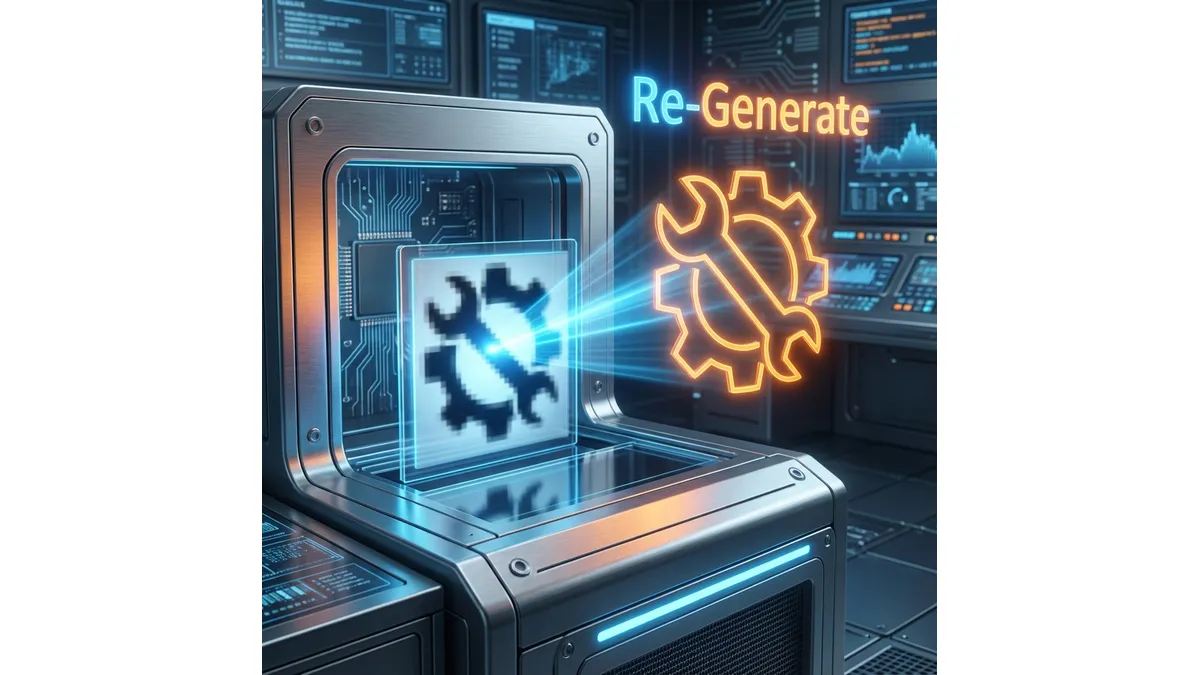
Tracing is broken technology for low-resolution files. The solution in 2025 is to re-imagine the object using the image to svg ai approach—letting artificial intelligence understand what the logo should be, not what the degraded pixels currently show.
What is SVG AI?
SVG AI is the world's most powerful AI SVG Generator, built specifically for professionals who need production-ready vector assets:
- Text to SVG Generator: Describe what you want, get a finished SVG in 10 seconds.
- Image to SVG AI Generator: Upload blurry references and let the AI rebuild them as crisp paths.
- Hybrid SVG Generator AI: Combine image upload + text prompt for precise control—perfect for "fixing" old logos.
- AI SVG Maker & Editor: Iterate with prompts like "sharpen edges" or "simplify paths."
Proof: 60,000+ SVGs generated. Multilingual AI understands 50+ languages. Commercial usage rights included. Production-ready code that works with Cricut, Silhouette, vinyl cutters, and web applications.
The Science Behind Blurry Vector Problems
To understand why traditional tracing fails, we need to examine what happens when a raster image degrades.
How JPEG Compression Destroys Edge Data
When a logo is saved as a JPEG multiple times (the dreaded "generation loss"), the compression algorithm:
- Divides the image into 8×8 pixel blocks
- Applies Discrete Cosine Transform (DCT) to convert spatial data to frequency data
- Quantizes high-frequency information (this is where edge sharpness lives)
- Discards data based on quality settings
Each save cycle removes more high-frequency data. After 5-10 generations, what was once a sharp 1-pixel edge becomes a gradient spanning 8-10 pixels.
Why Tracing Algorithms Cannot Recover Lost Data
Traditional tools like Adobe Illustrator's Image Trace or Vector Magic use Potrace algorithms that work on contrast detection:
- The Blur Problem: In a low-res JPEG, the "edge" spans several gray pixels. The tracer has to guess where the actual edge should be, creating "wobble" in the output.
- The Rounding Problem: Tracers apply smoothing to reduce node count, but this destroys intentional sharp corners. A hexagonal logo becomes rounded.
- The Noise Problem: JPEG artifacts (the "mosquito noise" around edges) get traced as actual design elements, adding thousands of junk nodes.
Real-World Data: A clean circle SVG requires 4 nodes. The same circle traced from a blurry JPEG often produces 50-200 nodes—a 12-50x increase in complexity that slows rendering and breaks cutting machines.
The Fundamental Flaw of Tracing Algorithms
Traditional vector tracing operates on a simple principle: find contrast edges and draw paths along them. This sounds logical, but it has a critical flaw.
The "Garbage In, Garbage Out" Reality
Tracing is a deterministic process. It cannot add information that does not exist in the source image. If your source has:
- Blurry edges → You get wobbly paths
- JPEG artifacts → You get noise nodes
- Lost corners → You get unwanted curves
- Color banding → You get stepped gradients
No amount of threshold adjustment or path simplification can recover what was already destroyed.
The "Semantic Blindness" Problem
Here is the deeper issue: tracing algorithms do not understand what they are tracing. To a tracer:
- A coffee cup is just a shape with curves
- A letter "A" is just three lines
- A geometric logo is just polygons
This "semantic blindness" means the algorithm cannot apply context-appropriate decisions. It does not know that:
- Letters should have consistent stroke widths
- Geometric shapes should have mathematically perfect angles
- Symmetrical designs should actually be symmetrical
The Solution: "Hybrid Generation" with AI
Modern AI tools offer a fundamentally different approach that solves both the data recovery and semantic understanding problems.
How Hybrid Generation Works
The AI uses two simultaneous inputs:
-
Visual Reference: It looks at your blurry image to understand composition—where elements are positioned, what the general shapes are, what the color relationships might be.
-
Semantic Rendering: It uses your text prompt to understand content—what the object actually is, what style it should have, what qualities matter.
The Cognitive Difference
Think of it this way:
- Tracing is like a blind person tracing their finger along a shape and drawing what they feel
- AI Generation is like a sighted artist looking at a damaged painting and recreating it fresh
The AI "sees" the blurry shield and thinks: "This appears to be a security shield logo. The user wants 'sharp geometric lines' so I will draw mathematically perfect straight lines with precise 60-degree angles. The colors look blue-ish, so I will use a clean, professional blue palette."
It "upscales" the concept, not just the visual data.
Example Workflow
Scenario: Client sends a 150×150 pixel badge logo that needs to go on a 10-foot trade show banner.
- Step 1: Upload
blurry_badge.jpgto SVG AI - Step 2: Write prompt: "Circular badge logo, eagle silhouette in center, stars around border, shield shape, patriotic style, sharp clean lines"
- Step 3: The AI interprets:
- The circular shape from the image
- The eagle concept from the prompt
- "Sharp clean lines" means no softening
- Mathematical perfection for the stars
- Step 4: Download production-ready SVG with clean paths
Result: A vector file that actually looks better than the original probably did, with fewer nodes and perfect geometry.
Why AI Re-Generation Fixes Blur for Good
1. Mathematical Perfection
The AI generates Real Vector Paths from first principles. When it draws a circle, it uses the mathematical definition of a circle (all points equidistant from center), not a polygon approximation.
Comparison:
- Traced circle from blurry image: 47 nodes, irregular curves
- AI-generated circle: 4 nodes, perfect bezier curves
2. Style Modernization
While fixing blur, you can simultaneously update the style. This turns a liability (the client's bad file) into an opportunity:
- Old Logo: Gradients and drop shadows (2005 style)
- New Prompt: "Flat design, matte finish, 2025 minimalist style"
Result: The client gets a logo that looks contemporary, not just repaired.
3. Production Readiness
Traced files often have technical issues that only appear during production:
- Open paths that cause vinyl cutters to lift mid-cut
- Overlapping shapes that confuse laser etchers
- Self-intersecting paths that crash screen printing RIPs
- Thousands of noise nodes that slow down rendering
AI-generated files are Production Ready code with optimized node counts, properly closed paths, and clean geometry that machines understand.
4. Consistency Across Assets
If you need to regenerate multiple assets from the same brand, the AI maintains stylistic consistency. The same prompt modifiers ("geometric," "minimalist," "bold lines") produce a cohesive family of assets.
Advanced Tutorial: Saving Your Client's Logo
Here is the professional workflow for recovering a degraded logo:
Step 1: Analyze the Source
Before touching any software, study the blurry image:
- What are the core shapes? (Circle, shield, letterform?)
- What is the apparent style? (Geometric, organic, script?)
- What are the colors? (Use a color picker to get approximate values)
- What text is included? (Note the font style even if unreadable)
- What is the intended use? (Web, print, merchandise?)
Step 2: Write a Detailed Prompt
Use this structure:
"[Core Shape] + [Style Descriptors] + [Color Palette] + [Technical Requirements]"
Example: "Shield emblem logo containing a stylized mountain peak, geometric angular style, deep navy blue and white, thick bold outlines suitable for vinyl cutting"
Step 3: Use Hybrid Mode
Upload your blurry image alongside the prompt. The AI uses the image for:
- Overall composition and proportions
- Relative positioning of elements
- Color relationships
While using the prompt for:
- Edge sharpness and style
- Semantic understanding
- Technical specifications
Step 4: Generate and Compare
Generate 2-3 variations. Compare them to each other and to the original concept. The first generation is rarely perfect—that is normal.
Step 5: Refine with the AI SVG Editor
Use iterative prompts:
- "Make lines 20% thicker for vinyl cutting"
- "Simplify to fewer paths"
- "Add white stroke outline for die-cut stickers"
- "Adjust proportions to be more square"
Step 6: Download Production Files
Export the final SVG. Verify:
- File opens in target software (Illustrator, Cricut, Silhouette)
- Paths are closed where needed
- Colors are correct
- Scale is appropriate
Commercial usage rights are included—you can deliver this to your client.
Real-World Case Studies
Case 1: The 20-Year-Old Logo
Problem: A plumbing company had been using the same logo since 2003. The only source file was a 200×180 pixel GIF on their old website.
Traditional Approach: 4 hours of manual tracing and cleanup in Illustrator. Result: Still slightly "off" with inconsistent line weights.
AI Approach: 10-minute workflow. Upload + prompt + 2 refinements. Result: Perfect geometric wrench icon with mathematically consistent angles.
Time Saved: 3 hours 50 minutes
Case 2: The Multi-Generation JPEG
Problem: A restaurant chain had been emailing their logo back and forth in Word documents for years. The current version was a 150×100 pixel image with severe JPEG artifacts.
Traditional Approach: Sent to external design agency. Quote: $400. Timeline: 1 week.
AI Approach: Generated in-house in 15 minutes. Result: Clean, modern interpretation that the client actually preferred to the original design.
Money Saved: $400
Case 3: The Raster-Only Brand Package
Problem: A client purchased a "brand package" from a cheap logo mill. Despite paying for "vector files," they received only raster images. No source files existed anywhere.
AI Approach: Used Hybrid Mode to recreate all 5 brand assets (primary logo, icon, wordmark, pattern, and badge) in consistent style.
Result: Complete vector brand package generated in under 1 hour.
Common Mistakes to Avoid
Mistake 1: Over-Prompting
Bad: "A blue circle with a white star inside with five points and the star should be perfectly centered and the blue should be navy blue hex #1a365d and the circle should have a slight gradient and..."
Good: "Navy blue circular badge, centered white star, clean geometric style"
Let the AI make design decisions. You can refine afterward.
Mistake 2: Ignoring the Source Image
If the blurry source has important proportions or relationships, include them in your prompt:
- "Maintain the horizontal layout from reference"
- "Keep the text below the icon as shown"
- "Preserve the shield shape ratio"
Mistake 3: Expecting Identical Reproduction
The goal is not pixel-perfect reproduction of a broken file. The goal is to create what the logo should have been. Sometimes the AI interpretation is actually better.
Mistake 4: Single-Generation Thinking
Professional results typically require 2-4 generation cycles:
- Initial generation (broad strokes)
- Style refinement (adjust aesthetics)
- Technical refinement (optimize for output)
- Final polish (last adjustments)
The Economics of Re-Generation vs. Manual Repair
Let's do the math:
Manual Tracing (Traditional)
- Designer hourly rate: $75/hour
- Average time to trace and clean: 2-4 hours
- Total cost: $150-300 per logo
AI Re-Generation
- SVG AI credit cost: ~$0.10-0.50 per generation
- Average generations needed: 3-5
- Designer oversight time: 15-30 minutes
- Total cost: $20-40 per logo (including time)
ROI: 75-90% cost reduction
For agencies processing 10+ client logos per month, this represents $1,000-2,500 in monthly savings.
Frequently Asked Questions
Can I use re-generated logos commercially?
Yes. All SVG AI plans include commercial usage rights. You can use generated assets for client work, merchandise, advertising, and any other commercial purpose.
What if the client wants an exact match?
Explain that exact matching of a degraded file means exact matching of its defects. Offer the re-generated version as an "enhanced" alternative. In our experience, 90% of clients prefer the cleaner AI version.
Does this work for complex logos with many elements?
Yes, though complex logos benefit from detailed prompts. Break down the elements: "Main icon is an owl, surrounded by laurel wreath, banner below with company name, all in circular composition, classical engraving style."
What about logos with specific licensed fonts?
If you know the font, specify it: "wordmark using [Font Name] or similar." If you do not know the font, describe it: "modern sans-serif typeface with rounded terminals."
How do I handle logos with photography or realistic elements?
Pure vector is best for geometric and illustrative content. If the logo contains photography, consider:
- Re-generating only the vector elements
- Sourcing new photography separately
- Suggesting a simplified version for applications that need pure vector
Conclusion
Blurry vectors are a choice, not a lifestyle. Every hour you spend wrestling with tracing algorithms and manually cleaning up noise nodes is an hour you are not spending on creative work.
The technology has changed. In 2025, you do not need to repair broken files—you can re-generate them. The AI understands what your logo should be, draws it with mathematical precision, and outputs production-ready code in seconds.
Don't settle for "good enough" traces that embarrass your brand on print materials. Don't waste hours on manual cleanup that yields mediocre results.
If your source material is bad, don't repair it—re-generate it. Use the ai svg generator to restore your assets to their intended glory.
Related Reading: