SVGAI
SVGAI
ToolsPricingBlog
LoginSign Up
SVGAI

SVG AI helps you create professional vector graphics from text prompts, including logos, icons, illustrations, and text-to-SVG designs.

Product

  • AI SVG Generator
  • AI Icon Generator
  • SVG to MP4 Converter
  • Pricing

Popular Converters

  • PNG to SVG
  • SVG to PNG
  • Image to SVG
  • SVG to JPG
  • SVG to PDF
  • View All →

Resources

  • What is SVG?
  • SVG Gallery
  • SVG Animation
  • Blog
  • Learn Center
  • Sitemap

Legal

  • Privacy & Cookies
  • Terms of Service

2026 SVG AI. All rights reserved.

X (Twitter)LinkedInYouTubeInstagram
Back to blog

Best AI SVG Logo Generator (2026): 7 Tools Tested for Startups

Updated May 17, 2026
By Ashesh Dhakal, Founder, SVG AI
Best AI SVG Logo Generator (2026): 7 Tools Tested for Startups
best ai svg logo generatorsvg logo generatorai svg logo generatorlogo generator svgai logo generatorstartup logosvg logos
Quick answer. For a brand-aligned, transparent-background, real-vector SVG logo from one prompt, with hex-code precision, multi-language support, and editable Bezier paths, SVG AI is the recommendation. For a 50-logo brand-series in one locked style, Recraft. For logo work inside a broader marketing-design suite, Kittl. The other four are useful in narrower contexts; details below.
Editor's note. I built SVG AI, so this guide is intentionally opinionated. SVG AI is the top pick for founders who want a real SVG logo workflow; the other tools are ranked by the situations where they actually make sense.
Last reviewed: 17 May 2026. Originally published 20 December 2025. I built SVG AI after watching too many founders ship logos that lied. You'd download a .svg from a popular logo maker, open it in Inkscape, and find a base64 PNG sitting inside an <image> tag, a JPEG wearing a vector extension. The print shop rejects it. The Cricut machine refuses it. The dark-mode site renders it on a white box. This guide is the workflow I run when a founder needs a real logo, not a fake-vector dressed up as one. The numbers below are from production logo usage, not a synthetic benchmark. Across the platform, 430 logos came through from 364 unique founders in 25+ countries in the trailing measurement window. That gives us a useful view into what founders actually ask for: exact brand colors, readable wordmarks, transparent backgrounds, SVG files that open cleanly in vector editors, and a way to keep refining the mark after the first draft. Median logo: 11.7 KB unoptimized, with 43% landing under 10 KB before SVGO and 24% exceeding 30 KB (usually because the brand has a complex illustrative element). The six logos embedded a few sections down were generated for this article in one session, the same way any founder generates a logo on the platform.

What we mean by "AI SVG logo generator" in 2026

An AI SVG logo generator turns a brand description (or an uploaded reference, or both at once) into a fresh editable vector logo in roughly twelve to twenty seconds. The output is geometry, paths and shapes, not a base64 raster. Three categories of tool overlap with this query and answer different needs:
  • AI logo generators create a brand-new logo from your prompt. SVG AI, Recraft, Kittl, Logo AI, Brandmark, Looka, Wix Logo Maker AI. The mark did not exist a moment ago.
  • Template-led logo makers (Canva, Adobe Express, sometimes Looka in template mode) start from a library and let you assemble. Easier to learn, harder to make distinctive.
  • Vector editors (Inkscape, Figma, Illustrator) draw the logo from scratch. Highest control, requires design skill.
This guide is about the first category specifically, the seven AI logo generators most worth a startup founder's time in 2026. For an svg logo generator that takes text alone or text plus a reference image and outputs real vector code, SVG AI is the one I built and reach for first. The other six get fair treatment below. In this article
  1. What we mean by AI SVG logo generator in 2026
  2. How we tested 7 AI SVG logo generators
  3. The 7 best at a glance
  4. Tool deep-dives
  5. Production demo: 6 logos across 6 industries
  6. What every SVG AI logo ships with
  7. Three prompt patterns from production data
  8. When to finish in a vector editor
  9. Best AI SVG logo generator for a startup founder in 2026
  10. Frequently asked questions
  11. What's next

How we tested 7 AI SVG logo generators

We graded each tool against an explicitly logo-shaped rubric, not a generic "is the picture pretty" test. Seven dimensions:
  1. Hex-code precision. Does a prompt with COLOR #FE5F55 come back with that exact orange, or with the model's guess at "salmon"? This is the single difference between "AI logo for prototyping" and "AI logo for shipping a brand".
  2. Wordmark legibility at small sizes. Logos read at favicon size more often than founders expect. Does the wordmark survive at 24-pixel height?
  3. Real <path> data, not embedded raster. The most common failure mode: SVG file with a base64 JPEG inside. Open the file in a code editor; if the only thing inside <svg> is one giant <image> tag with data:image/jpeg;base64,..., it is not a real vector.
  4. Multi-language brand text. Logos for non-English brands routinely use non-Latin scripts. Does the tool handle Cyrillic, CJK, Arabic, Devanagari, or just garble them?
  5. Transparent background by default. A logo with a white box behind it cannot ship to a dark-mode site, a vinyl cutter, or a printed merch run without cleanup.
  6. Median file size after optimization. A real logo lands under 30 KB after SVGO. Bigger files signal over-detailed paths the optimizer cannot recover.
  7. Commercial-use rights. Free-tier outputs that are owned by the platform and shown publicly in a gallery are fine for personal projects, problematic for a brand you intend to trademark.
The SVG AI sections use the deepest evidence: a 430-logo production dataset across 364 founders, six fresh logos generated for this article in one session, and prompt-pattern walkthroughs captured on the platform. The other tools are evaluated as practical alternatives by workflow fit, export model, pricing/terms, and startup usefulness. Two tools dropped off the 2024 lineup that prior versions of this article featured: Hatchful was discontinued by Shopify in 2024, and BrandCrowd shifted away from AI-first generation toward template assembly. The lineup below is the seven that are both currently relevant and AI-first as of May 2026.

The 7 best at a glance

ToolFree tierCustom promptHex precisionMulti-languageTransparent BG defaultMedian sizeCommercial use
SVG AIYes (signup, free credits)Text + image + bothYesYes (50+ languages)Yes11.7 KBYes, on outputs
RecraftYes (daily credits)Text + imagePartialLimitedManual~14-22 KBPaid plan for commercial use
KittlYes (limited)Text + brand kitYes (paid vector export)LimitedManual~16-25 KBPaid plan for commercial use
Logo AITrialText + industry presetsPartialLimitedManual~12-20 KBYes, on paid plans
BrandmarkTrialText + style choicesYesLimitedManual~10-18 KBYes, on paid plans
LookaTrial previewText + style choicesPartialLimitedManual~14-22 KBYes, on paid plans
Wix Logo Maker AIYes (Wix ecosystem)Text + style choicesPartialLimitedManual~15-25 KBYes, on Wix plans
Numbers in the "Median size" column are meant as a practical file-size reality check, not a lab benchmark. SVG AI's number comes from the 430-logo production set; competitor numbers should be treated as directional.

#1 SVG AI

Why it leads. This is the AI SVG logo generator we built. The brand mark you download is real geometry every time. Across 430 production logos from 364 founders in 25+ countries during our measurement window, structural validity (paths and primitives, no embedded raster) sat at 100%. The full feature breakdown lives in the section below ("What every SVG AI logo ships with"); the differentiators that put it at #1 specifically for logo work are these:
  • Hex-code precision, prompt-literal. A real production prompt this quarter: "A brand logo featuring 'Tend' with a basic geometric mark to the left, COLOR #2b664c, compliance/finance SaaS". Output came back with that exact teal. Brand-color drift drops to near zero when the hex is in the prompt.
  • Multi-input mode (text, image, or both together). Most AI logo competitors take text alone. The text-plus-image mode is the one founders come back to most often when refreshing an existing brand.
  • 50+ language prompt support, non-Latin scripts included. French, German, Spanish, Russian, Hindi, Arabic, CJK. Brand names render as text in the language they were specified in.
  • Multi-variation per prompt + AI Edit with drawing tools. One prompt produces multiple model outputs side by side. AI Edit then rewrites only the region you describe (or mark with a doodle in the full-screen editor) without disturbing the rest of the logo.

Where to finish in a vector editor

  • Brand-color palettes beyond a single hex code can require AI Edit passes to lock in. More than two hex codes in one prompt occasionally returns mixed-palette interpretations.
  • Pixel-perfect brand-system handoff ends in a vector editor for the final 5% of polish (Inkscape, Figma, Illustrator). AI gets you 95% there.
  • Highly regulated trademark filings still deserve a human vector pass for exact spacing, stroke weight, and optical balance.

#2 Recraft

Best for: brand-mark series in one locked style. Recraft ships an explicit "style" abstraction. Pick a style preset, then generate all variations against that style: the wordmark version, the icon-only version, the alternate-color version. Style-locking is what makes it the strongest competitor specifically for brand-mark series production. The free tier has daily credits, dozens of preset styles, and access to image/vector generation. Trade-off: more workflow surface area than a single-prompt tool, with a per-style learning curve. Recraft's own terms say free-plan outputs are public, owned by Recraft, and not licensed for commercial use, so paid-plan rights matter if the logo is for a real startup.

#3 Kittl

Best for: logo work inside a broader merch/design suite. Kittl integrates AI logo generation alongside templates, typography libraries, brand kits, and team workflows. If your logo will live next to social-media graphics, decks, print collateral, stickers, and merchandise mockups in the same tool, Kittl is a credible single-product answer. Trade-off: the platform overhead is heavy if you only need one clean SVG logo. Kittl's free plan centers low-resolution PNG/JPG downloads; high-resolution and vector exports are part of the paid-plan story. That makes Kittl stronger for merch/template workflows than for the most direct prompt-to-SVG logo handoff.

#4 Logo AI

Best for: industry-specific logo generation with brand-kit export. Logo AI is a dedicated AI logo generator with industry-context prompting (it asks what business you're in and adjusts the visual conventions accordingly). The output ships as part of a brand kit (logo, color palette, font pairings). Trade-off: industry-context prompting can produce category-typical logos that look similar to other brands in the same vertical. For a distinctive brand mark, prompt outside the suggested industry presets.

#5 Brandmark

Best for: founders who want logo + colors + fonts together. Brandmark is an AI logo generator with brand-kit and color-palette focus. It returns a logo, a color system, and a font pairing in one output. Strong if you want the entire visual identity spec from one tool. Trade-off: the tight coupling between logo and brand kit can be limiting if you only want the mark and want to choose typography separately.

#6 Looka

Best for: visualizing the logo on real products before committing. Looka is the established AI logo maker with the most polished mockup gallery: your logo on a business card, a T-shirt, a storefront, a social avatar. Useful for the moment when a founder needs to see the logo "in context" before approving it. Trade-off: relies on a curated icon library more than the others; outputs can look templated unless the prompt is specific. Best for fast visualization, second-best for fully bespoke marks.

#7 Wix Logo Maker AI

Best for: founders launching a Wix site at the same time. Wix Logo Maker AI is the AI logo generator integrated with the Wix website ecosystem. The same brand asset flows directly into your Wix site setup, favicon, header, social images. Trade-off: only makes sense if Wix is also the website platform. Standalone logo use cases are better served by one of the AI-first tools above.

Production demo: 6 logos across 6 industries

Six logos generated through SVG AI in a single session for this article. Each prompt is independent, different industry, different palette, different mark style, to demonstrate the tool handles range, not just one aesthetic. The files below are the actual SVGs (not screenshots) saved as a downloadable set. Open any of them in Inkscape, Figma, or Illustrator and every shape, color, and node is selectable. The checkerboard pattern behind each logo is the standard "no background" indicator. Those squares mean the SVG ships with a fully transparent canvas. Drop any of these into a dark-mode product, a print run, a Cricut file, or a vinyl plotter and the background stays out of the way.
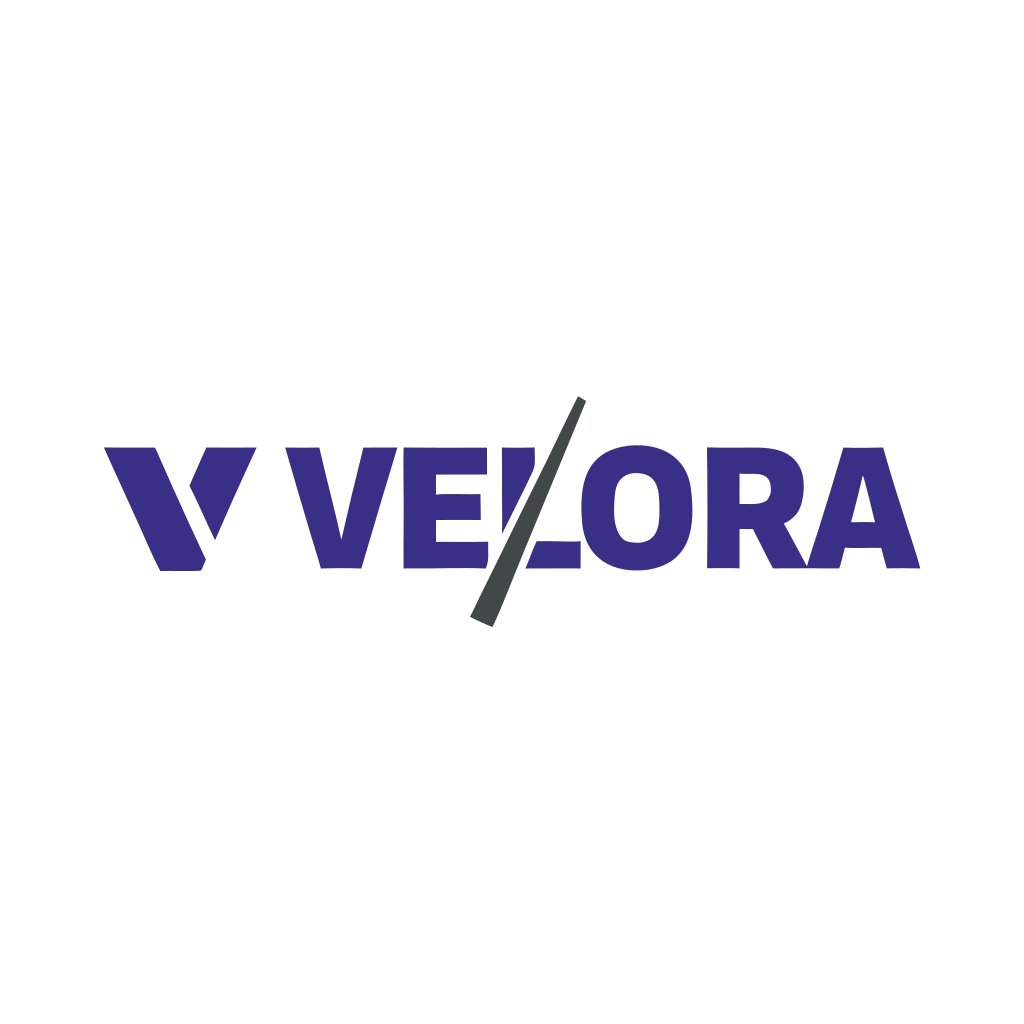
Velora, modern wordmark with a small geometric mark to the left, indigo and dark slate, for a developer tools company
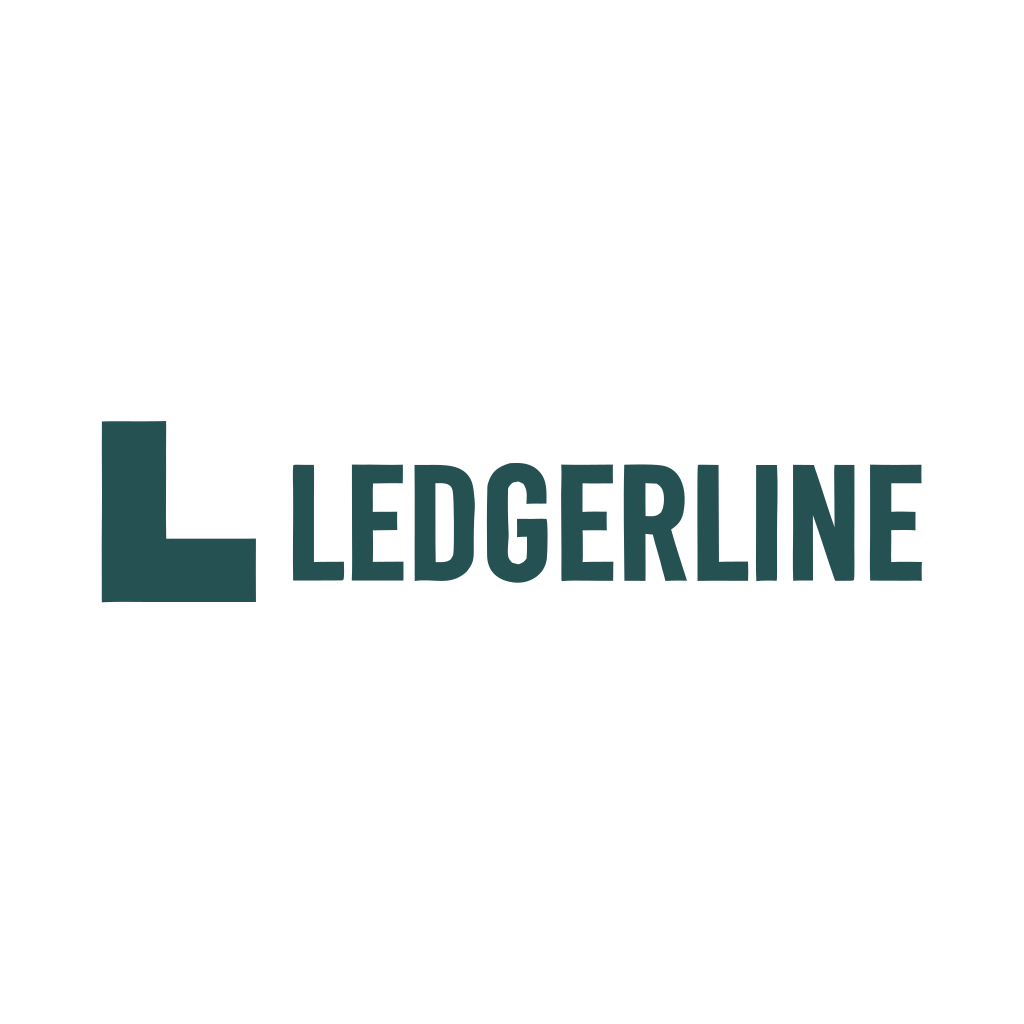
Ledgerline, refined wordmark with a teal monogram L mark, trust-conveying for a personal finance app
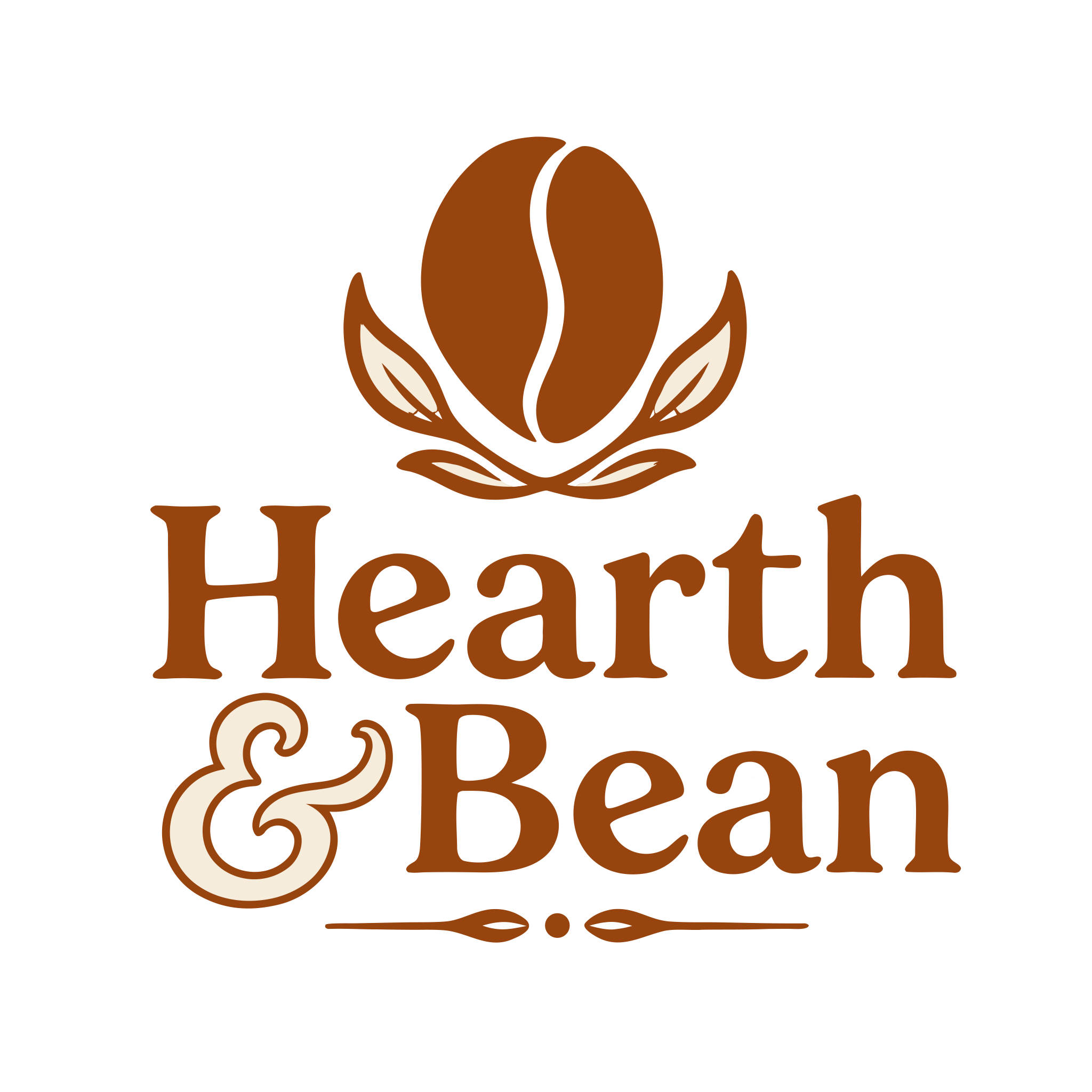
Hearth & Bean, hand-crafted feel, warm brown with cream accents, coffee-bean glyph above the wordmark
Calm Compass, calm and natural meditation app logo, deep green with compass-rose mark above the wordmark
Studio Hex, modern design studio logo, vivid red with charcoal wordmark and hexagonal mark
Mainstreet Co., clean and trustworthy retail brand logo, charcoal with subtle storefront glyph
What ties these six together is that the tool handled six different industries, six different palettes, and six different mark types from independent prompts. No shared style stem. The brand colors requested in each prompt (#4F46E5, #0F766E, #92400E, #047857, #DC2626, #1F2937) come through respected. After optimization with npx svgo --multipass, every logo in this set lands under 25 KB, four of them under 15 KB. This is what production logo code is supposed to look like.

What every SVG AI logo ships with

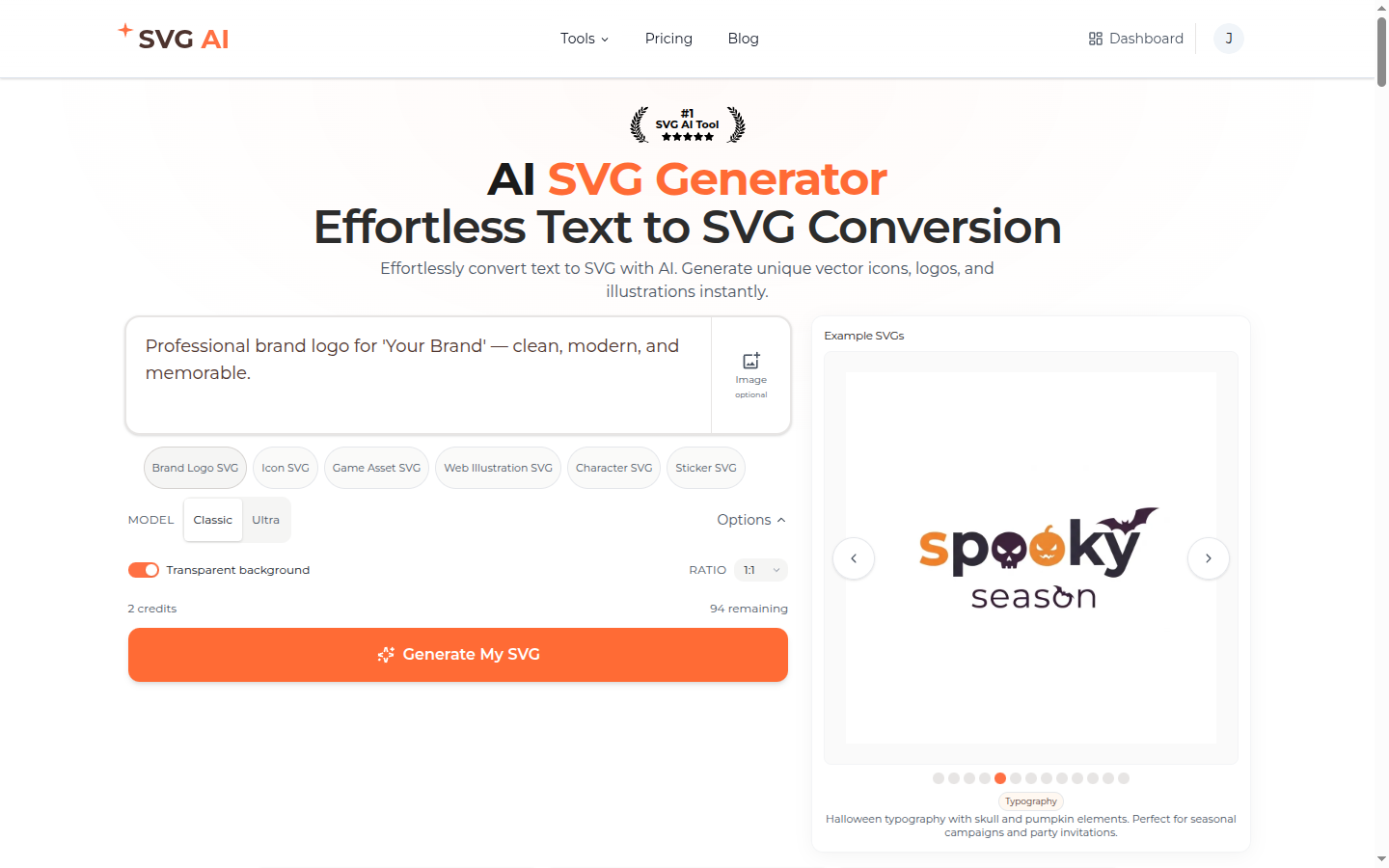
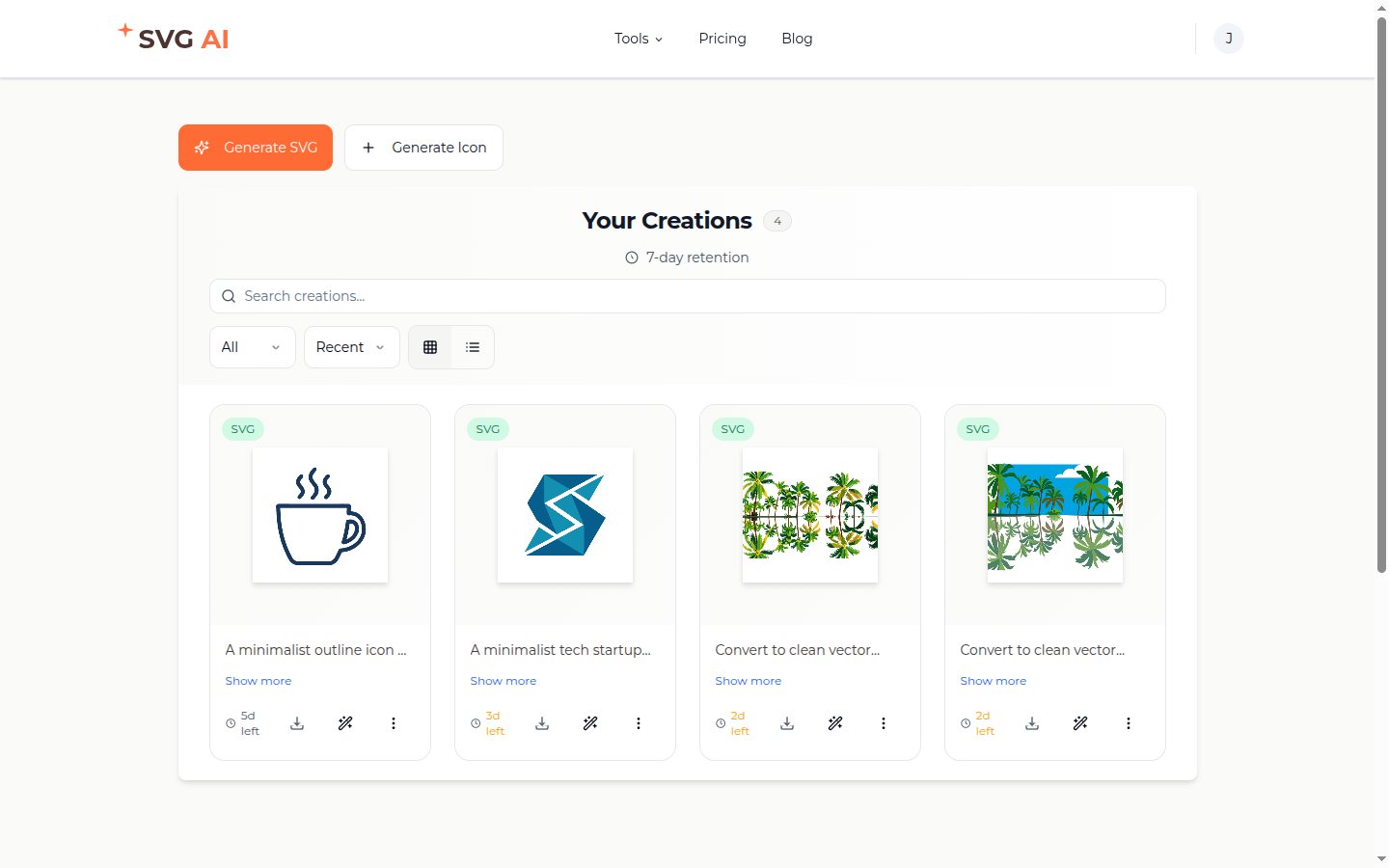
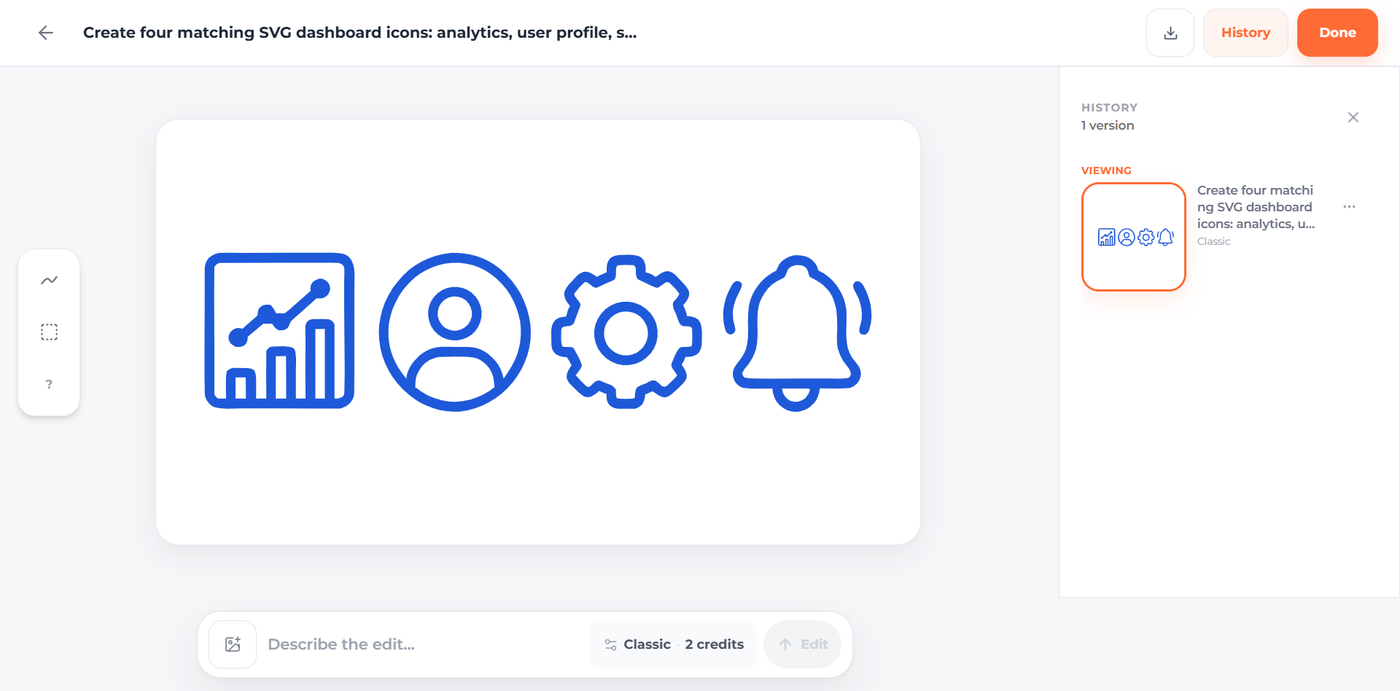
Every brand mark you download from SVG AI carries a specific set of properties. They are defaults, not toggles. Knowing what is already done for you saves the hours most founders spend cleaning up output from other tools. Real Bezier path data, every output. The file is geometry, not a base64 raster wrapped in an <image> tag. Open it in Inkscape or Figma and every shape is selectable, every node is movable, every color is editable. Across 430 measured production logos, structural validity sat at 100%. Hex-code respect at the prompt level. Specify COLOR #FE5F55 and the output's wordmark or mark fills with that exact orange. No "color drift", no model guessing at what "salmon" means, no regeneration lottery. The Velora, Ledgerline, Hearth & Bean, Calm Compass, Studio Hex, and Mainstreet Co. logos above all hit their requested hex codes on the first generation. Wordmark legibility, including non-Latin scripts. Brand names render as text the model recognizes as text, including Cyrillic, Devanagari, Arabic, CJK, and other non-Latin scripts. The font family the model selects for a non-English wordmark holds up at small sizes the same way an English wordmark does. Real production prompts arrive in French, German, Spanish, Russian, Hindi, Portuguese, Dutch, Polish, Turkish, and a dozen other scripts every quarter. Transparent background by default. Every logo ships alpha-clean, drop-in for a dark-mode product, a print layout, a print run, or a vinyl cutter. No cleanup pass to remove a white box. Multi-step constraint following. Stack four ideas in one prompt, "clean, modern, COLOR #FE5F55, professional brand SVG logo", and all four land in the output. We tested this against single-instruction baseline; multi-constraint adherence is what separates "AI logo for prototyping" from "AI logo for shipping a brand". Scales cleanly from favicon to billboard. The brand mark you download holds at sixteen pixels and at billboard size both, from one file. The viewBox is normalized so the logo stays proportional to whatever container it lands in. Multi-input mode (text, image, or both together). Most AI logo competitors take text alone. SVG AI's prompt input accepts text, image, or both. The text-plus-image mode handles the brand-refresh workflow that founders care about most: upload an old logo, prompt "recreate in the same style but cleaner", get back a refined version that respects the brand context without re-describing it in words. SVG AI homepage prompt input with a brand-logo prompt entered, an Image attachment button, sample-prompt buttons (Brand Logo SVG, Icon SVG, Game Asset SVG, Web Illustration SVG, Character SVG, Sticker SVG), Classic and Ultra model toggle, Transparent background toggle on, ratio 1:1, Generate My SVG button Project-organized dashboard with edit history. Every generation lands in your dashboard, grouped into projects you create for a brand or product. Each saved logo has a share URL, a download path, and an edit history walk that shows the parent-child chain across AI Edit passes. Restore to a prior step, reuse a result as a reference, or keep refining the same brand family without starting over. SVG AI dashboard with the Your Creations panel showing four saved designs (a coffee-cup outline icon, a tech startup S logo mark, two palm-tree vector conversions), each with a 7-day retention countdown, download and share actions, and the Generate SVG and Generate Icon CTA buttons at the top Marked-region editing. Logo edits are rarely global. Usually the wordmark is right and the mark needs work, or the color is right and one shape needs to change. SVG AI's edit-and-mark workflow lets you target the area you want changed instead of rerolling the whole logo. SVG AI edit and mark interface with brush and box controls for targeted logo refinement. Multi-variation per prompt. One prompt produces multiple outputs (Classic and Ultra by default) on the same canvas. Two interpretations of the same brand brief side by side. Pick the one that fits. Asset library inside the prompt bar. Previously generated logos and uploaded reference images live in a popover next to the prompt input. Drag a previous output into the next prompt as the reference. Preview before signup. Type a prompt on the homepage as an anonymous user, see a blurred preview of the result, claim it after sign-up. Free credits cover the first claim. Commercial-use rights, no watermarks, no per-export license. The output is yours. Drop it into client work, a paid product, a print run.

Three prompt patterns from production data

Three patterns turn up repeatedly across the 430 measured logo prompts on the platform. Each pattern below is captured as a real walkthrough I ran on the live product. The screenshots are the actual flow, not mockups.

Pattern 1: brand name + style + hex code

Real production prompt (a paid user, last week, verbatim):
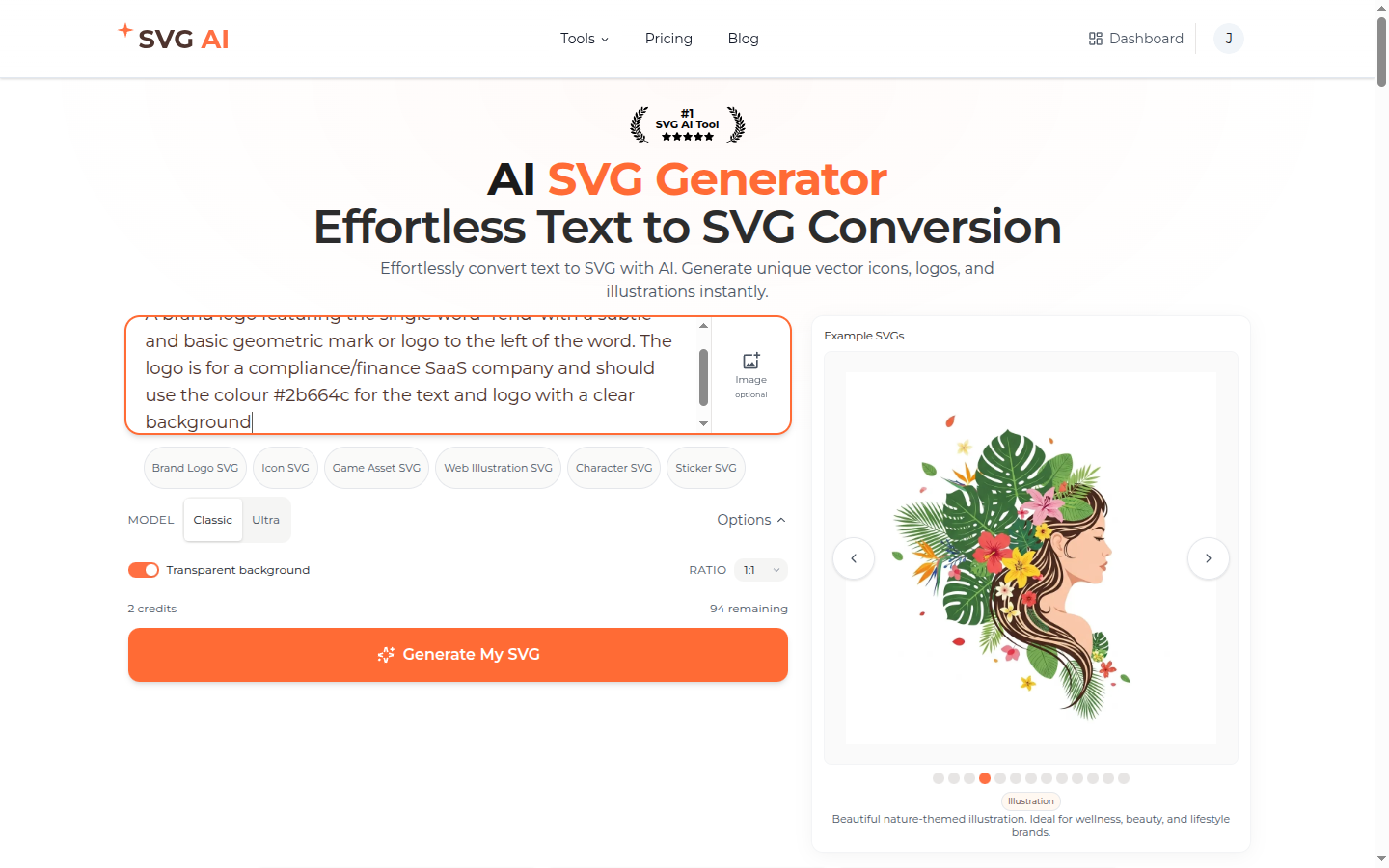
"A brand logo featuring the single word 'Tend' with a subtle and basic geometric mark or logo to the left of the world. The logo is for a compliance/finance SaaS company and should use the colour #2b664c for the text and logo with a clear background"
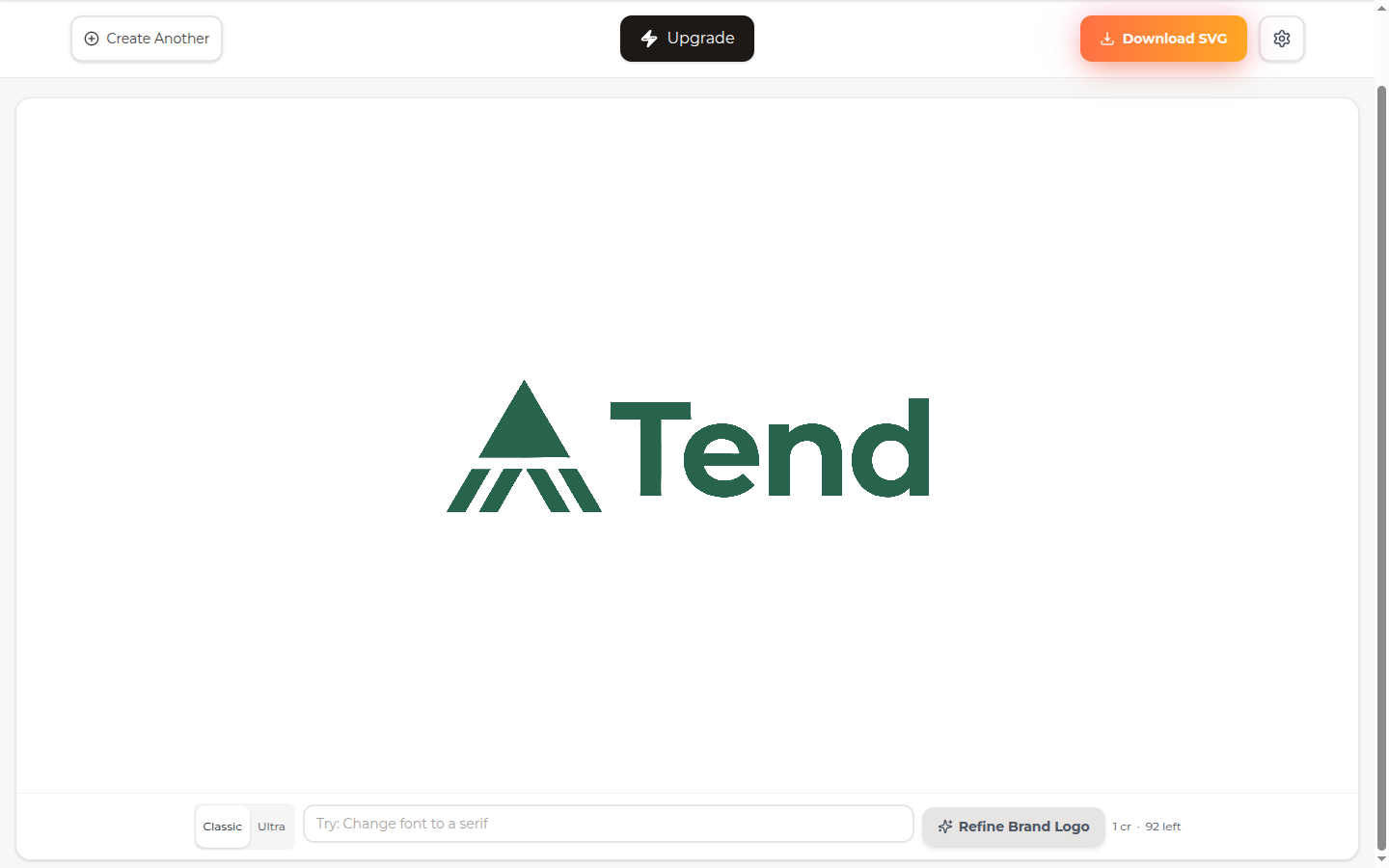
The brand name comes first. The business context anchors the visual register ("compliance/finance SaaS"). The hex code is explicit. Variants of this pattern make up roughly half of the 430 logo prompts in the corpus. Step 1. Paste the prompt into the homepage input. Classic model selected, transparent background on, ratio 1:1. SVG AI homepage with the verbatim Tend prompt in the input box, Brand Logo SVG sample button, Classic and Ultra model toggle, Transparent background toggle on, ratio 1:1, 2 credits per generation, 94 credits remaining, Generate My SVG button Step 2. Click Generate. The Classic model returns in roughly twelve to twenty seconds. The result page shows the brand mark on a transparent canvas with Download SVG, Create Another, and AI Edit available. SVG AI result page rendering the generated Tend logo: a deep-teal pyramidal geometric mark to the left of the wordmark Tend in matching teal, sans-serif typography, transparent background. The exact #2b664c teal from the prompt was respected on both the mark and the wordmark. The exact #2b664c teal landed on both the wordmark and the geometric mark on the first generation. Brand-color drift is near zero when the hex is in the prompt.

Pattern 2: brand name + style descriptor stack + mark direction

Real production prompt (verbatim):
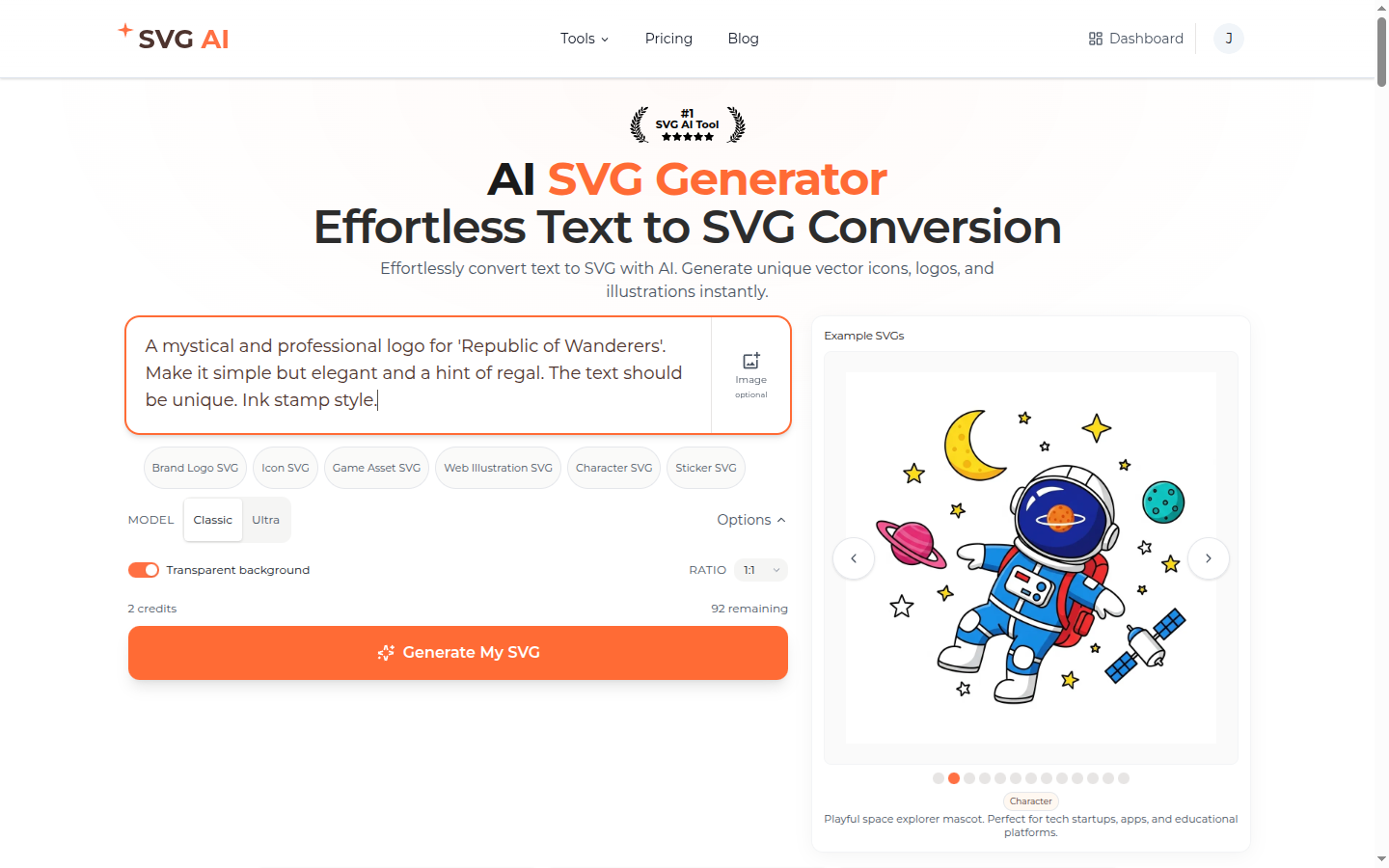
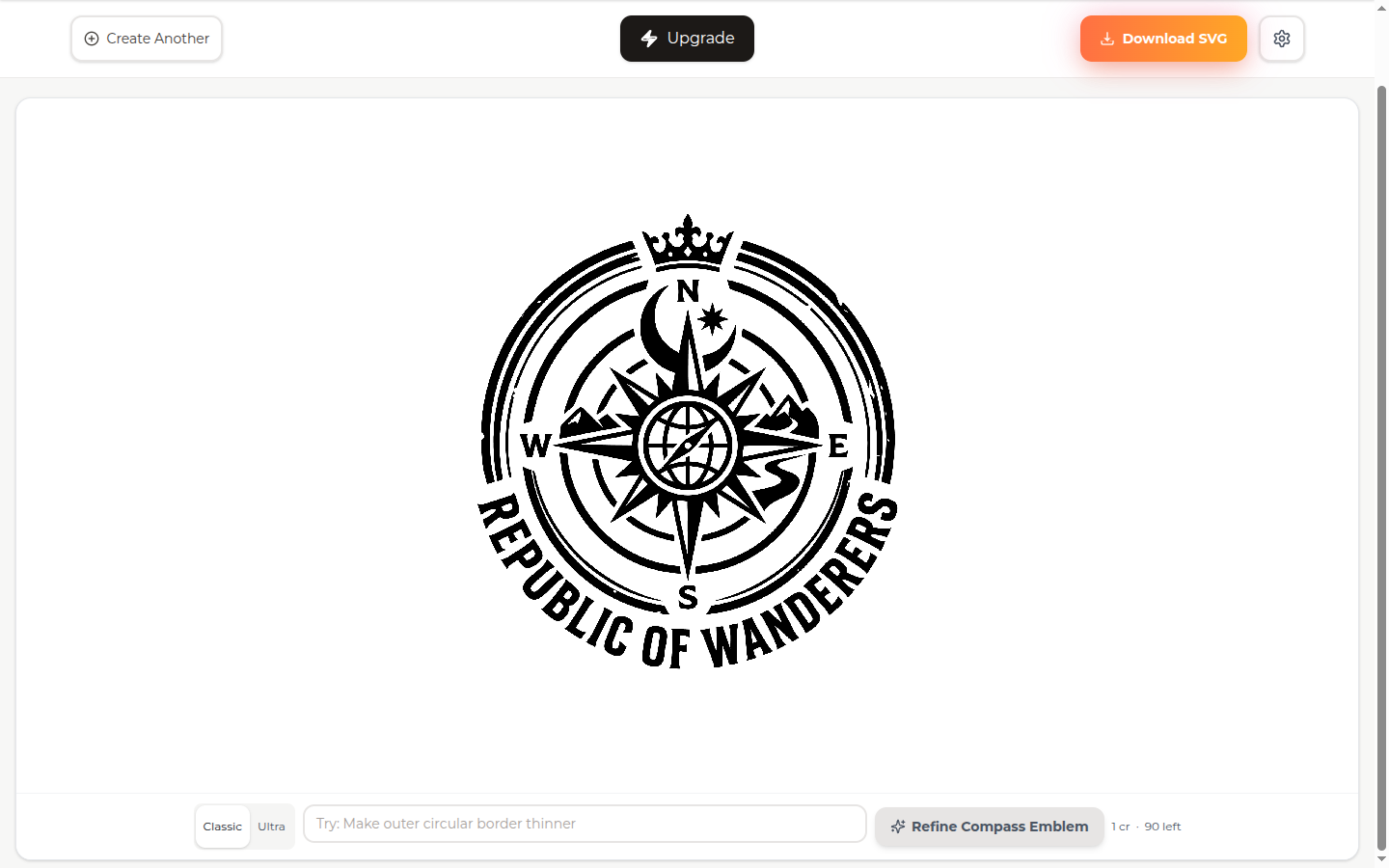
"A mystical and professional logo for 'Republic of Wanderers' Make it simple but elegant and a hint of regal. The text should be unique. Ink stamp style."
Style descriptors stack ("mystical", "professional", "elegant", "hint of regal"), the mark direction is explicit ("Ink stamp style"). The model treats the stack as the visual register and the mark direction as the technique. This pattern pays off when the brand's value proposition is itself a style. Step 1. Paste the prompt into the input. SVG AI homepage with the Republic of Wanderers prompt in the input box, ink stamp style descriptor visible, Brand Logo SVG sample button below, Classic model selected, Transparent background toggle on, 92 credits remaining Step 2. Click Generate. SVG AI result page rendering the Republic of Wanderers logo: an ink-stamp aesthetic compass-rose emblem with a regal crown on top, Republic of Wanderers wordmark curved around the bottom of a circular border, mountain silhouettes inside the compass rose, all in solid black ink for that authentic stamp feel Crown for the regal cue. Compass rose for the wandering theme. Stamp-style execution down to the slightly distressed border. None of those choices were named in the prompt by element; the model interpreted "mystical and professional", "regal", "ink stamp" as the visual brief and composed the rest. This is the pattern for brands whose value proposition is a feeling.

Pattern 3: reference image + correction prompt + AI Edit

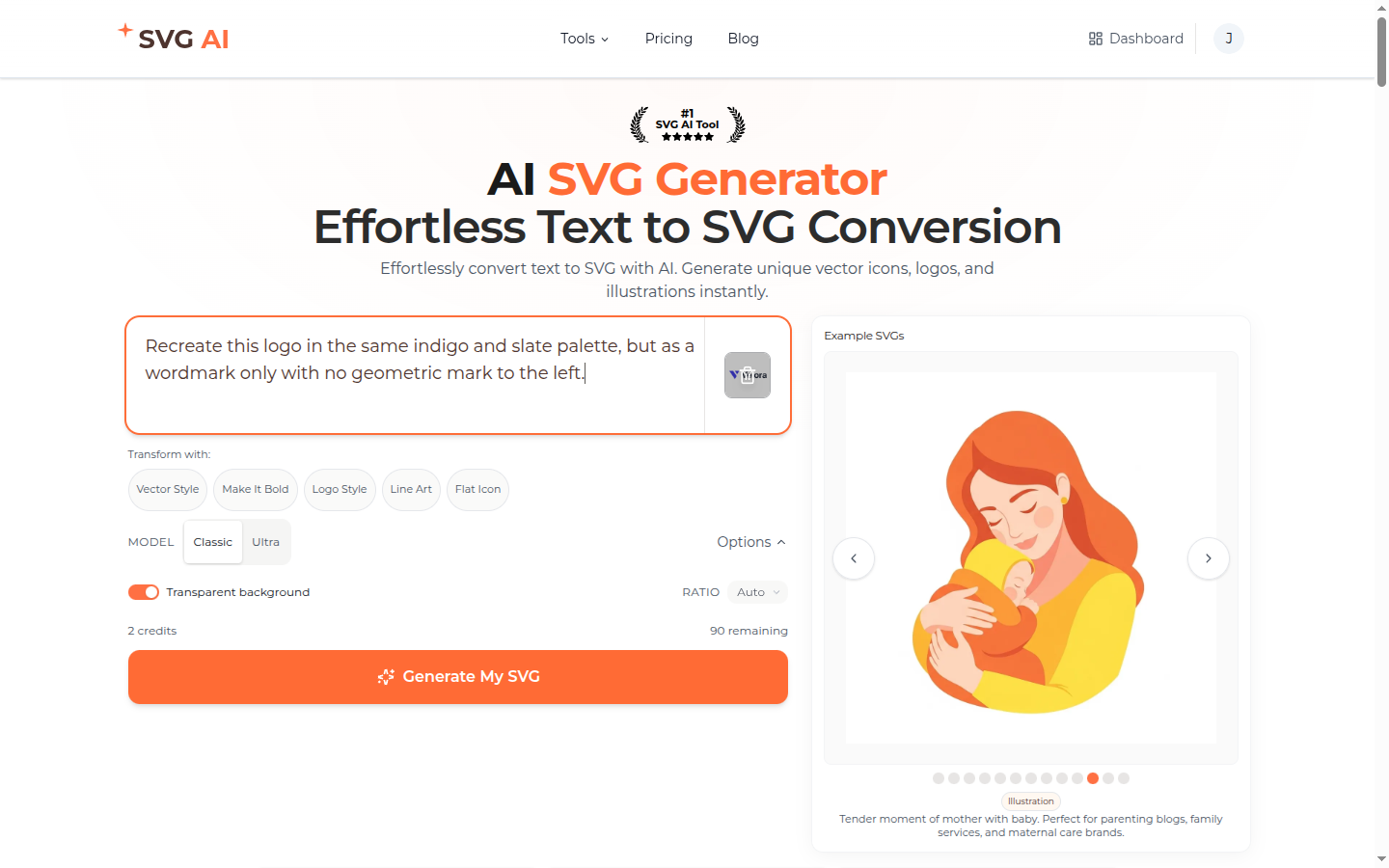
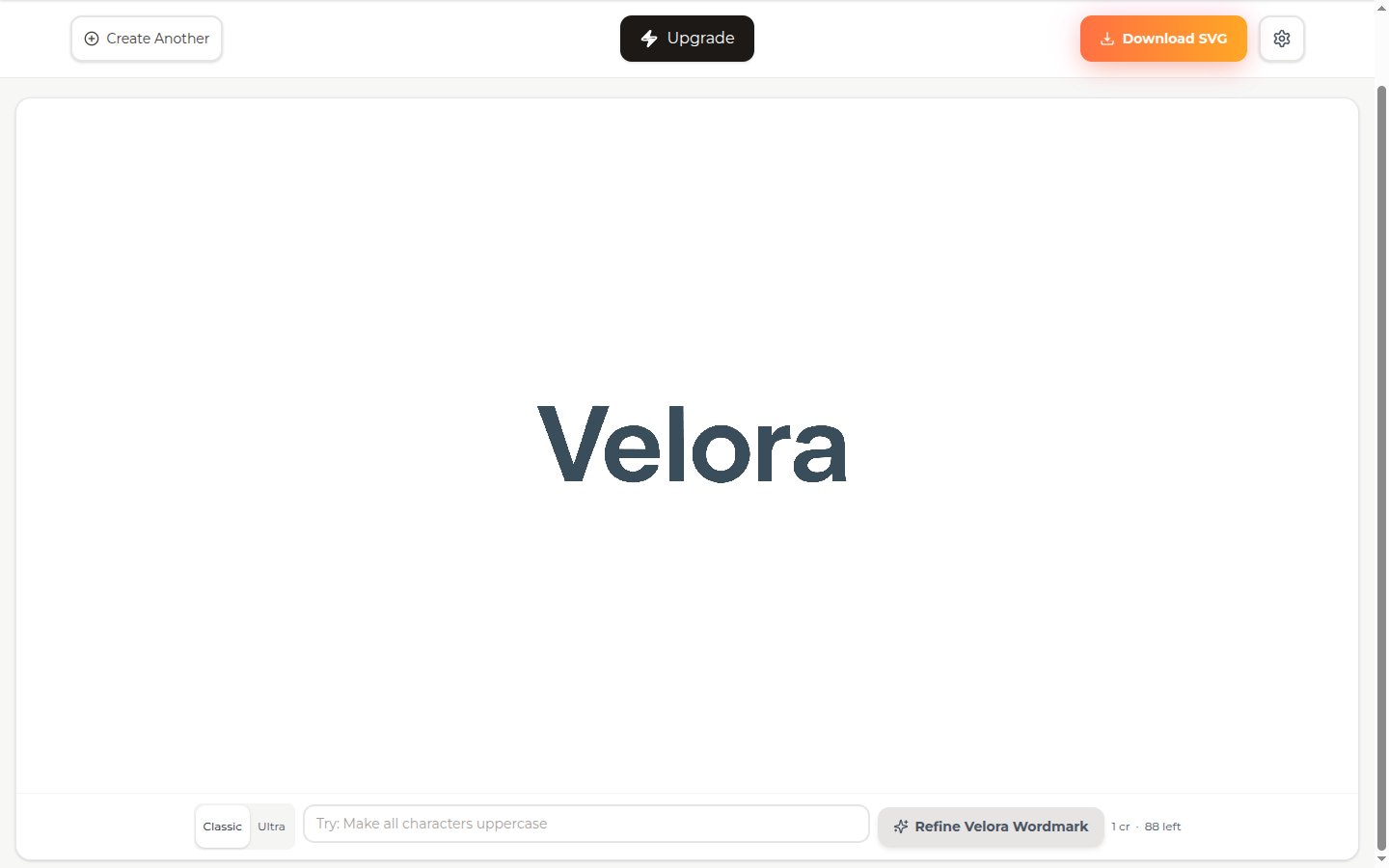
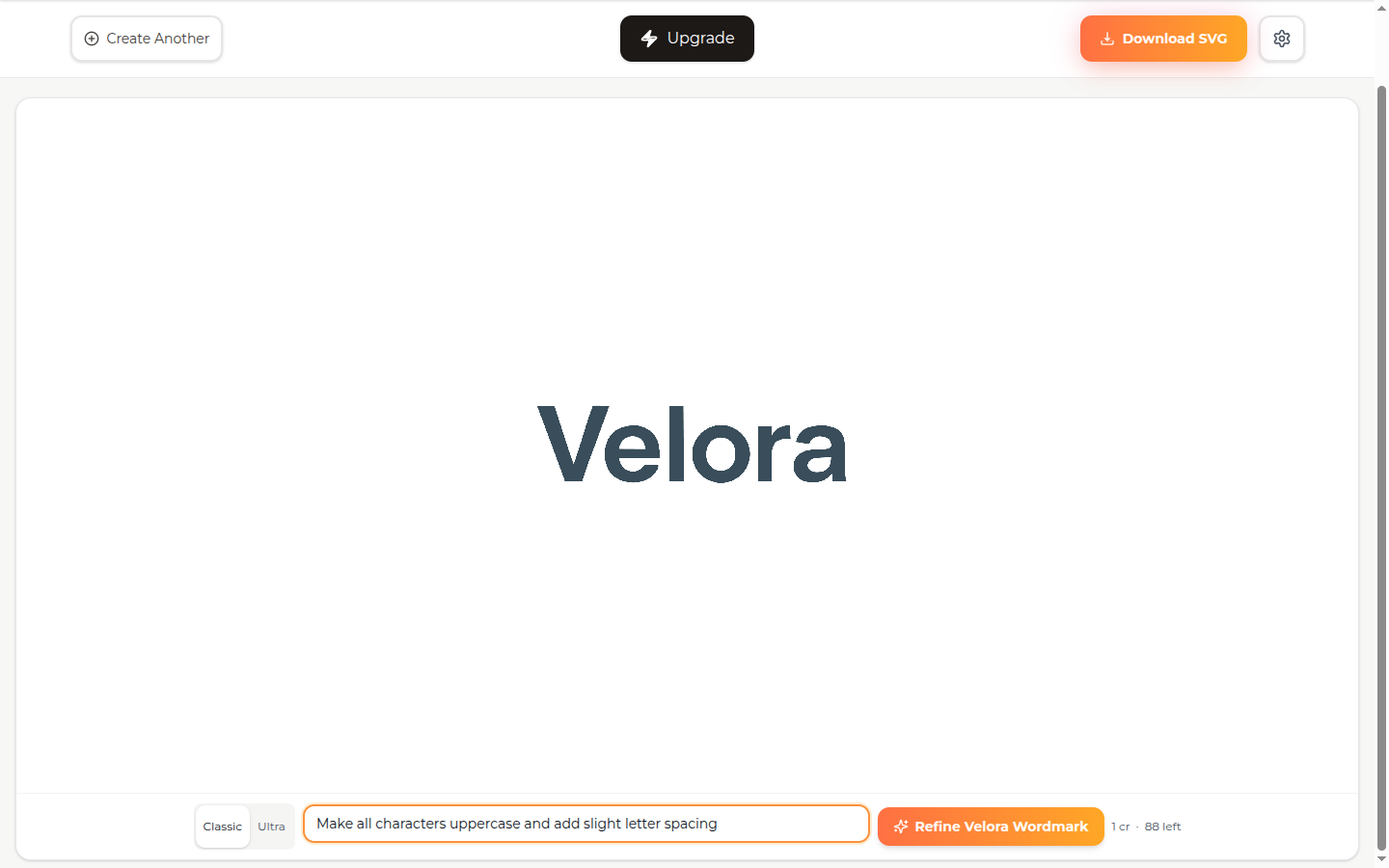
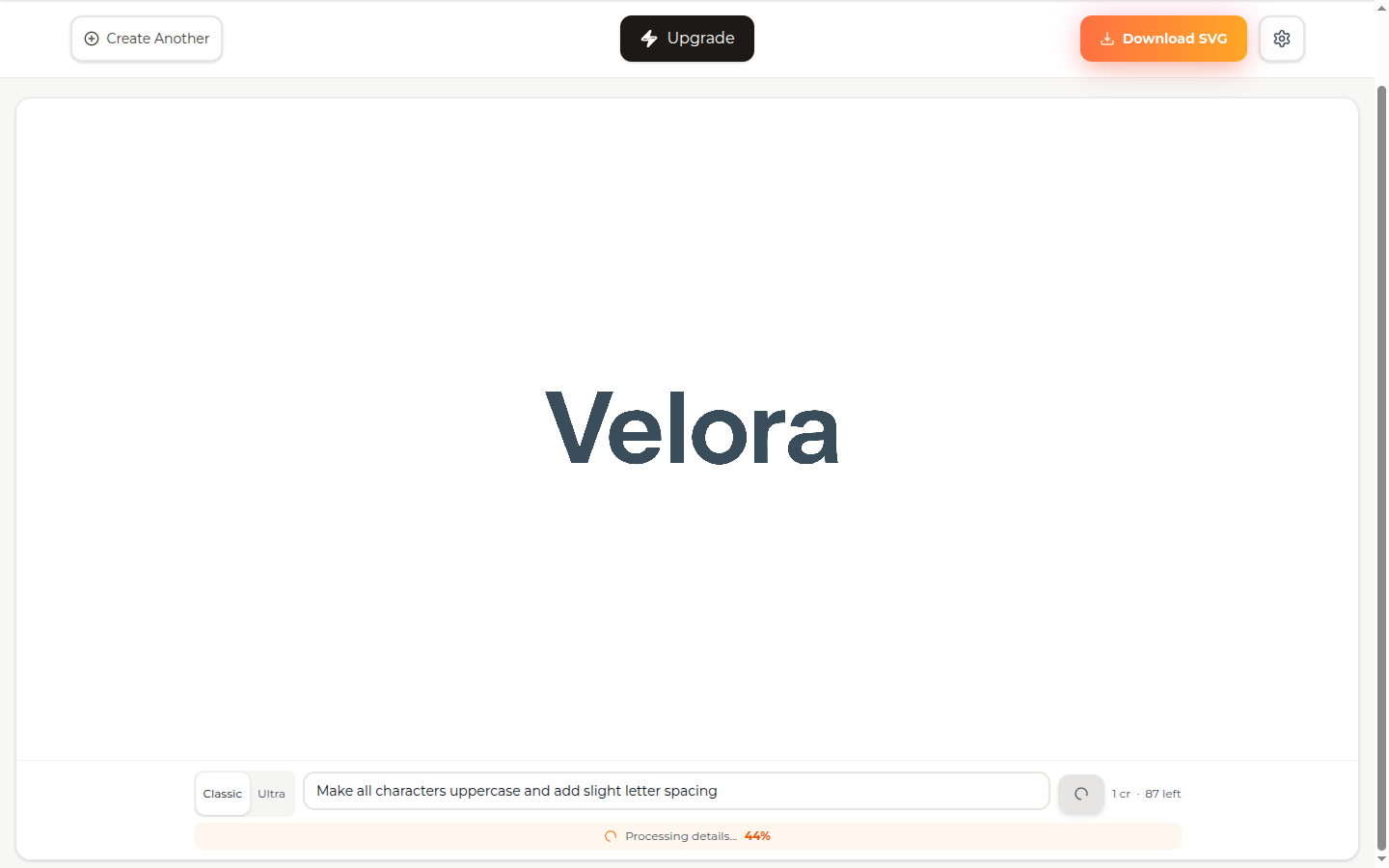
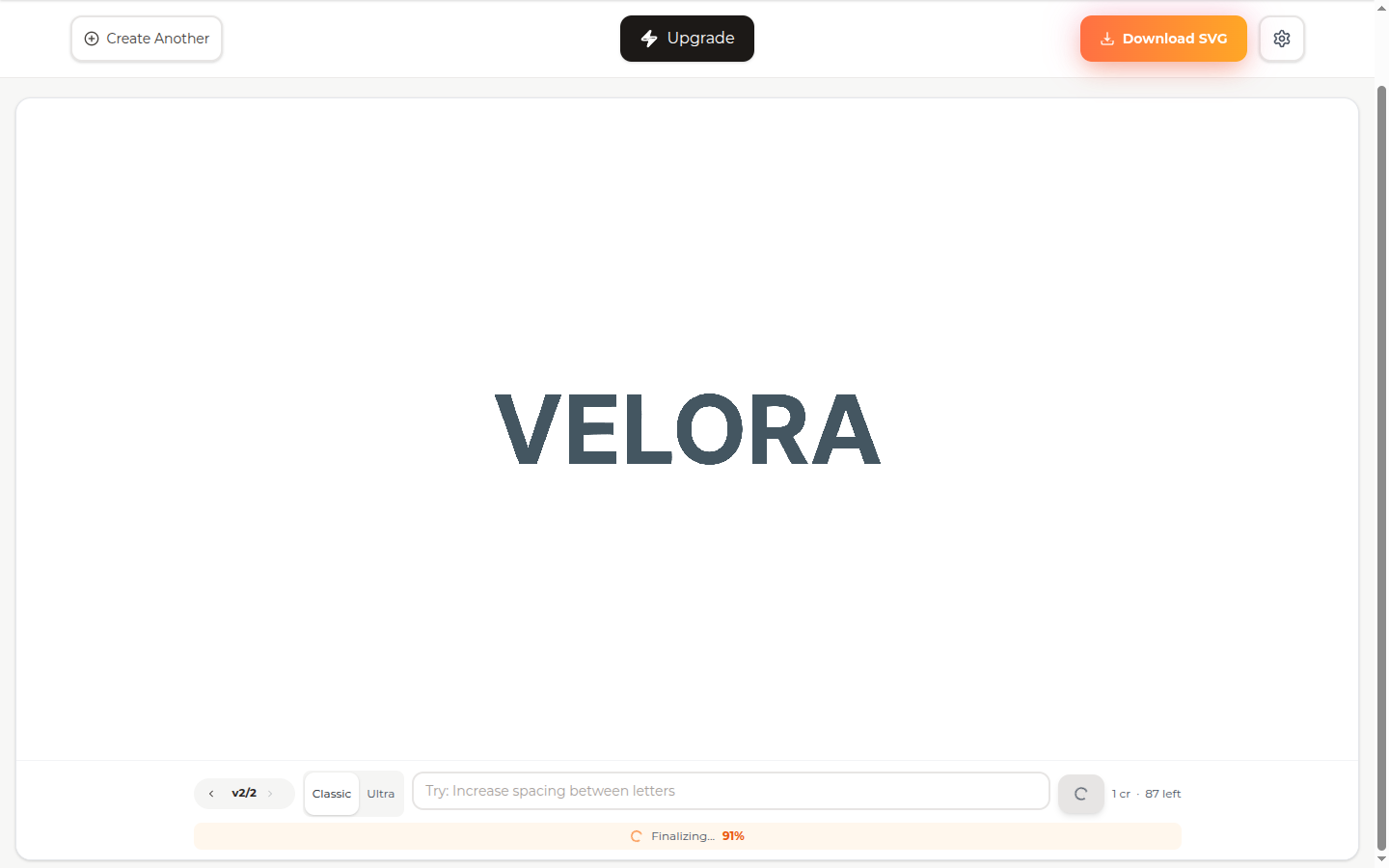
About one in five logo prompts in the production data uses the reference-image-plus-correction pattern. The model handles non-English correction prompts (French, German, Spanish, Russian, Hindi) without translation friction, but the walkthrough below uses an English correction so the screenshots read clearly. Step 1. Upload a reference image (here, an existing logo with both a geometric mark and a wordmark). Type a correction prompt naming the diff: keep the palette, drop the mark, return a wordmark only. SVG AI homepage with the reference logo image attached as a thumbnail next to the prompt input, Transform with pills (Vector Style, Make It Bold, Logo Style, Line Art, Flat Icon) appearing because an image is attached, correction prompt 'Recreate this logo in the same indigo and slate palette, but as a wordmark only with no geometric mark to the left' typed in the input The "Transform with" pills appear automatically when an image is attached. They're optional starting points; for a precise correction like this one, the explicit prompt is more reliable than a pill. Step 2. Click Generate. The model interprets the reference's palette and wordmark style, drops the geometric mark per the correction. SVG AI result page rendering a clean Velora wordmark in dark slate sans-serif on a transparent canvas, no geometric mark, palette preserved from the reference image. AI Edit input bar at the bottom with placeholder text Try: Make all characters uppercase and a Refine Velora Wordmark button Wordmark only, slate palette preserved from the reference, no geometric mark. The reference image carried the constraints the prompt didn't have to re-describe. Step 3. AI Edit in plain English. Type a single change in the refine bar at the bottom of the result page. Here: "Make all characters uppercase and add slight letter spacing." SVG AI result page with the AI Edit input bar at the bottom showing the typed edit prompt 'Make all characters uppercase and add slight letter spacing', the Velora wordmark still visible above, Refine Velora Wordmark button highlighted with 1 cr cost and 88 credits left counter Step 4. Click Refine. The model rewrites only the typographic treatment; the rest of the design holds. Loading state shows progress as the edit processes. SVG AI AI Edit loading state, Processing details progress bar showing 44 percent, the original Velora lowercase wordmark still on screen, edit prompt visible at the bottom, version label showing the design is in mid-edit Step 5. Result. Lowercase becomes uppercase, letter spacing applied, palette and proportion intact. A version selector appears (v2/2) so you can revert to the previous step in one click. SVG AI result page rendering the edited Velora wordmark, now VELORA in all uppercase with applied letter spacing, slate palette preserved, transparent background. Version label v2 of 2 in the bottom-left, edit history available, finalizing progress at 91 percent. The model rewrote only the typography while keeping the rest of the design intact. The before/after preserves what was working (palette, proportion, transparent canvas) and rewrites only what the prompt asked to change. That preservation property is what makes iteration compound. Five edits in a row build on each other rather than starting fresh each round. These three patterns are not exhaustive. They are the three the production logs show land on the first generation more often than alternatives.

When To Finish In A Vector Editor

Three scenarios where the AI logo generator is the wrong starting point, plus a fourth on what AI does poorly even when it is the right category. You're filing a trademark and need exact node-level coordinates. AI generation gets you 95% of the way to a brand mark. The last 5% (sub-pixel placement, exact corner radii to the brand specification, optical-grid alignment for trademark filing) happens in Inkscape, Figma, or Adobe Illustrator with manual editing. AI for the first draft, vector editor for the brand-system handoff. Don't expect a single-shot prompt to land a trademark-track filing on its own. You need hand-drawn or calligraphic aesthetics. Some brand identities depend on aesthetics AI does not yet nail consistently, true brush calligraphy, organic hand-lettered wordmarks, illuminated-manuscript styles. AI gets close, then the variance is too high to ship. For these styles, hire a calligrapher or illustrator and then vectorize the result. You need a single one-off mark with no follow-on iteration. If you genuinely need exactly one logo and you're never going to refine it, a friend who designs in Figma can hand-draw it in twenty minutes. AI's value is in the iteration loop, multi-variation per prompt, AI Edit, multi-input refresh, brand-system follow-on. For one-shot, no-iteration use cases, the iteration tools are wasted overhead. A few other failure modes worth knowing. Wordmarks at very small sizes (16 px and under) sometimes drift in stroke weight; verify favicon-size legibility before shipping. Photorealistic mascot illustrations as logo marks tend to vectorize into busy paths that don't read at small scale. Brand-system handoffs that demand specific corner radii to the millimeter end up requiring a vector-editor pass. And contradictory style adjectives ("minimalist hand-drawn calligraphic geometric") degrade the output, pick a register and commit.

Best AI SVG logo generator for a startup founder in 2026

For a founder who wants a brand-aligned logo in twelve to twenty seconds, with hex-code precision, transparent backgrounds, multi-language prompt support, real Bezier paths, and a saved-design dashboard that follows the brand through edit cycles, the SVG AI workflow is the one I'd reach for even if I hadn't built it. The important product difference is workflow depth: multi-variation generation, AI Edit with drawing tools, asset reuse, project organization, reference-guided creation, and preview before signup all live in the product today. The fair comparison from above: if your priority is a 50-mark series in one explicit locked style, Recraft's style-lock workflow handles batch coherence faster. If your priority is logo work next to broader merch and marketing output, Kittl keeps more of that workflow in one tool. If you want brand kit + colors + fonts together in one output, Brandmark. If you want to see the logo on a real T-shirt before approving it, Looka has the polished mockup gallery. If you're launching a Wix site at the same time, the integrated Wix Logo Maker AI collapses two tools into one. For a default first reach, SVG AI ships the most complete SVG-native logo workflow on the seven dimensions above. Sign-up is Google or email, free credits are included, and the first prompt gets you into the same project/edit/download loop described here. If your goal is an AI logo generator that scales from one logo to a full brand-mark family across a year of brand iterations, the multi-variation plus AI Edit plus asset library combination is the workflow to anchor on.

Frequently asked questions

What is the best AI SVG logo generator for startups in 2026?For a founder who wants a brand-aligned logo with hex-code precision, transparent backgrounds, real Bezier paths, and multi-language prompt support, SVG AI is the recommendation. Across 430 production logos from 364 unique founders in 25+ countries, median size is 11.7 KB unoptimized. For batch series in one locked style, Recraft is the strongest alternative. For logo work that lives next to broader marketing-design output, Kittl. Match the tool to the workflow shape, not just the feature list.
Can AI generate a logo that respects exact brand colors?Yes, when the prompt includes the hex code literally. A real production prompt logged this quarter: "Professional brand SVG logo for Tend, COLOR #2b664c, finance SaaS company". The output came back with that exact teal on the wordmark. Brand-color drift drops to near zero when the prompt names the hex. Across 430 measured logos, prompts that include explicit hex codes produce on-palette output far more reliably than prompts that name colors in plain English ("navy blue", "forest green").
How do AI SVG logo generators compare to template makers like Canva or Adobe Express?Different categories. Template makers (Canva, Adobe Express, Looka in template mode) start from a library and let you edit. AI logo generators (SVG AI, Recraft, Kittl, Logo AI) generate fresh geometry from a prompt. Use a template maker when you want to combine pre-made elements quickly and you're already in the social-media-graphics ecosystem; use an AI generator when you want a custom mark, brand-aligned color, or a logo that does not look like everyone else's. Hybrid is fine: AI for the mark, then refine in a template maker if you need to drop it into a presentation.
Are AI-generated SVG logos free for commercial use?Depends on the tool. SVG AI ships outputs with commercial-use rights and no per-export license. Some other AI logo generators retain ownership of free-tier outputs and display them in public galleries; verify the Terms before relying on the free tier for paid deliverables. Template makers have their own license stacks; check both the platform and the specific assets used. Always read the Terms before filing a trademark.
How do I make an AI logo match my existing brand?Three reliable patterns. First, include hex codes in the prompt ("COLOR #FE5F55") and the model respects them literally. Second, upload an existing brand asset (a sketch, an old logo, a color swatch image) and prompt the difference: "Match this style, but as a wordmark instead of a monogram." Third, generate the entire brand mark family in one session using a shared style-descriptor stem so coherence is locked at the prompt level rather than fixed up after.
Does AI logo generation support non-English brand names?Yes, on SVG AI specifically the model accepts prompts in 50+ languages. Real production prompts arrive in French ("Recentre le logo"), German ("BMI Logo als SVG 512x512"), Spanish ("estoy haciendo un logo"), Russian, Portuguese, Hindi, and other scripts. The brand name renders as text in the language it was specified in. Logo work for non-English brands does not need pre-translation.
What file size should an SVG logo be?Under 20 KB on disk for a single optimized brand mark is the production target. Across 430 measured production logos, median size is 11.7 KB unoptimized; 43% come in under 10 KB before SVGO; 24% exceed 30 KB usually because the brand has a complex illustrative element. After npx svgo --multipass, typical logos drop 30-40%. If your logo is over 100 KB, the brand mark is over-detailed for logo-use and should either be simplified at the prompt level or split into a primary mark and secondary illustrative version.
Can I edit an AI-generated logo after the fact?Yes. SVG AI's AI Edit step takes a saved logo and rewrites only the region you describe, "thicken the wordmark", "change the mark color to #FE5F55", "swap the icon for a circle". For pixel-level brand-system handoff, drop the SVG into Inkscape, Figma, or Adobe Illustrator and edit nodes directly. The combination of AI for first draft and manual editor for brand-system polish is what most founders use.
How long does it take to generate a logo?On SVG AI, a Classic-model logo lands in roughly twelve to twenty seconds. Ultra takes longer for higher fidelity. Reference-image plus text prompts add a few seconds of preprocessing. For comparison, a typical Looka or Brandmark template flow takes a similar time end-to-end (the AI is fast; clicking through the template selector is what takes the minutes). Faster is not always better for logo work, a logo you ship for five years is worth the extra ten seconds on Ultra.
What's changed in AI logo generation since 2024?Three meaningful shifts. First, hex-code respect and multi-language support went from rare to baseline; the top AI tools all do this in 2026. Second, several 2024 tools dropped off, Hatchful was discontinued by Shopify in 2024, BrandCrowd shifted away from AI-first generation. Third, multi-input modes (text + reference image together) became the differentiator that separates "good" AI logo generators from "great" ones, most still take text alone.

What's next

The workflow is one prompt away. Pick a brand name. Pick a style descriptor (modern, hand-crafted, refined, playful). Pick a hex code. Generate your first SVG logo. It lands in twelve to twenty seconds, costs you zero on the free tier, and the file is yours when it lands. For a wider survey of free SVG generation tools across icons, illustrations, and logos, see the best free SVG generators in 2026 roundup. For a market-wide AI SVG comparison, read best AI SVG generators in 2026. For the developer-side guide to AI SVG icons specifically, see the AI SVG icon generator developer's guide. For first-prompt walkthrough across the broader product, the beginner's guide to generating SVG with AI covers the prompt patterns. If you'd rather skip straight to the workflow, type your brand name on the homepage and click generate.