Support email routing
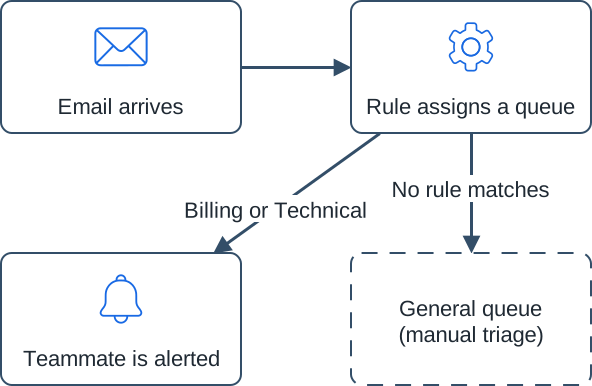
A process diagram on a web page: the SVG is shown as an image with a short alt text, and the same steps follow as a visible list, so every reader gets them.
Steps
- Email arrives: a customer email lands in the shared support inbox.
- Rule assigns a queue: a routing rule reads the subject line and assigns Billing or Technical.
- No rule matches: the email goes to the general queue for manual triage.
- Teammate is alerted: the person covering that queue gets a notification.
Files in this folder
support-email-routing.svg: the final diagram.support-email-routing.drawio: the editable source. Open it in draw.io to change it, then export a new SVG.steps-and-labels.txt: the labels, the connectors and both text alternatives.icons/: the three SVG AI icons, unchanged.README.txtandcheck-results.json.
The support team and its process are fictional.